Management Console
2026-05-19 Login migration
New Features
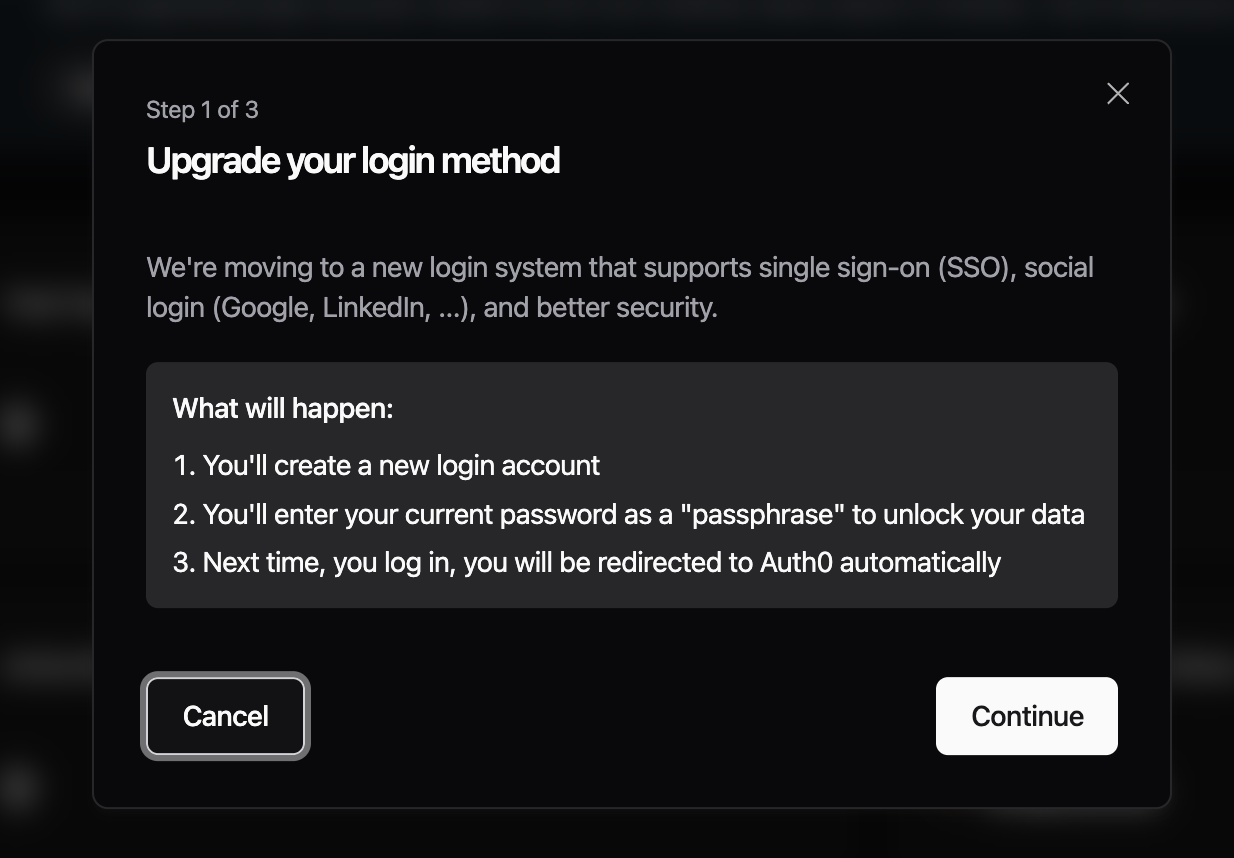
- Community accounts can now migrate from email/password login to Auth0. A banner on the home page opens a short wizard that links your account to an Auth0 identity. After linking, you sign in to UMH through Auth0, which adds Google and LinkedIn sign-in options and supports MFA. You still use your existing password to unlock your data after sign-in. Email/password login keeps working for accounts that haven't migrated yet, so you can take the migration at your own pace.

- The login page now starts with a single email field and routes you to either the password screen or to Auth0 based on which login method your account uses. If you previously linked an Auth0 identity but kept signing in with email/password, you are now routed through Auth0.

Improvements
- The bridge setup wizard, dynamic protocol forms, and enhanced read flow UI were previously shipped as previews enabled by default, and are now generally available.
Fixes
- Previously, bridges created with Copy Template showed "Not configured" on the Read Flow card even while data was flowing through. This showed a misleading Configure Read Flow button on bridges that were already set up. Both new copies and existing affected bridges now display their Read Flow correctly.
- Previously, using the breadcrumb navigation for some bridges and standalones would result in showing a missing overview page. This is now fixed.
Preview: Enterprise login migration
- Enterprise organizations can opt in to a migration that provisions an Auth0 organization for the company, lets the owner pick a default sign-in connection (Google, LinkedIn, or a custom Auth0 connection ID), and walks each member through a short migration once the owner has finished. To opt in, contact your UMH point of contact to prepare the migration (i.e. setup the custom SAML connection in Auth0 and designate a company owner who is then able to run through the company migration wizard).
