What's new in UMH
New Features
- An SFTP bridge template reads text files such as CSV, TXT or JSON from an SFTP server and publishes each file as one tag, named after the file. New files are picked up every 10 seconds and files already read are skipped, but after a restart or redeploy every matching file is published once more. Give the bridge wizard the server's host and port, then fill in the username, password, host public key and file paths in the input
- A new design for the sidebar and header, the first step of a gradual redesign of the interface. Other areas follow within the next weeks and keep the previous design until then, so the interface looks mixed during the transition. Feedback is welcome!
Improvements
- Bridges now start only once CPU, memory and disk are proven healthy, also after a restart. A waiting bridge says why it waits and how to start bridges anyway in an emergency
- Connection checks now run on the "FSMv2 nmap" backend by default, which lowers the total average CPU usage of an UMH-Core instance by up to 25%. Should any errors occur, you can set the
NMAP_BACKEND=fsmv1environment variable to switch back to the old backend.
Fixes
- With
USE_FSMV2_CPU=true, CPU health now shows degraded instead of healthy when the instance cannot read a file it needs to measure the CPU - With
USE_FSMV2_CPU=true, CPU health now shows degraded instead of healthy in the first seconds after a start, while it reads "starting up". New bridges wait until the CPU is proven healthy - An instance now shows as degraded while the emergency setting Turn off bridge admission (
agent.enableResourceLimitBlocking: false) is in place. Instances created before v0.43.12 usually havefalsewritten in config.yaml and show as degraded after this update: set it totruein the Config File to turn bridge admission back on - A config.yaml without
agent.enableResourceLimitBlockingnow counts astrue. This affects hand-written config.yaml files and instances upgrading straight from v0.43.11 or earlier: their new bridges wait until health is proven and a slot under the bridge limit is free - An instance now runs up to its full bridge limit. Before, it stopped one bridge short
- With
USE_FSMV2_CPU=true, the bridge limit now uses the cores the container is allowed to use, not the host's cores. A container limited to 2 cores on a 32-core host now gets a limit of 5 bridges, not 155
New Features
- With the historian feature flag enabled in the Management Console, the instance reports the state of its historian database: versions, disk usage and growth, and background job counts with every status update, and compression savings, per-table details and the job list on request
- The communicator now reports its own health, queue usage, and queue peak usage
Improvements
- A bridge refused because the instance is short of resources now says which resource and why, such as the CPU health message, instead of "System in degraded state". Which bridges are refused is unchanged
USE_FSMV2_TRANSPORTandUSE_FSMV2_MEMORY_CLEANUPare now always on and can be removed from your configurationALLOW_INSECURE_TLSno longer has any effect. To trust a proxy that intercepts TLS, add your corporate CA certificate instead (see the network configuration guide)
Fixes
- umh-core runs without the Management Console again. It is designed to work without
AUTH_TOKENandAPI_URL, but FSMv2 features such asUSE_FSMV2_CPUaccidentally depended on them - Log messages for stopped flows in bridges are now more consistent
- CPU usage, limit and throttling now read on hosts using the older cgroup v1 hierarchy, such as RHEL 8, where the CPU panel previously showed N/A. Pressure stays unavailable there, since that kernel publishes no per-container pressure figure
New Features
- An SAP production order (LOIPRO05) standalone flow template receives production orders that SAP sends as IDocs over HTTP and publishes each order to the UNS as the complete IDoc in JSON, ready to extend in its JavaScript step. A request that is not XML is answered with HTTP 400, so SAP marks the IDoc as failed instead of delivered
- A Janitza Energy Meter bridge template reads voltage, current, active power, frequency and active energy from Janitza UMG power analysers over Modbus TCP
- An SAP ME HTTP Sync Response template lets machines that call SAP PCo-style REST methods talk to SAP ME without PCo. Each call becomes a SOAP request, SAP ME's answer goes back to the machine in the same response, and accepted calls are also published to the UNS
Improvements
- Right-aligned columns in the Instances table, like Data Flows and Topics, now have their headers aligned with their values
Fixes
- The company audit log on the User Management page now shows every log in the chosen time range, not just the first 50
- Selecting a topic in the stream processor's topic selector no longer makes its row taller than the others
New Features
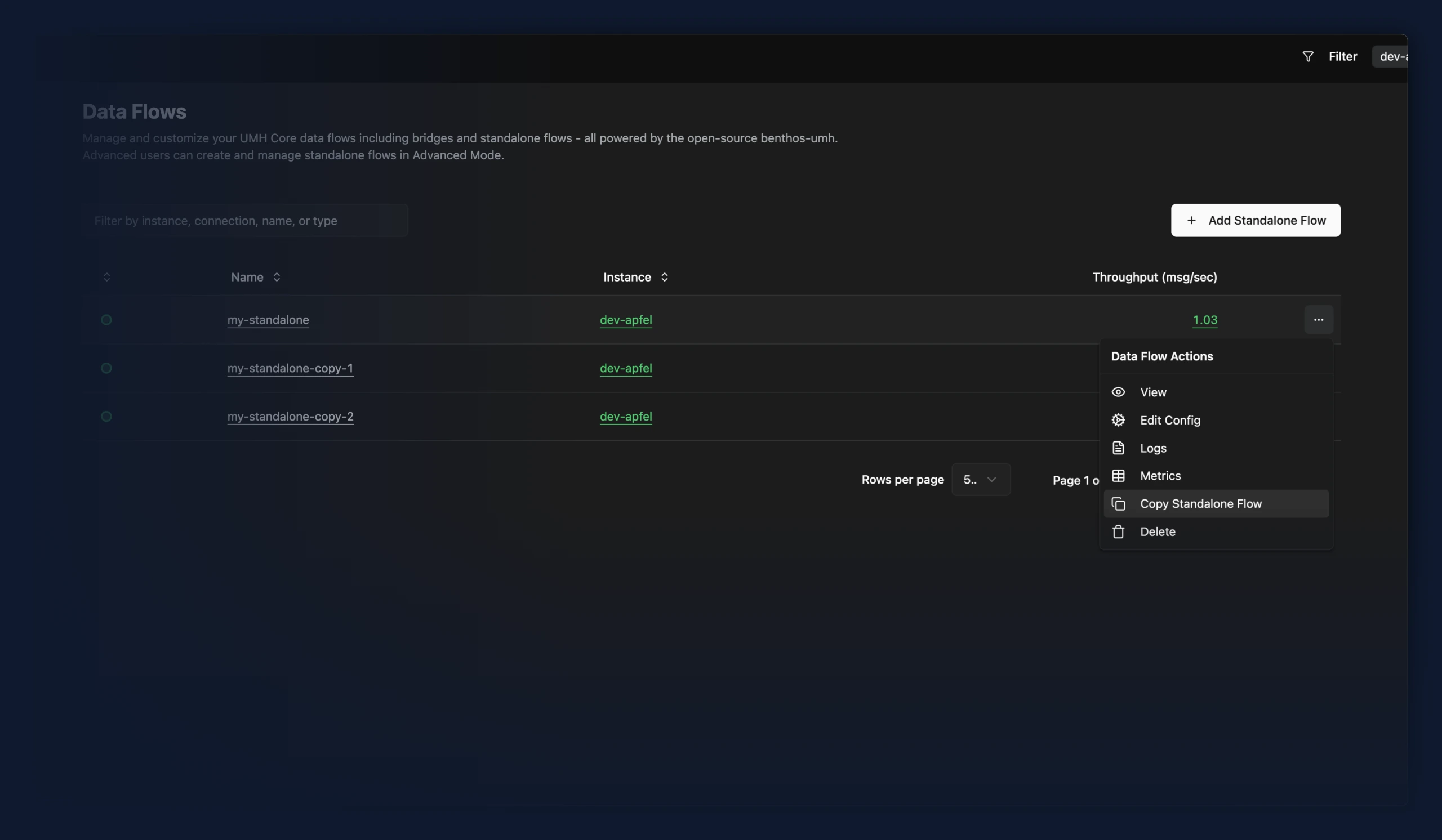
- You can now copy an existing standalone flow as the starting point for a new one. The copy opens the creation form prefilled under a free name, with the instance, configuration and activate switch all editable before anything is deployed.
- An InfluxDB 2 bridge template writes a UNS data contract into an InfluxDB bucket. Pick it in the bridge wizard, give it the server's host and port, then fill in the organization, bucket and API token in the destination. The bucket has to exist before you deploy, because InfluxDB creates the measurement and its columns on the first write and takes its retention from the bucket rather than from the bridge
Improvements
- The Core tab of an instance shows the release version and channel on the Agent card, which replaces the separate Release card. The ⓘ next to the version lists the versions of the bundled components: S6 Overlay, Benthos and Redpanda
- New Communicator card on an instance's details page, showing how busy the connection to the console was over the last 30 seconds (usage and peak usage) and the number of active viewers. Near 100% usage, status updates and action replies can get lost
- The Config Instance File button on an instance page is now called View Instance Config
Fixes
- Previously, an account with no instances saw a loading spinner that never went away on Data Flows, Data Models and Contracts. These pages now correctly show their empty-state message.
- Picking an example on a standalone flow now asks before replacing a configuration you have already loaded or copied. Previously configurations were replaced without warning.
New Features
- Beckhoff PLCs running TwinCAT 2 or TwinCAT 3 can now be connected with an experimental bridge template for the ADS protocol, reading PLC symbols either by change notification or on a fixed interval. ADS uses the same guided bridge UI as OPC UA, S7 and Modbus: symbols are edited in the address table, with optional per-symbol cycle time and max delay. Tested on CX7000, CX8190 and CX1020
Improvements
- All signup-related pages now consistently read "Sign Up" instead of a mix of "Setup", "Sign Up" and "Register".
- The buttons on an instance page now name what they act on: Config File is called Config Instance File, and Delete is called Delete Instance
Fixes
- Instances with many topics now show as online right away after signing in or reloading the page, while their topics keep loading in the background. They used to stay offline until every topic had loaded, which took longer the more topics an instance had.
- Long names, instances or descriptions on the data models page no longer widen the table until the Historian and row action columns sit behind a horizontal scrollbar. A value too long for its column is cut off, ending in a …, and shown in full on hover
New Features
- The community Beckhoff ADS plugin was replaced by our own implementation. It is still in an experimental state. Refer to the benthos-umh repository for more information.
Improvements
- The CPU status of an instance whose operating system does not report CPU pressure stats now links to instructions for switching them on
- CPU health readings are now available on the
/metricsendpoint as a preview, covering the instance's own usage, CPU pressure, throttling and how busy the machine is. RequiresUSE_FSMV2_CPU=trueandUSE_FSMV2_TRANSPORT=true - Removed stale documentation on using references within data models
Fixes
- Sparkplug B input: metric datatypes now survive from BIRTH to DATA for devices that repeat the metric name in NDATA/DDATA. The alias cache restored the datatype only when the DATA metric arrived without a name, so devices sending name and alias together kept losing it, leaving
spb_datatypemissing and decoding signed integers as their unsigned wire value (anInt32of-12surfaced as4294967284). Devices sending the alias alone were already correct.
Improvements
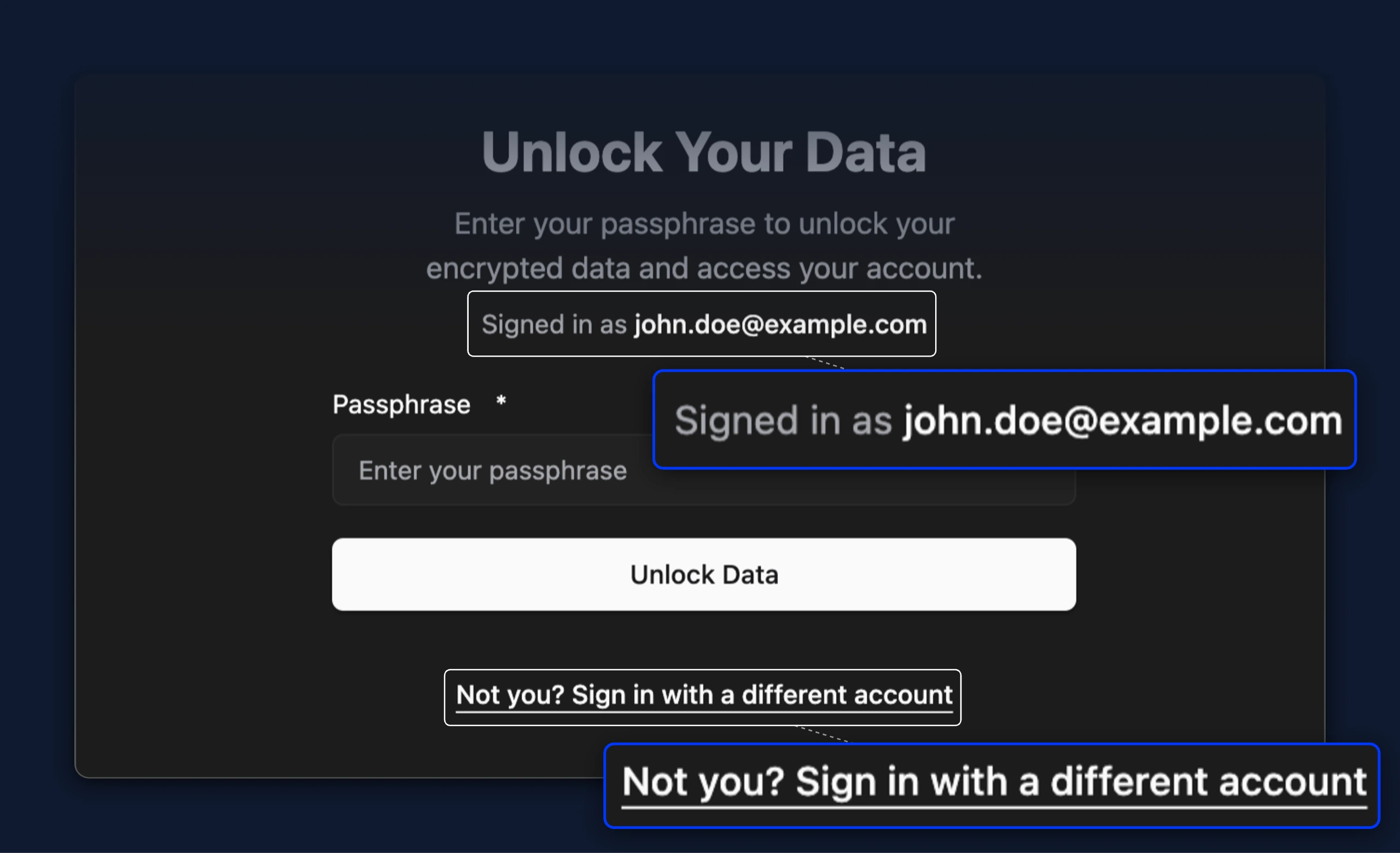
- The passphrase screen now shows which account you are unlocking. A link below the form signs you out, so you can log in with a different account
- Behind the historian feature flag, the Plugins tab of an instance now carries the same status circle as the Core tab. It stays neutral while no plugin is configured, and otherwise shows the health of the configured plugins
- The name of a data model is now checked against its 53 character limit, and a name that is too long is reported on the field like any other invalid name. It used to pass the form and fail on deploy
Fixes
- The Docker Compose setup tab now downloads the file as
docker-compose.yaml, the name the documentation uses. Thedocker compose up -dcommand that the tab shows now finds the file and starts umh-core. The file used to be calledumh-core-compose.yml, which Docker does not read - Fixed a bug where being a member of exactly one company while also having a personal account would make it impossible to access the personal account.
- Instances now appear right away when signing in from a browser that has not been used with the console before. They used to stay offline for 25 seconds on a new device, a new browser, or a private window
- Long names, paths or descriptions no longer widen a table until its row action column sits behind a horizontal scrollbar. A value too long for its column is cut off, ending in a …, and shown in full on hover
- Neither the browser nor a password manager offers to save the database password when you deploy or edit the Historian. The field still hides what you type
- Numeric values are now always handled correctly in visual mode of bridges
Fixes
- Adding a data model with a name longer than 53 characters is now rejected with an explanation, instead of only being blocked in the Management Console.
- Instances on some hosts are no longer reported as degraded, which previously stopped every bridge on them from running. Where CPU usage cannot be read, the instance keeps running and reports CPU monitoring as unavailable
Fixes
- Repointing a bridge to a different host on the same port now waits for a check of the new host, so the previous host can no longer make the deploy report success
Improvements
- User profile in the sidebar now displays company's name instead of the user's email.
- The Save & Deploy button on existing bridges stays disabled until its configuration is changed or the flow state is switched. It used to stay available on a bridge you had only opened, so deploying an untouched configuration looked like a real change, while it wasn't.
- Save & Deploy on an existing standalone flow stays disabled until its configuration changes or its state is switched. It used to stay available on a flow you had only opened, so deploying an unchanged configuration looked like a real change
Fixes
- Continue Editing after deploying a new standalone flow now opens that flow. It used to return to the creation form, which then reported the name as already taken and left you unable to deploy
Improvements
- The Config File page now has a Download button for saving an instance's configuration to a file
- The Processing section of a Historian bridge now opens on a Visual mode that holds no fields, only a note that the JavaScript in that section runs on every message before it is written and is best left unchanged. Existing processing code is left as it is and stays visible under Code
Improvements
- Lower latency in the left sidebar readout, and it now stays low when many people use the console at the same time
- Users are now automatically redirected to the dashboard if they visit the login page but are already logged in
- The Applications page is gone. It appeared in every sidebar but only ever listed anything for UMH Classic instances, so it left people asking where to open Grafana and Node-RED
- Tooltips across the app now look and behave the same everywhere
- Preview: an instance's CPU reading can now show where the pressure is coming from, separating load on the host from the instance's own limit and naming why a reading counts as degraded. Requires UMH Core v0.44.37 or later with
USE_FSMV2_CPU=true, then restart your container
Improvements
- The historian output takes
value_chunk_intervalandattribute_chunk_interval, setting how wide a TimescaleDB chunk is for each of its two hypertables, both still defaulting to 168h. An interval applies only when a table is created, so changing it later needsset_chunk_time_intervalon the database, and a restart warns when a configured interval no longer matches its table
Fixes
- The historian output now applies compression and retention to every data contract, not only the first one. Existing historian setups are unaffected
- The historian no longer stores
timestamp_msas a tag attribute, which previously wrote one attribute row per data point
Fixes
- Topics no longer go missing from the Topic Browser when several updates arrive in quick succession
- The Topic Browser now updates as data arrives instead of in bursts roughly every 10 seconds
Improvements
- Lower latency in the left sidebar readout, most noticeably at busy times of day
New Features
- An Example Pump bridge template generates random temperature, pressure and vibration readings into the
_pump_v1contract, so you can set up a historian pipeline end to end without hardware to connect to. The Data Modeling Guide beside the data model editor now carries the matchingpumpmodel, which you create before adding the bridge
Improvements
- Behind the historian feature flag, the reason a data model cannot be saved, shown on hover in the Historian column, now wraps instead of running across the page as one line
Fixes
- Location levels inherited from a previously selected instance no longer persist after switching to a different instance when adding a flow
- Bridge processing code that uses templates, such as
{{ .location_path }}or a loop over the address list, is no longer reported as unreadable and no longer blocks Save & Deploy. Mistakes in the JavaScript around a template are still reported
Improvements
- Topic Browser updates are around 60% smaller on instances with many topics, because per-topic metadata is no longer resent with every refresh. This helps most on slow or metered connections
Fixes
- Instances with large configurations no longer run out of time in the control loop, which previously caused "not enough time left to reconcile" error log messages.
New Features
- Bridges now have an overview page
- Bridges can now be stopped and restarted
Improvements
- Behind the historian feature flag, the Historian column on the data models page offers an add link for a model that is not saved yet, which opens the bridge wizard already filled in for that model's contract. Previously the column showed a dash and saving a model was only reachable through its row menu. When no bridge can be created, because the instance is offline or the model has no data contract yet, the dash stays and names that reason on hover
- Behind the historian feature flag, the health indicator in that same column opens the bridge saving the model, so you no longer have to go through the row's three-dot menu to get there
Improvements
- A message dropped for a missing
timestamp_mssays how to supply one, noting that the tag processor sets the field automatically and that any other processing has to carry it in the payload - The historian output reports dropped messages at error level, one aggregated line per reason per batch, naming the reason, how much of the batch it accounted for, an example topic and the fix. Reporting starts with the first batch rather than after 30 seconds, and
missing_value_or_timestampis split intomissing_valueandmissing_timestamp - The historian output refuses a whole batch carrying a message for a data contract other than its configured
data_contract_name, rather than discarding those messages silently, and the batch is not retried. The error names the contracts that arrived and theumh_topicspattern to narrow to, so a subscription broader than one contract stores nothing until it is narrowed - A versioned data contract whose schema was bypassed is rejected by the historian output, because the version claims a schema that was never applied; an unversioned contract such as
_historianis stored, since it never claimed one. A tag that changes datatype still has its offending rows dropped, and the error names the newallow_datatype_changesoption that stores both types on it instead. Payloads carrying fields beyondvalueandtimestamp_msare rejected asnot_timeseries - The historian output's drop counter is renamed from
historian_messages_droppedtomessages_dropped, matching the metric name every other plugin already uses - The historian output stores
data_contract_versionas metadata, read asattribute->>'data_contract_version', so a connected application can tell which contract version a reading arrived under. All versions of a contract share one table and oneumh.tagrow, so no column recorded the version and it was previously dropped
Fixes
- When the connection to the Management Console degrades after repeated failures, the log now names the upstream cause — the HTTP status and a snippet of the response — instead of only the error count. Previously the cause was recorded internally but never reached the log, so a connection that kept failing and recovering showed repeated degradation with no reason given
- Renaming a bridge whose deployment then fails no longer leaves it impossible to edit or save. A failed deployment now undoes the rename along with the rest of the configuration, while Save Anyway keeps the new name as before
- The historian output no longer discards tags whose virtual path merely starts with the OPC UA diagnostics prefix, such as
Root.Objects.ServerRoom; only theRoot.Objects.Serversubtree itself is skipped
Improvements
- The Destination section of a Historian bridge now has a Visual mode next to Code. The data contract is a dropdown, the connection inherited from the instance's Historian is a single read-only row, and metadata filtering, write timeouts, compression and retention are editable fields. Compression and retention take effect only when a data contract's tables are first created. Saving from the visual form rewrites the stored YAML, so comments in it are not kept. Save & Deploy stays blocked while no data contract is selected, while the name cannot work as a Historian target, and while the destination YAML cannot be read, with the reason shown on hover.
Fixes
- Leaving a bridge that writes to the Historian no longer warns about unsaved changes when nothing was edited. Its host and port are read from the instance's Historian each time the page opens, and that counted as an edit.
- Topics and events no longer go missing from the Topic Browser when data arrives faster than it can be saved
New Features
- The Filter menu now picks which instances this browser receives live data from, and narrowing it from every instance to one or a few cuts the load on your browser. Instances outside the filter stay listed but contribute no live data to any page. Switching the filter applies at once, though pages stay empty until a newly selected instance reports
- Behind the historian and write-flow feature flags, a data model's row menu can save it to the historian: the bridge wizard opens already filled in for that model's contract, so you review the values instead of typing the bridge name, topic filter and contract by hand. A Historian column shows which models are being saved, with the bridge's health, and links to the bridge. A historian bridge is named after the data contract it saves and that name is no longer editable, so the data model it belongs to always finds it.
Improvements
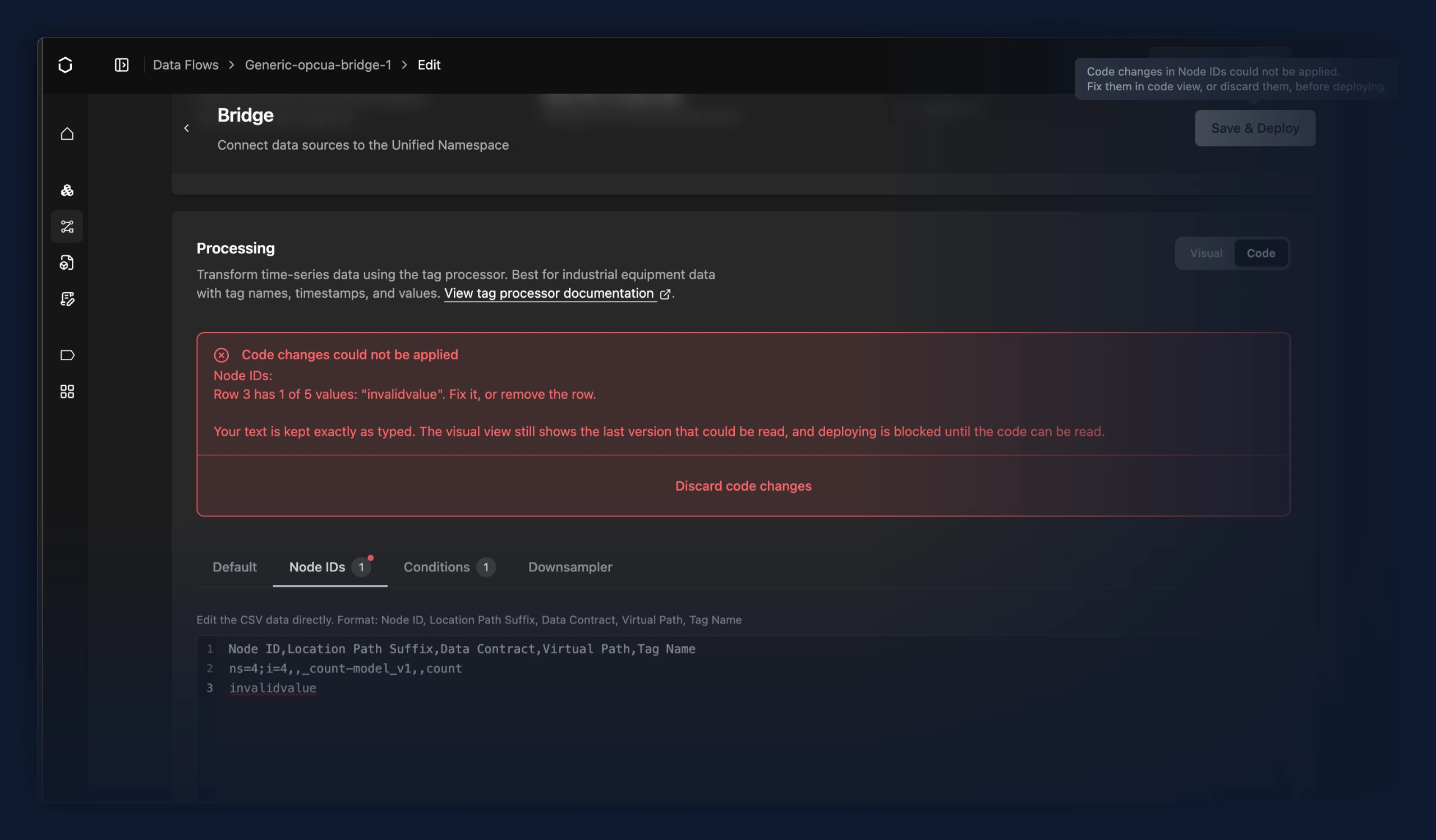
- Rows that do not match the header are underlined directly in the read flow's address code editor, so the line to fix is visible while typing
- The visual view of a Processing tab is read-only while its code cannot be read. Edits made there would have been replaced once the code was fixed, so the table or condition list stays visible but cannot be changed until then
- A Discard code changes action on the error message restores the last version of the code that could be read
- UNS instance bridge sender no longer sends HTTP basic auth credentials, and posts to
/egress/uns_sync/by default. Adjust the URL if your reverse proxy uses a different path
Fixes
- Code in the read flow's Processing card that cannot be read is now kept exactly as typed. Previously a line the parser could not convert was deleted without warning when switching tab or mode, and rows carrying more values than the header, or a header missing a column, were dropped the same silent way
- Save & Deploy is now blocked while any Processing tab holds code that cannot be read, with the failing row or line named above the card and a marker on that tab. Previously the deploy either failed only after clicking or went ahead with the unreadable parts missing
- Edits in the read flow's Processing card are now saved when switching between the card's Default, Addresses and Conditions tabs. Previously they were only committed when toggling back to visual mode or on deploy, so returning to a tab regenerated the editor from the last saved rows and the edits were gone.
- Code editor scrollbars no longer vanish when you grab them.
- UNS instance bridge sample flows now deliver data. The sending flow dropped topic metadata, so the receiving instance rejected every message
- Ten times as many messages are now kept waiting for your browser, so fewer are dropped when it falls behind
- When updates arrive faster than the browser can read them, the newest one is no longer the first to be thrown away, so what you see reflects the current state instead of an older one
- Log viewer bug and UX fixes: it no longer spins forever on an unresponsive instance, auto-refresh resumes right away when toggled back on, controls stop flickering between enabled and disabled while polling, and refreshing logs no longer fails due to clock drift between your browser and the instance, however large the skew.
- Renaming a bridge whose deployment then fails no longer leaves the editor on the old bridge, where every later save reported that the bridge could not be found. The editor now follows the rename, and that error no longer offers a Save Anyway that cannot succeed
Improvements
- Viewing the Topic Browser now uses around 50% less background processing in the browser
Improvements
- Viewing a UMH Classic instance now uses up to 20% less background processing in the browser
Fixes
- Deployment dialogs (bridge, historian, etc.) are more stable and clearer: they no longer resize or shift while an action is running, and success or failure is now highlighted in color.
- The Data Flows page no longer lets you open the bridge or stream processor creation form when you have no usable UMH Core instance. Previously, an account with no instances, or with only offline or non-Core instances, would reach an empty, unexplained instance dropdown after already starting to configure; the page now explains upfront what's missing and links to your instances.
Improvements
- New instances now save 7 days of raw messages even in default settings. Existing instances are unaffected, and to switch one over set
internal.redpanda.redpandaServiceConfig.topic.defaultTopicCleanupPolicytodelete. Note that seven days scales with message rate, roughly 40–55 GB forumh.messagesat 700 msg/s, so check the sizing guide before running a high-throughput instance
New Features
- A standalone data flow sample that folds Weihenstephan PackML status signals (mode, program, state) into a single machine-state value and republishes it to the UNS
- Added a standalone template that lets users classify downtimes using a custom grafana ingress and lets you set new (downtime) state reasons.
- KHS machines can now be connected using a standalone data flow sample that reads the MDI-LM protocol over TCP and publishes machine state, speed, counts, and product data to the UNS
- Two standalone flow samples for bridging the UNS between instances: a sender that compresses the local UNS and forwards it to another instance over HTTP, and a receiver that ingests that stream into the target instance's UNS. Both appear in the standalone flow Sample dropdown
Improvements
- Faster message decoding cuts browser CPU use by up to 20%
Fixes
- The Historian plugin can be deployed again. Previously Save & Deploy opened an empty dialog offering only Cancel and never started the deploy, so the TimescaleDB connection was never saved.
Improvements
- The log viewer's and the metrics views' own polling messages are now DEBUG instead of INFO, which makes it easier to spot actual errors and warnings
- Stopping an EtherNet/IP input no longer waits out the current poll interval
- Connection and session diagnostics from the EtherNet/IP protocol library now surface in the input logs, including failures it previously swallowed
Fixes
- When the host is CPU-starved, reconciliation deadlines get exceeded and umh-core was logging "context deadline exceeded" and "not enough time to reconcile" once per instance per tick, flooding the log. These are now throttled to at most one warning per minute (with the suppressed count folded in) and escalate to an error when the overload persists, so a genuinely stuck host gets louder instead of drowning in noise
- The EtherNet/IP input now reconnects after losing the connection to the controller; it previously kept reporting a healthy connection while delivering no data
- A single unreadable tag or attribute no longer stops the rest of an EtherNet/IP poll; only a poll where nothing at all can be read triggers a reconnect
word,dword,uint8anduint64values from the EtherNet/IP input are now labelledeip_tag_typenumberinstead ofstring, andwordanddwordattributes decode to a number instead of a stringified byte slice
Improvements
- Dialogs across the app now share a consistent look and behavior. Previously, different dialogs varied in sizing, spacing, and how closing or canceling was handled, producing an inconsistent feel from one dialog to the next. All dialogs now render through the same standardized components, so appearance and interaction stay uniform everywhere a dialog appears.
- The write flow tab of a bridge no longer shows a "Data Type" selector. It only ever offered a single, greyed-out "Relational" option that configured nothing, and the label was misleading for write flows that send time-series data.
- Bridges that write to the Historian now show a Configure Historian button when the instance has none, and say so outright when the instance cannot run the Historian at all
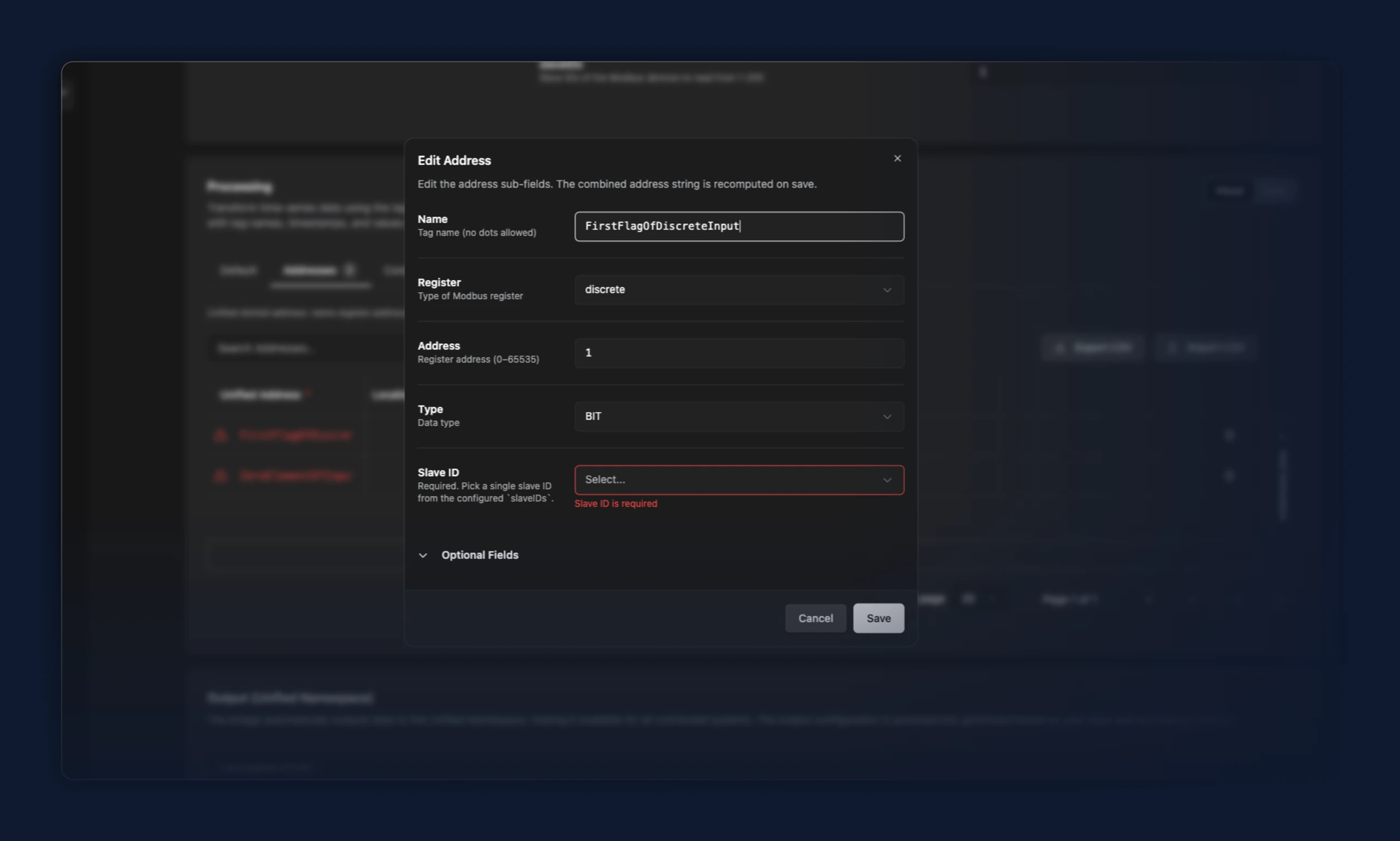
- Updated the 'Name' label for the Modbus unified address dialog to 'Address Name', so that there is no confusion about the Tag Name and Address Name columns
Fixes
- A read flow tag on a custom data contract with Virtual Path "(none)" is now correctly set as empty, so the tag lands directly under the data contract instead of the protocol's default node path.
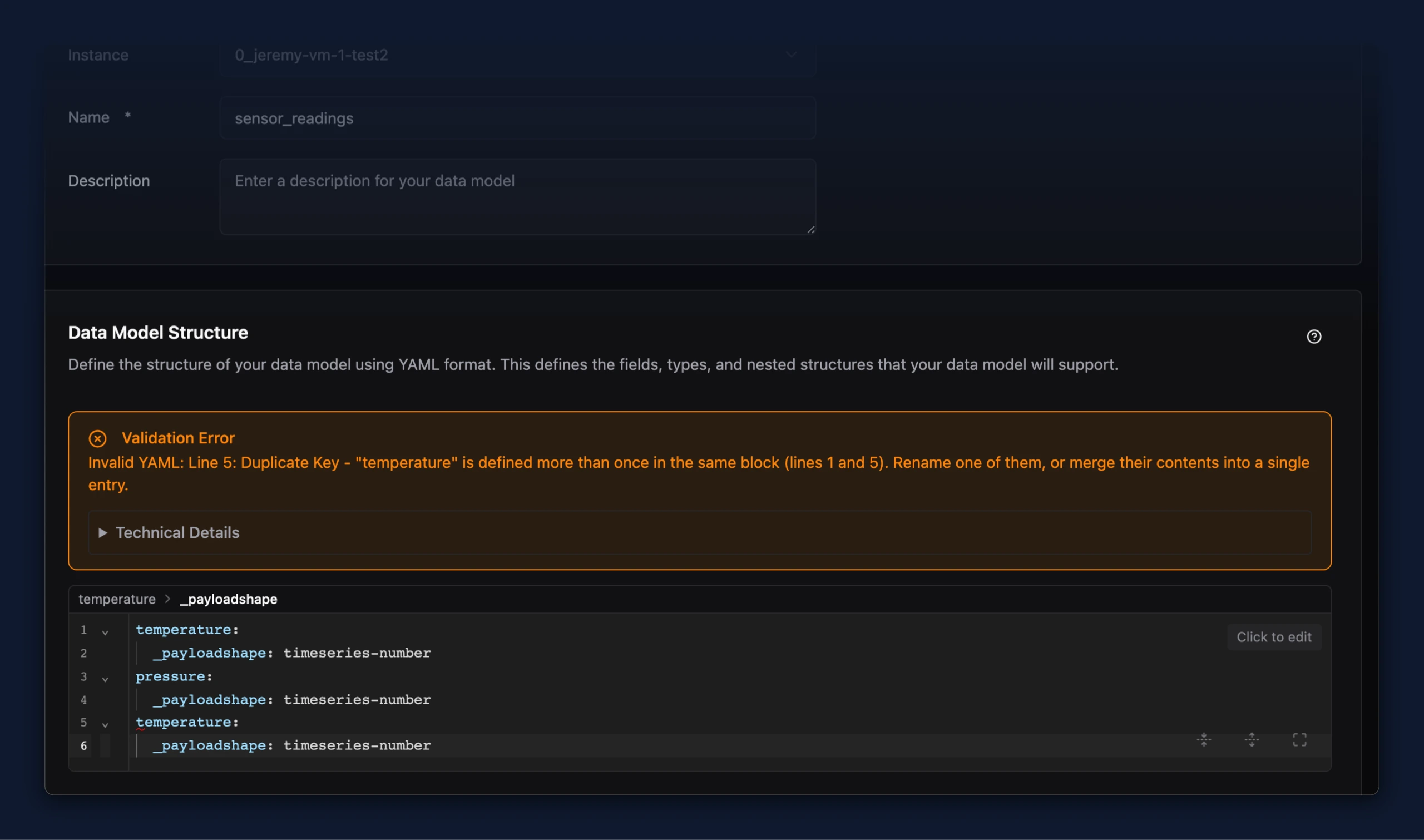
- When YAML in a data model structure or a bridge's config fails to parse, the error message now names the actual problem. Previously nearly every parse error came back as "Indentation Error - Check your white spaces and indentation", which pointed at whitespace whatever the real cause was, and that cause was only visible after expanding Technical Details. Duplicate keys, tabs used for indentation, missing colons, and values containing an unquoted colon now each get their own message, naming the field and the lines involved.
New Features
- Node-RED JavaScript processor can return an array of message objects to publish one output message per array element
Fixes
- A Node-RED JavaScript processor function or tag processor condition that throws now drops only the failing message (warn-logged) and lets the rest of the batch continue, instead of the whole batch failing and retrying
- Node-RED JavaScript and tag processor counters now report throws accurately: messages_errored is gone, throws count in messages_dropped{reason=js_throw}, and messages_processed counts produced outputs instead of every input attempt
- Metadata values in Kafka headers are now serialized consistently across the Node-RED JavaScript and tag processors; non-scalar and nested-null values serialize as JSON so a nested null no longer appears as the literal string <nil>, and in the Node-RED JavaScript processor numeric and boolean metadata values that were previously silently dropped now appear as strings
- UNS schema validation now reports a clear datatype mismatch (e.g. sent timeseries-number, tag registered as timeseries-string) instead of a confusing error that listed the tag as both valid and invalid
- Sparkplug B input derives
spb_timestampfrom each metric's own timestamp when present, falling back to the payload timestamp; multi-metric NDATA/DDATA no longer collapse to one timestamp - The TimescaleDB historian output no longer warns when a batch holds only other contracts' data; it logs once when it stores its first message, and once if data arrives but none matches the configured data contract
- The tag processor no longer converts numeric-looking string values to numbers; a string read from the source stays a string in the UNS, and msg.meta.datatype = "number" remains available for explicit coercion
- A misconfigured data contract no longer stops your other data contracts from being set up. Valid contracts are now registered and validated as usual, while the misconfigured one is skipped and reported as a warning
Improvements
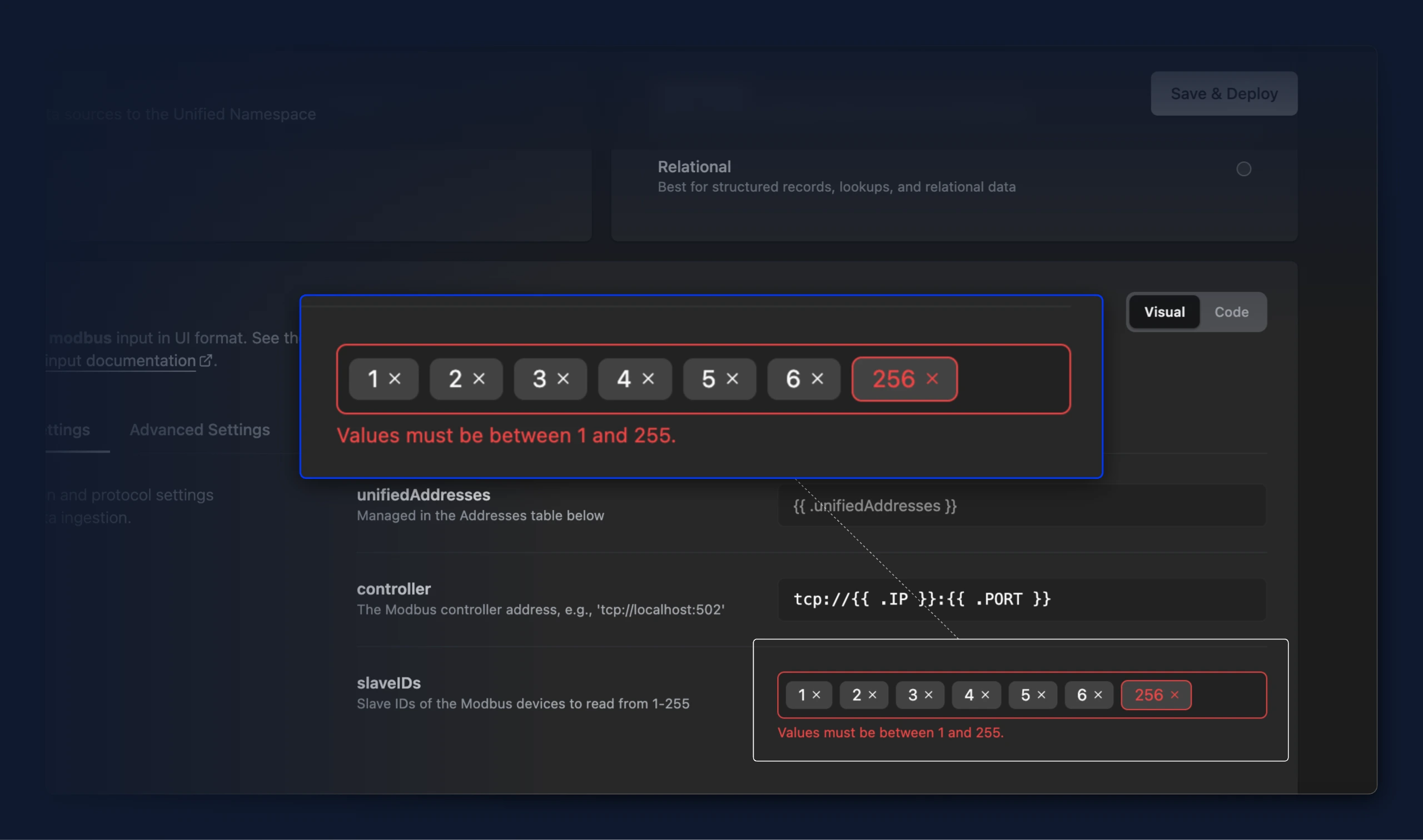
- You can now enter list values like Modbus slave IDs as badges in a bridge's input. Type a value to add it, click between badges to place the cursor, move through them with the arrow keys, and remove entries one at a time. Before this the field rejected what you typed as the wrong type

- Values outside the allowed range, like a Modbus slave ID below 1 or above 255, are now highlighted in both visual and code mode. Save & Deploy stays blocked until the value is corrected.

- When using the write flow preview, the throughput indicator section in the bridge table overview now correctly indicates a state, if a read flow is not configurable for a write-flow only bridge.
- Bridges built from a protocol template that ships only a read flow (such as OPC UA) can now deploy a write flow too. The write destination protocol is inferred from the read protocol whenever the read-write mapping defines one, instead of being left unset and silently blocking the write flow.
Fixes
- Data model names are now limited to lowercase letters, numbers and underscores, instead of supporting names that won't work with the historian. Models that already have such a name keep working and can still get new versions.
Improvements
- Deleting data models is temporarily disabled, because it can effect dependent flows. To prevent confusion the action stays visible but greyed out, with the reason shown on hover.
- When using the write flow preview, the throughput indicator section in the bridge table overview now correctly indicates a state, if a read flow is not configurable for a write-flow only bridge.
- Bridges built from a protocol template that ships only a read flow (such as OPC UA) can now deploy a write flow too. The write destination protocol is inferred from the read protocol whenever the read-write mapping defines one, instead of being left unset and silently blocking the write flow.
- Text fields across the app now share a single consistent look. Previously, different pages used the plain input component directly or older, deprecated variants, producing visible differences in border, background, and focus styling depending on where a field appeared. They now all render through one unified input component, so appearance is consistent regardless of where a text field appears.
Fixes
- A read flow tag on a custom data contract with Virtual Path "(none)" is now correctly set as empty, so the tag lands directly under the data contract instead of the OPC UA node path.
- In the experimental UMH theme, accented elements — such as the highlighted option in a dropdown — drew their text in the same color as their background, making them unreadable (white-on-white in dark, dark-on-dark in light). The accent foreground now contrasts with the accent background in both the light and dark UMH themes.
- Topic browser: the SQL Query panel now keeps its copy button in view for tags with long topic IDs, and shows the query in the standard code editor.
New Features
- Read flow address rows on a custom data contract now take their Virtual Path and Tag Name from a single dropdown listing the fields defined by that contract's data model, so a value the contract does not define is caught while editing instead of at deploy. Save & Deploy stays blocked until every custom-contract row holds a valid selection. Rows on the built-in
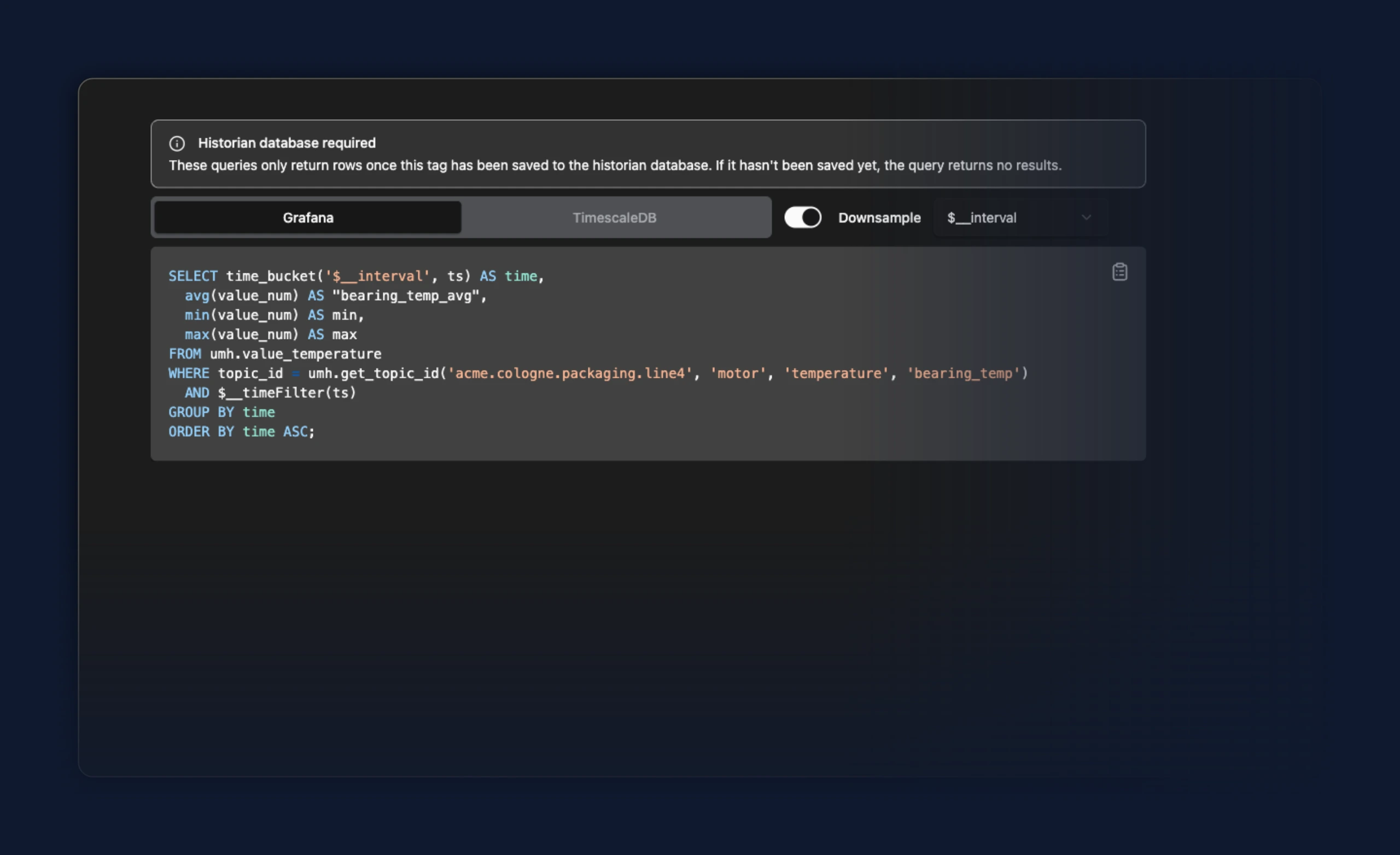
_historianand_rawcontracts keep free-text input - For users testing the new historian feature, the topic browser shows copy-ready Grafana and TimescaleDB queries for a selected tag when the
historianfeature flag is enabled, so you can paste them straight into Grafana or a database connector. (ENG-5306)
Improvements
- A Historian bridge no longer asks you to type a connection host and port; they are filled in read-only from the instance's configured Historian, so the bridge's health check targets that database and can't be pointed at the wrong host. If you later change the Historian's address, the bridges that use it follow it automatically.
Improvements
- When a bridge fails to reach a running state on first deploy, only the flow that actually failed (read, write, or both) is now left in a stopped state instead of being continuously retried, while a healthy flow keeps running. The config is still saved so you can fix it from the editing view, but the system no longer loops trying to redeploy a flow that needs manual attention.
- A bridge that writes to the historian now derives its connection health check from the instance's stored historian connection instead of a host/port entered on the bridge. The check targets the configured historian database automatically and follows it if the historian connection is later changed, so it can no longer be pointed at the wrong host. The bridges list and detail view show the resolved historian host and port for these bridges rather than the connection placeholder.
Improvements
- Persistent connection failures now log the HTTP status code and a sanitized snippet of the upstream response, so the cause of a flapping connection (such as a 502 from a reverse proxy) is visible in the worker's logs
- The umh-core log is now easier to scan: each entry lines up in fixed
[level] [caller] [component]columns - Repeated reconcile errors no longer flood the umh-core log: the first occurrence is logged at ERROR with a note, then demoted to DEBUG until the error changes or clears, with an ERROR summary at most once a minute reporting how many repeats were suppressed so an ongoing failure stays visible
- The umh-core log is quieter: high-frequency per-tick status detail moved from INFO to DEBUG, and repeated lines below WARN are rate-limited — warnings and errors are never dropped
- Bridge templates can now reference the stored historian connection through
{{ .historian.timescale.host }},{{ .historian.timescale.port }}, and the other connection fields, so a bridge that writes to the historian's TimescaleDB no longer needs those connection details duplicated in its own variables
New Features
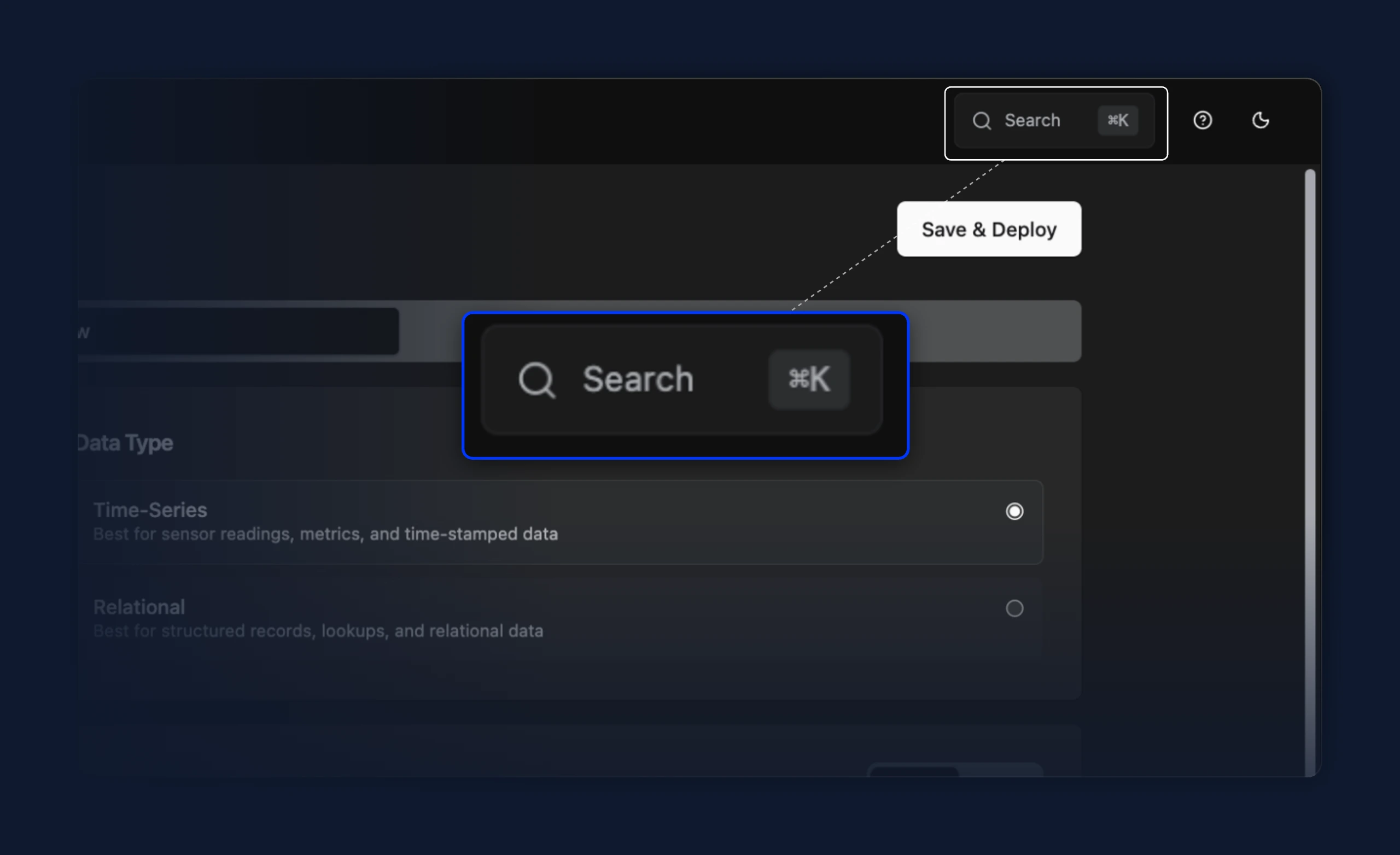
- A search box in the top-right header opens the command palette on click and shows its keyboard shortcut (⌘K on macOS, Ctrl K on Windows and Linux), so the palette is discoverable without already knowing the shortcut. On narrow screens it collapses to a magnifier icon
Improvements
- Offline instances in the command palette are now dimmed and can't be opened, with an "Instance offline" tooltip, so they stay visible in the list without leading to a dead page
- The command palette search field now clears when the dialog closes, so it reopens empty
- When writing JavaScript in a bridge or data flow (the Node-RED JS and tag processor steps), the code editor now autocompletes
protobuf.decodeandprotobuf.encodeand shows their signatures on hover, matching the assist it already gives formsg,console, andcache.
Fixes
- Using the command palette to jump from one bridge or stream processor to another now loads the target's page. Previously the URL changed but the view kept showing the one you came from
- Reopening the command palette after opening a bridge or stream processor now starts on the main list again, instead of getting stuck on that item's Go / Logs / Metrics sub-menu
- Arrow-key navigation in the command palette now scrolls the highlighted row into view, so entries lower in the list no longer get selected off-screen
- The command palette no longer highlights two rows at once when you move with the arrow keys while the mouse rests over a different row
- Read-only code editors can now be scrolled when their content is taller than the box. Previously the scrollbar was disabled unless you opened the viewer in fullscreen
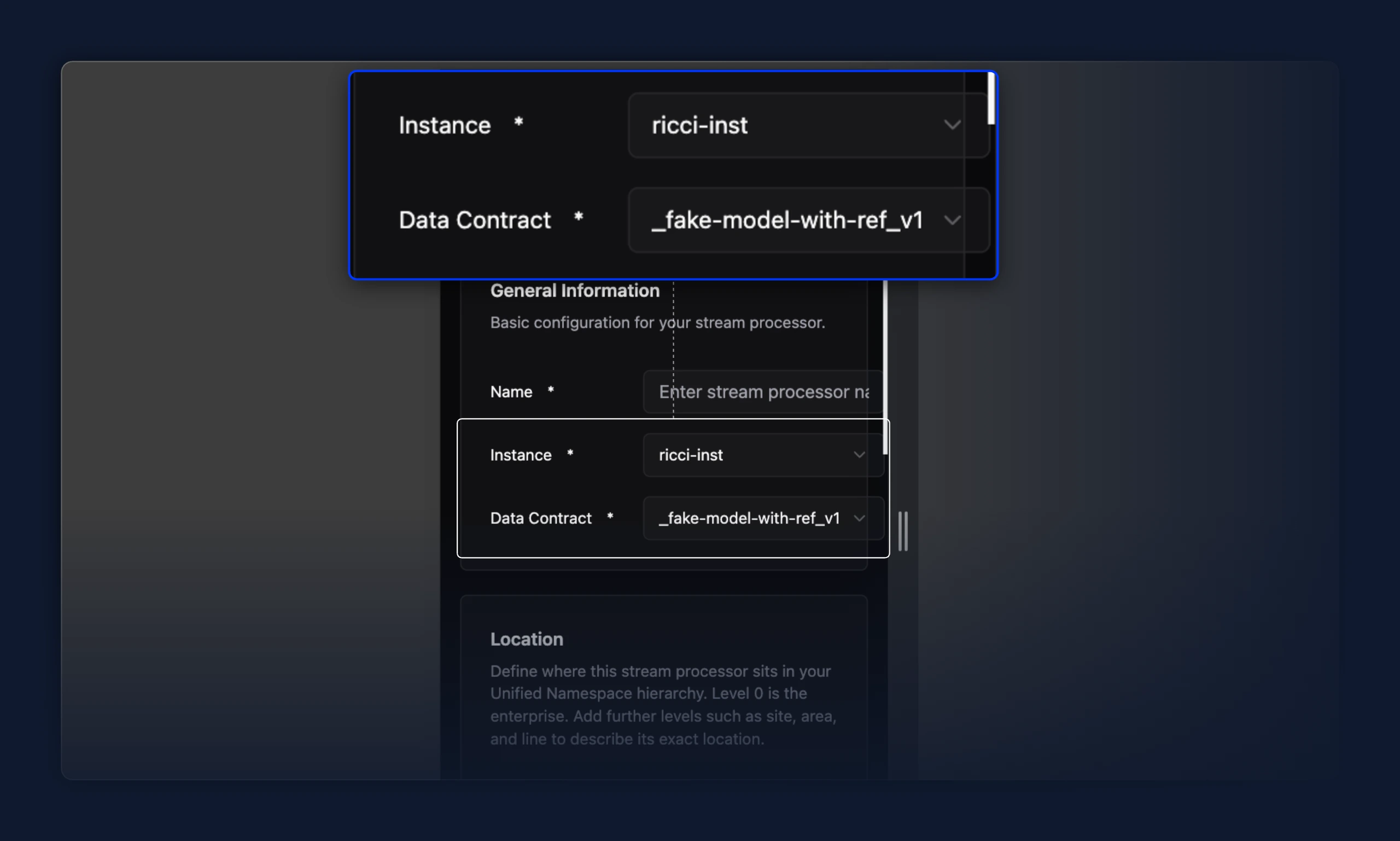
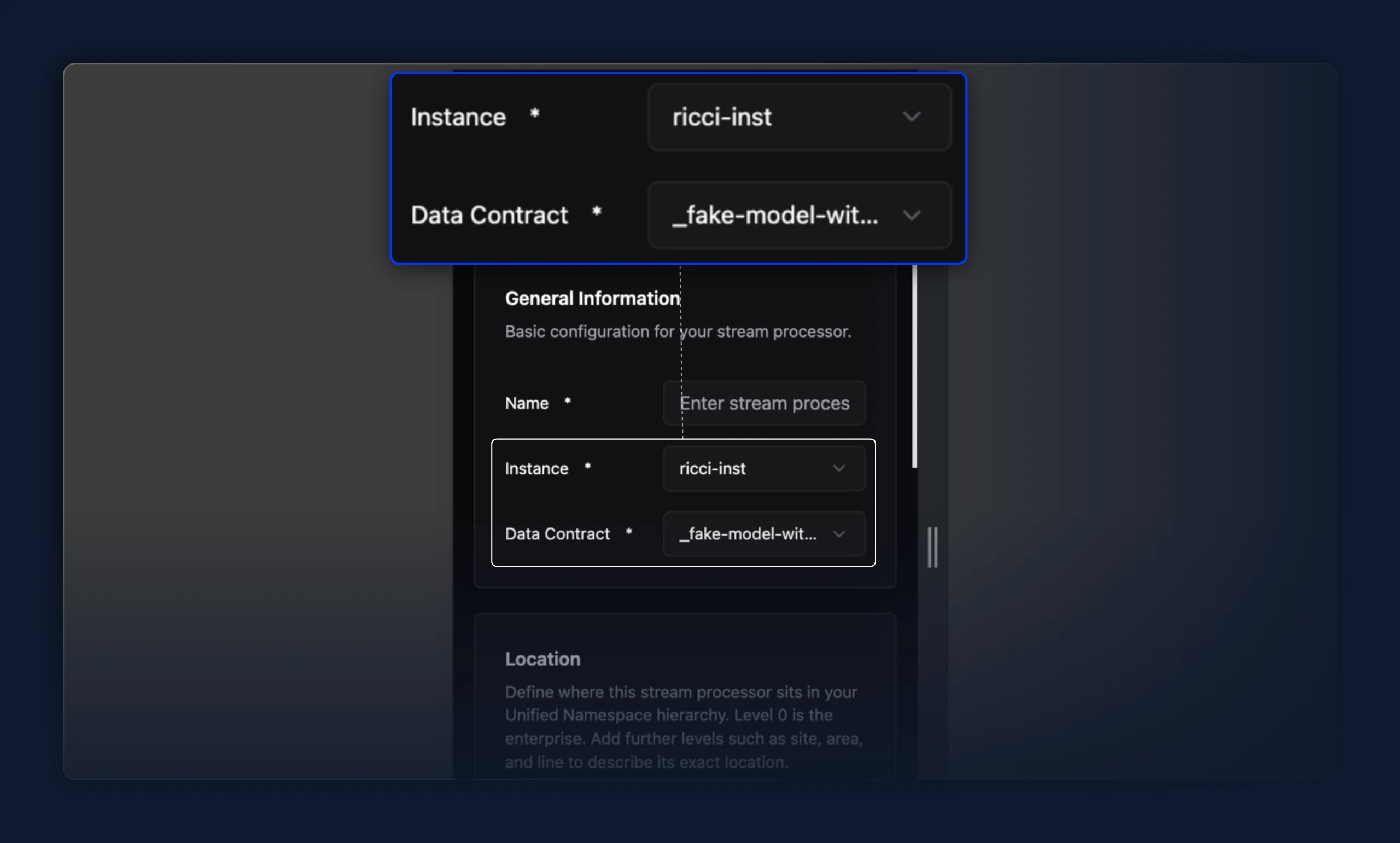
- Select fields with a long option value (e.g. a long data contract or instance name) no longer stretch and push every other field out of the card. Previously, a long value widened the whole row past the card's edge; the value now truncates with an ellipsis and the row stays aligned.
New Features
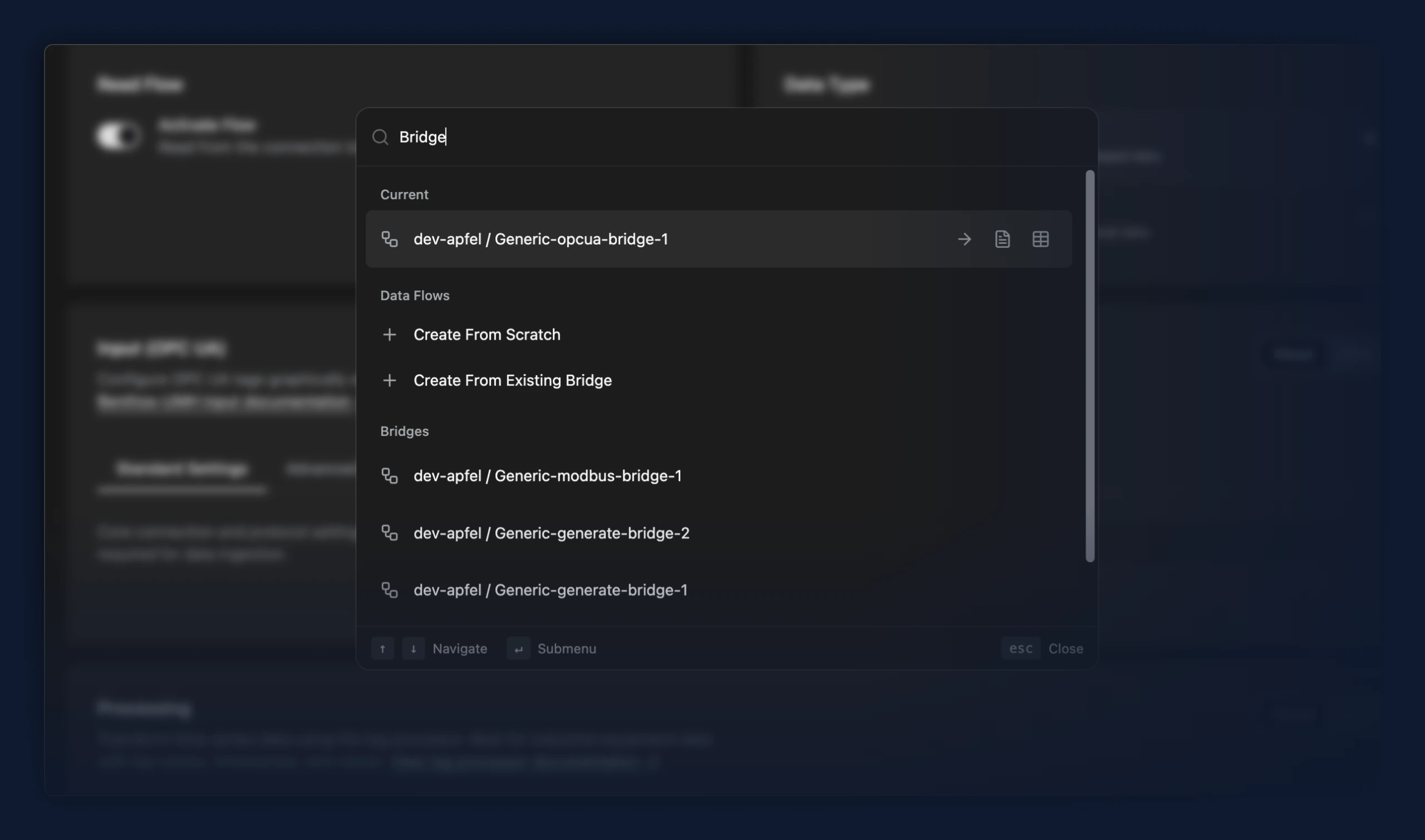
- A command palette (⌘K on macOS, Ctrl+K on Windows and Linux) opens from anywhere in the app for quick keyboard access to instances and bridges by name, plus the top-level pages. Start typing to filter, then press Enter to jump straight to the match instead of scanning the sidebar or lists
- An S7comm bridge sample preconfigured for a test simulator, for trying a Siemens S7 read flow without a physical PLC
- Behind the Historian and write-flow feature flags, a new Historian bridge template writes a Unified Namespace data contract into TimescaleDB. Pick it under the TimescaleDB vendor in Add Bridge, set the database host, credentials, and data contract name, then deploy. The bridge stores every UNS message matching that contract into TimescaleDB hypertables and drops the rest, so you only choose the contract — there is no topic regex to keep in sync. Requires PostgreSQL 16+ with TimescaleDB.
New Features
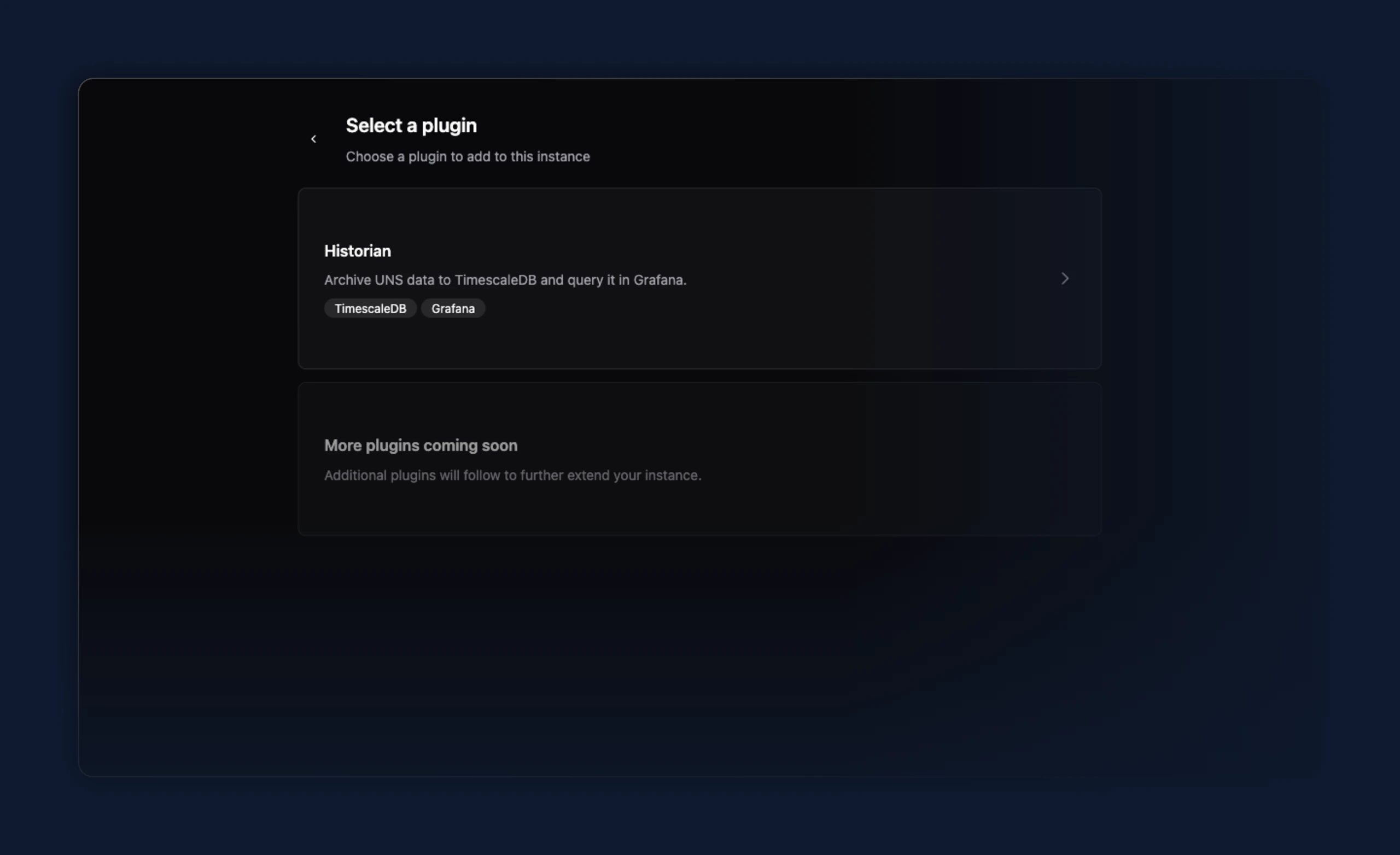
- Preview: set up a TimescaleDB Historian for an instance from the new Plugins tab. Add the Historian plugin, then enter the TimescaleDB connection — host, port, database, user, password, and SSL mode — to create, edit, or remove it. The tab appears on instances that support it.
Improvements
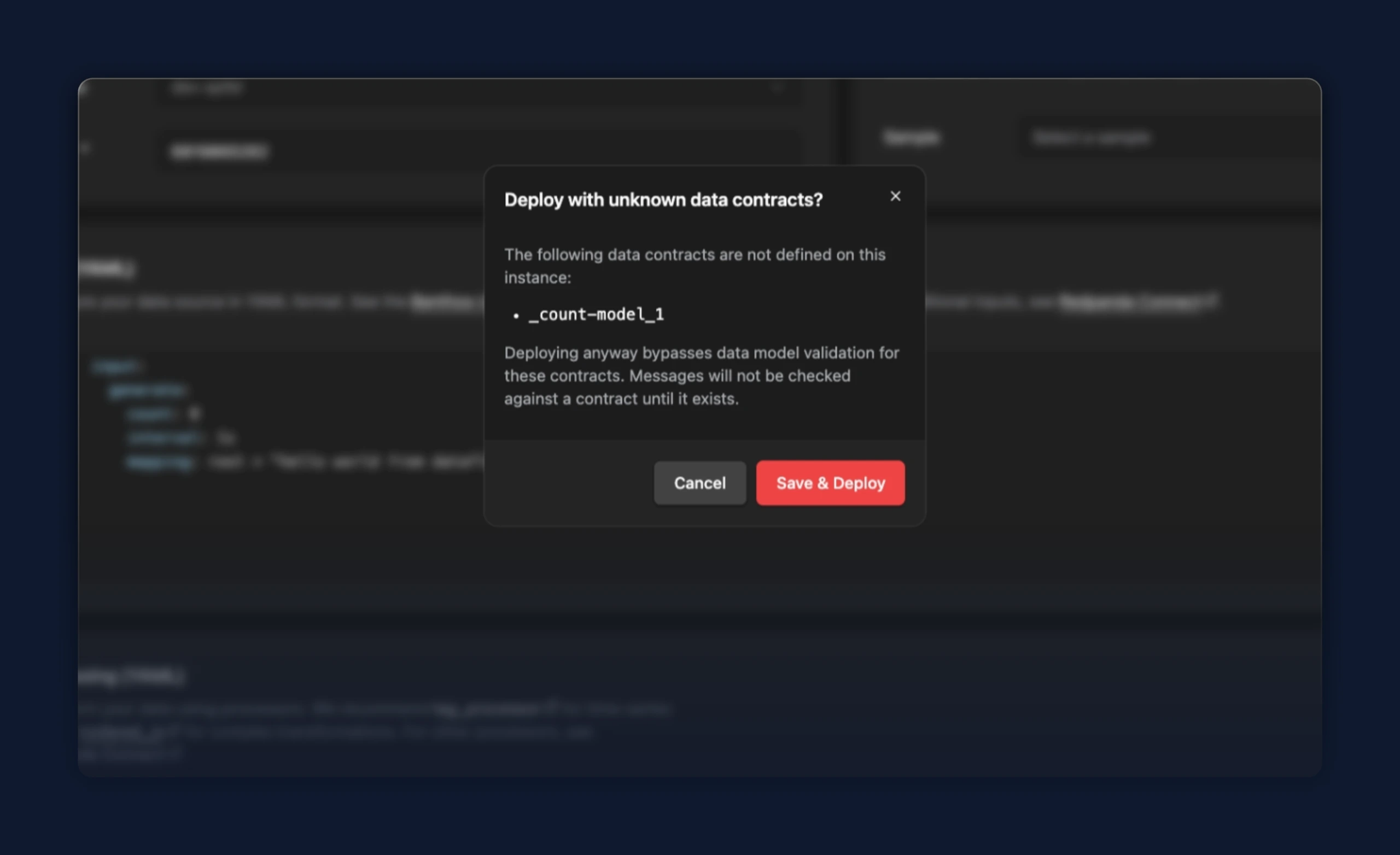
- In a standalone data flow, a data contract that doesn't exist on the instance no longer blocks Save & Deploy. The editor still underlines the unknown contract, and a dialog now names the missing contracts and asks you to confirm before deploying, so you can go ahead when you plan to create the contract later.
- The code editor now draws vertical indentation guide lines, so nested YAML and JSON are easier to follow and a deeply indented config no longer reads as empty.
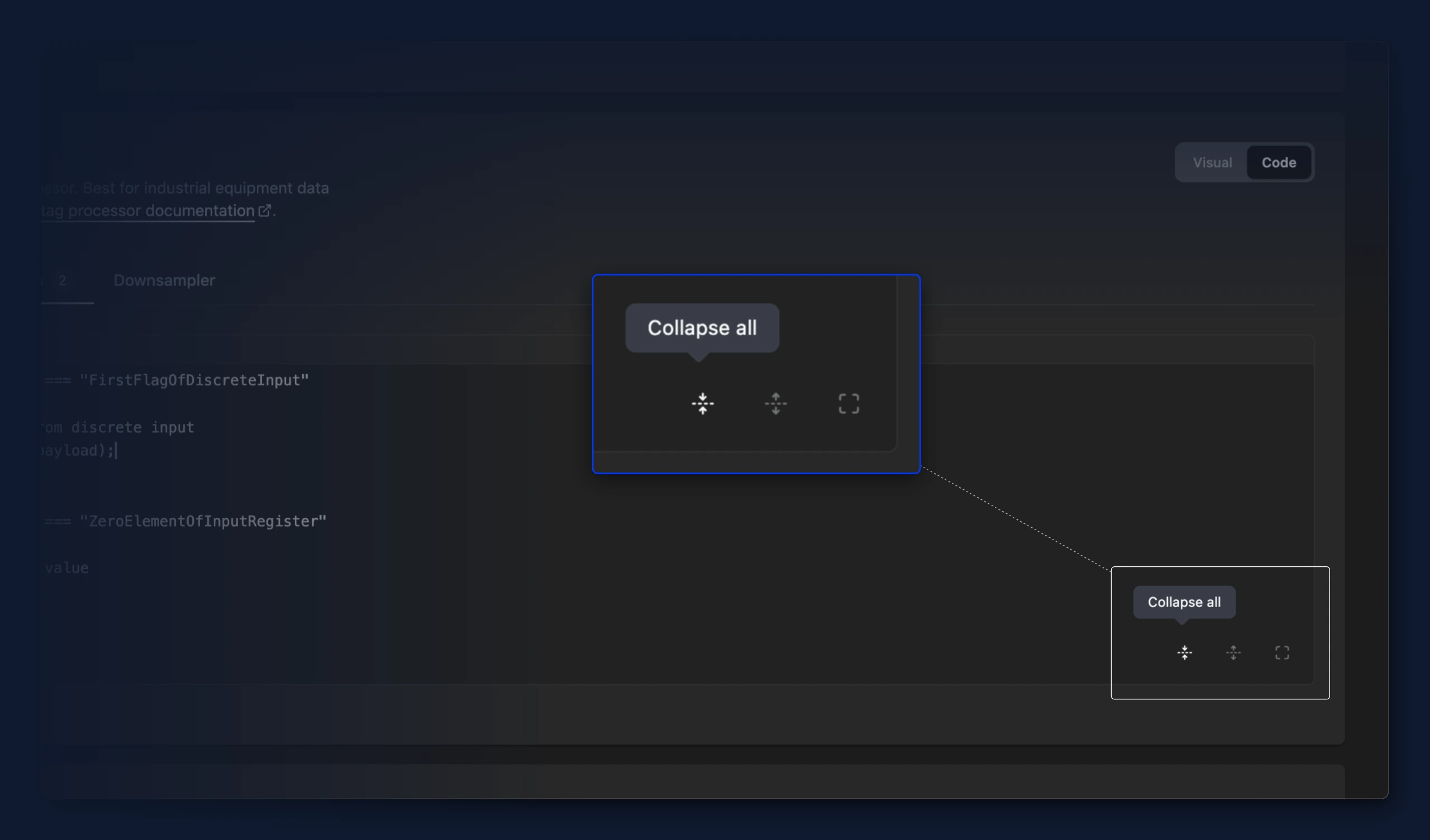
- The code editor gained Collapse all and Expand all buttons, so you can fold every section of a long YAML or JSON config at once instead of clicking the gutter arrows one by one.
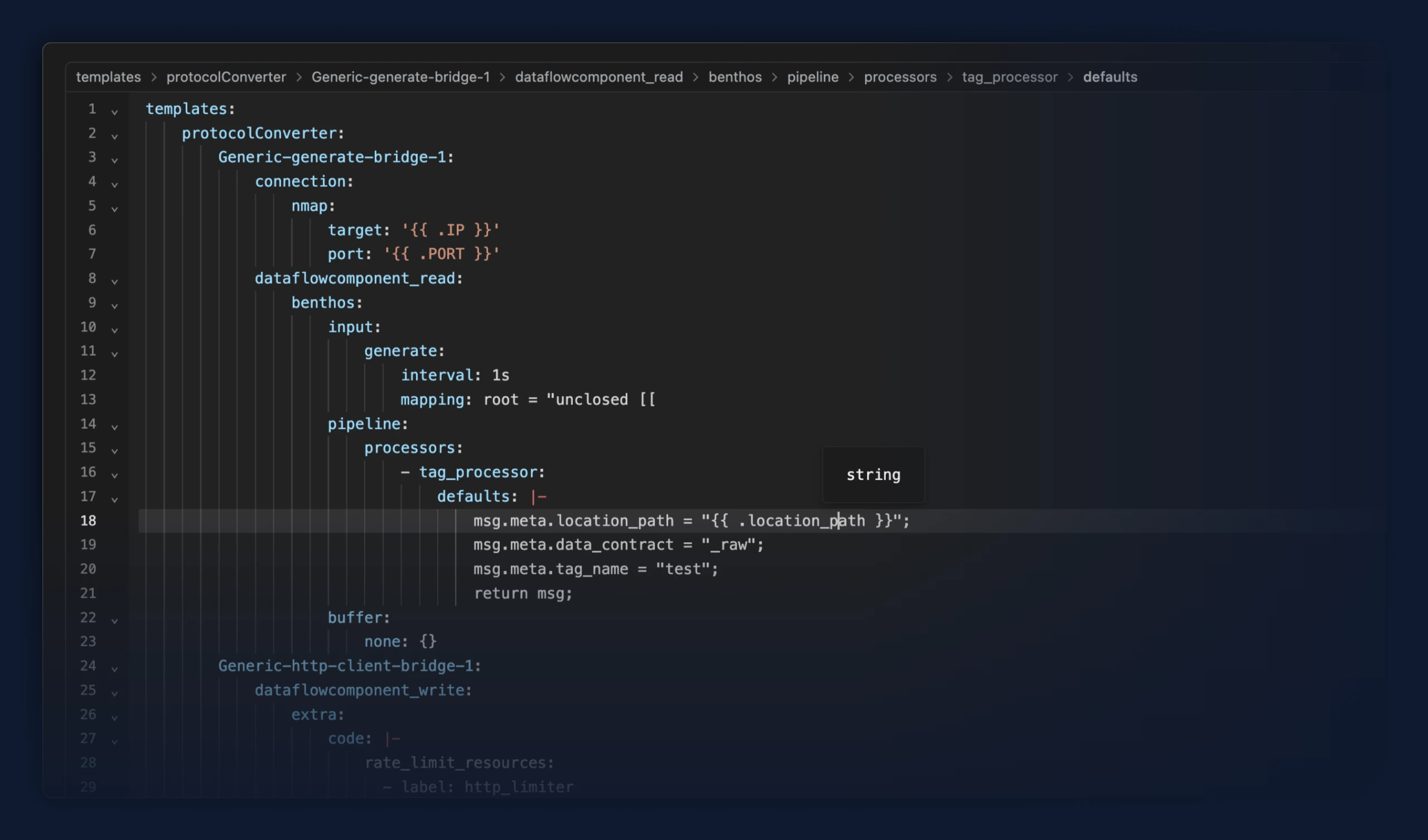
- The code editor now shows a breadcrumb bar with the path to wherever your cursor sits, so you can tell where you are in a long YAML or JSON config at a glance. Click any part of the path to jump straight to it. Collapsed sections open automatically. The bar stays in place while you edit, and list positions read as "1st item", "2nd item", and so on.
Fixes
- Creating a bridge from a template now uses that template's processing setup. Previously the Conditions tab could open with example rules the template never defined, and those examples were deployed with the bridge.
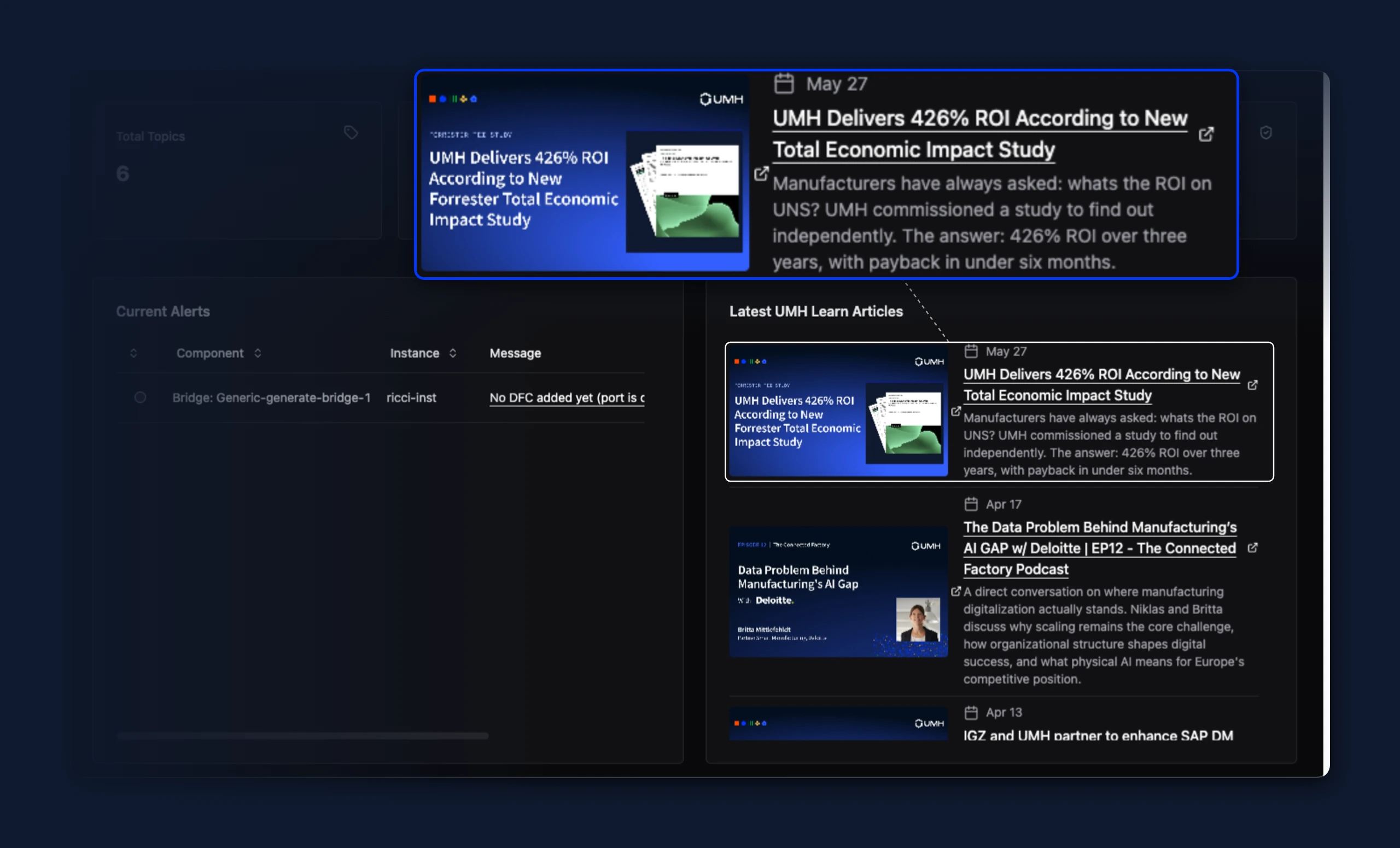
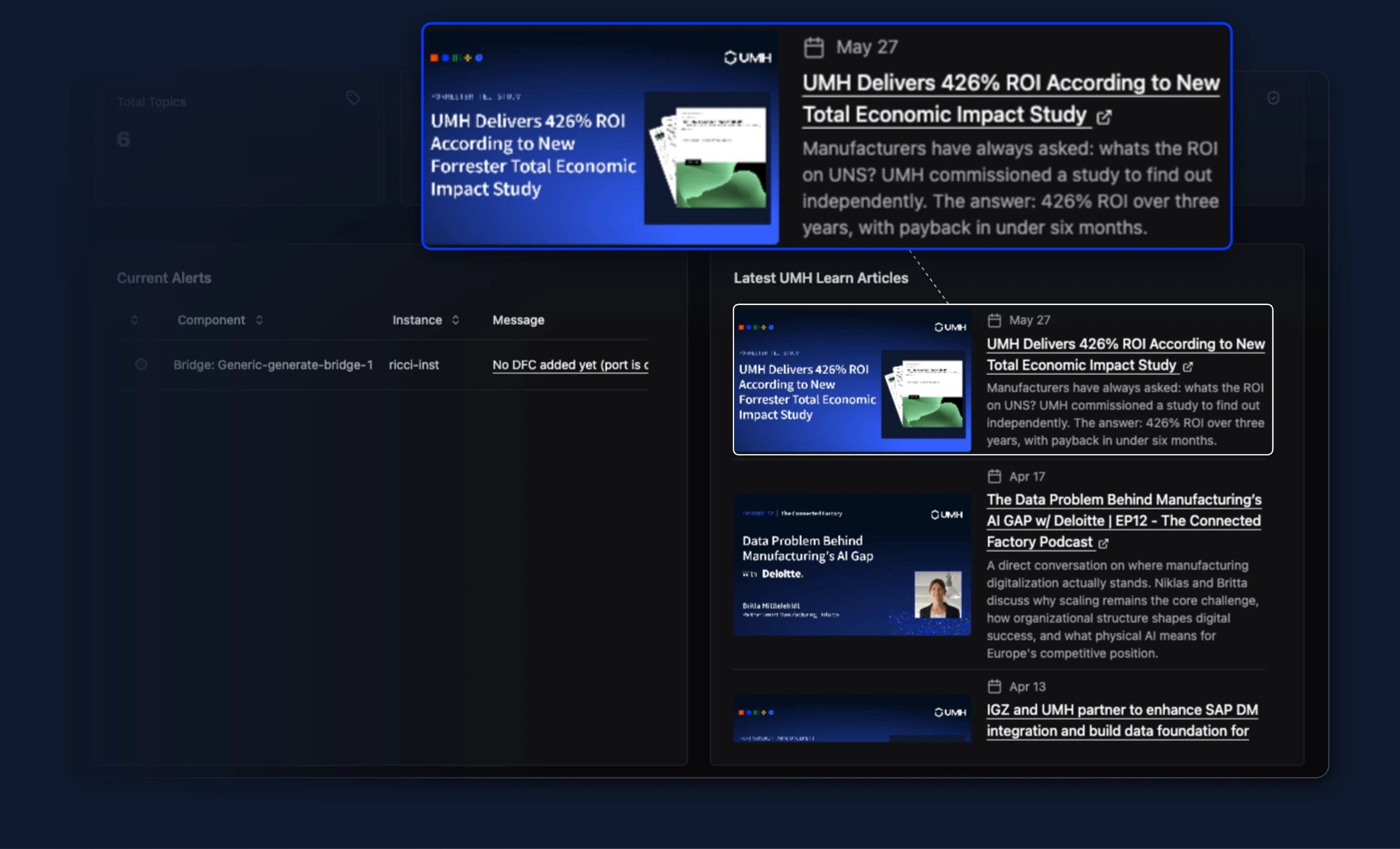
- On the home page's "Latest UMH Learn Articles" feed, the external link icon no longer floats away from the text when a post title wraps across multiple lines — it now sits right after the title's last word instead of centering against the whole wrapped block. The icon is also no longer shown on feed thumbnail images, where it didn't fit well.
- Deleting a second instance right after deleting a first one no longer shows an empty dialog that fails to delete it. Previously, the dialog carried over leftover state from the first deletion, so the next delete attempt required reloading the page to work.
New Features
- Preview: an instance can now store a connection to an external TimescaleDB or PostgreSQL historian database (host, port, database, login, and TLS mode), which can be created, viewed, updated, and removed. Storing the connection does not yet route any data to it
Improvements
- The full bridge and stream-processor configuration is no longer written to the umh-core log at INFO on every internal re-apply (moved to DEBUG), removing a source of log flooding and CPU pressure when a config keeps being re-applied. While a bridge's observed config differs from its desired config, its status in the Management Console now shows a bounded summary of what differs, and the umh-core log carries one warning per bridge per minute, so the cause is visible without enabling debug logging
New Features
- Node-RED JS and tag processor expose a
protobufnamespace (protobuf.decode/protobuf.encode) to decode and encode protobuf messages inline using an embedded base64 descriptor set, including proto2 extension fields - Sparkplug B input decodes proto2 extension fields from an inline schema, exposing them per metric as
spb_ext_*andspb_metric_decodedmetadata - TimescaleDB Historian output that saves a UNS data contract into TimescaleDB under a dedicated umh schema. By default every metadata key is stored; metadata_keys_exclude drops selected keys by exact name or prefix_* while keeping the rest.
Improvements
- The Authentication and Authorization documentation now covers enterprise Auth0 setup: how a default connection routes all logins through your own identity provider, how to choose the Account Owner as a break-glass account, and how inviting UMH personnel via their
@umh.appaddress works, including who is responsible for their access
Fixes
- Stopping umh-core (
docker stop, Kubernetes pod termination, CTRL-C) now shuts down workers gracefully on the first SIGTERM. Previously the signal killed the internal control loop before the graceful drain ran, so the drain waited out every timeout with nothing left to process — 33 s measured against Docker's 10 s grace period, ending in a hard kill mid-shutdown with workers never running their stopping steps. The drain now keeps the control loop alive, sizes its budget to the depth of the worker tree, and reliably stops workers that were mid-action, blocked behind an unhealthy dependency, or racing the shutdown signal — so it finishes well within the grace period instead of timing out. A second SIGTERM still forces an immediate exit - Sparkplug B input can nest device data under its edge node via include_edge_node_in_location, so identically-named devices on different edge nodes no longer collide at the top of the hierarchy
Improvements
- For users testing the Write flows preview, a bridges-table cell with no throughput to show now explains why, instead of a stale 0.00: an "add flow" prompt when the side is not configured, or a lock when the protocol cannot have that side (a read-only or write-only protocol). The table and bridge overview now agree on each side's state.
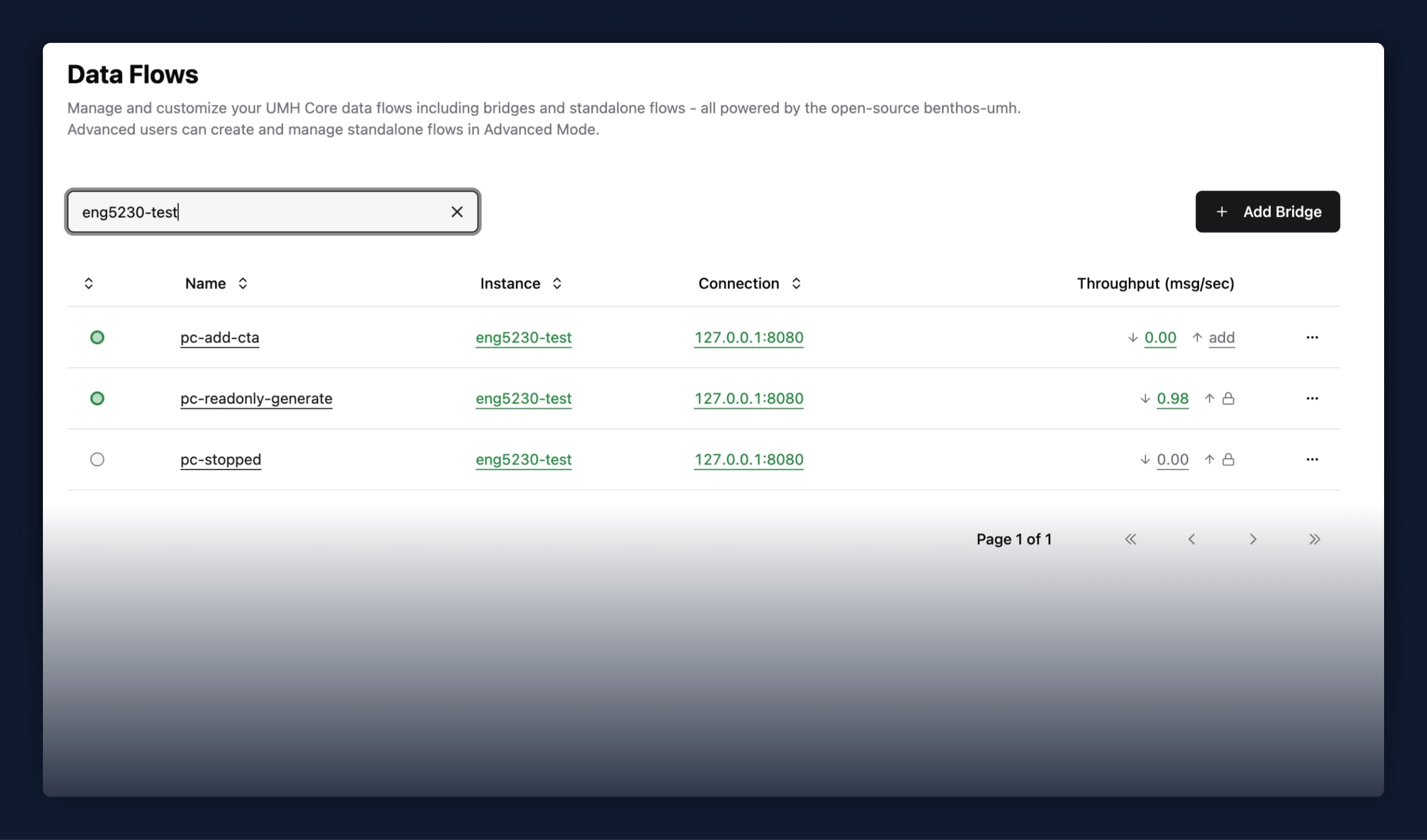
Fixes
- For users testing the Write flows preview, the bridges-table throughput cell no longer briefly shows 0.00 while a flow is stopping; it waits for the flow to actually stop, so the summed cell matches the per-side cells during the transition.
- When a bridge update fails (for example, a config that references a template variable that doesn't exist), the "Continue Editing" button now returns you to the editor to fix the config. Previously it did nothing — the button linked to the edit page you were already on, so clicking it left you stuck on the failed-deploy dialog.
- After deploying a newly created bridge, "Continue Editing" again lands on the tab you deployed from (Read Flow, Write Flow, or General) instead of always the General tab.
Improvements
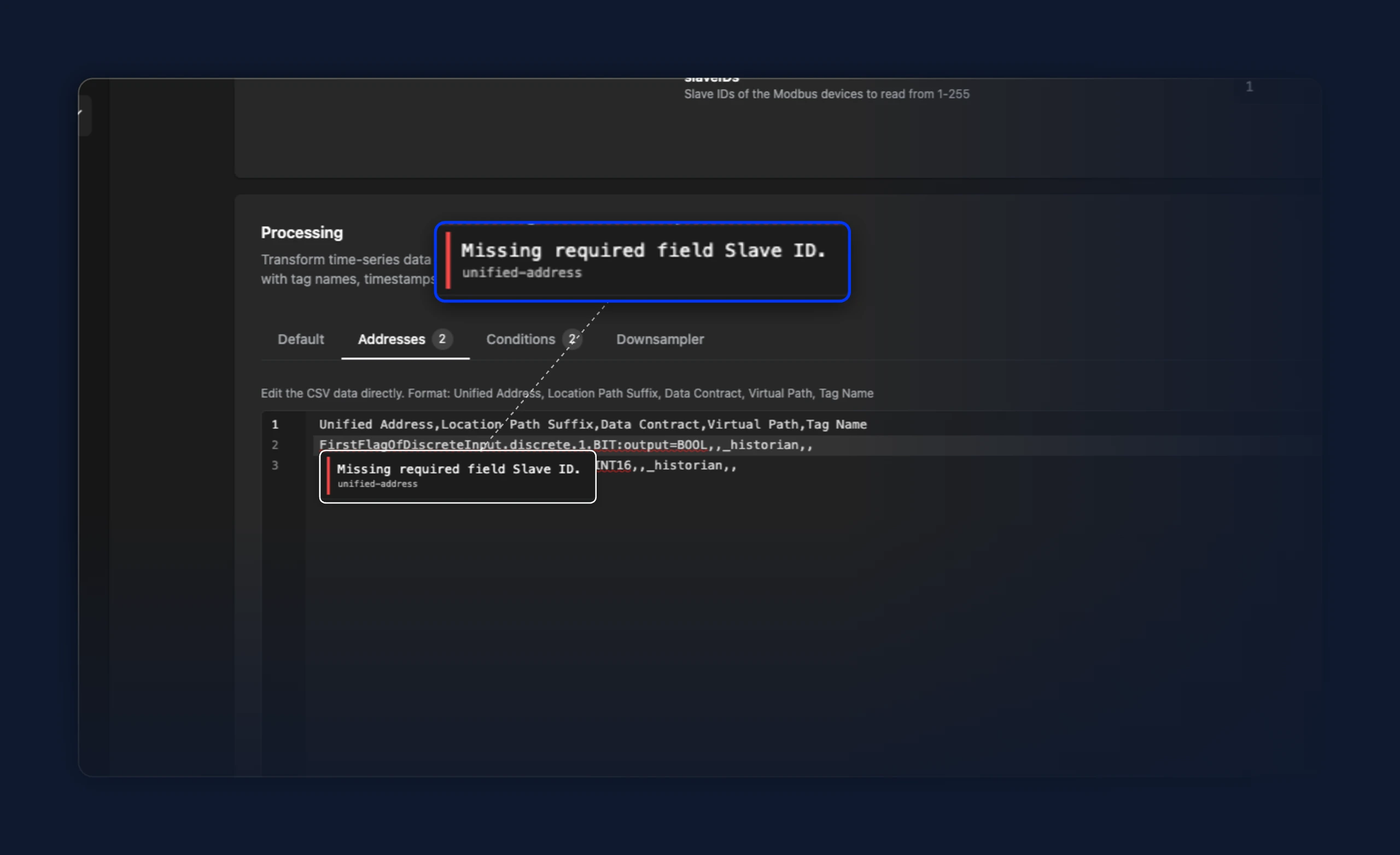
- Modbus addresses now require a Slave ID. The address editor's Slave ID dropdown no longer offers "All", so you have to pick a single slave from the configured
slaveIDs. Rows missing a Slave ID show a red warning icon in the address table and Save & Deploy stays blocked until every row has one. Previously "All" silently subscribed to every configured slave, which duplicated tags when more than one slave was configured.
- When using the write flow preview, you can now switch between read and write log types. This is the same behavior, which already exists for the metrics.
Fixes
- Cards across the app now share a consistent look and layout. Previously, different pages used card components directly, producing variations in header spacing, title size, description placement, and border treatment. All cards now render through a single unified component, so padding, shadow, and typographic hierarchy are uniform regardless of where a card appears.
- Clicking into and enabling a code editor now places the cursor exactly where you clicked on the first click. Previously the first click was swallowed and you had to click a second time in the same spot to position the cursor. Scrolling the page while hovering an unfocused editor still works as before.
New Features
- Timeseries Data models can now reference
timeseries-booleanas a payload shape, alongside the built-intimeseries-numberandtimeseries-string. Previously only number and string shapes existed, so a model referencingtimeseries-booleanwas rejected at deploy time and boolean process values like machine-running, alarm-active, or valve-open had to be faked as 0/1 numbers, losing type fidelity.
Improvements
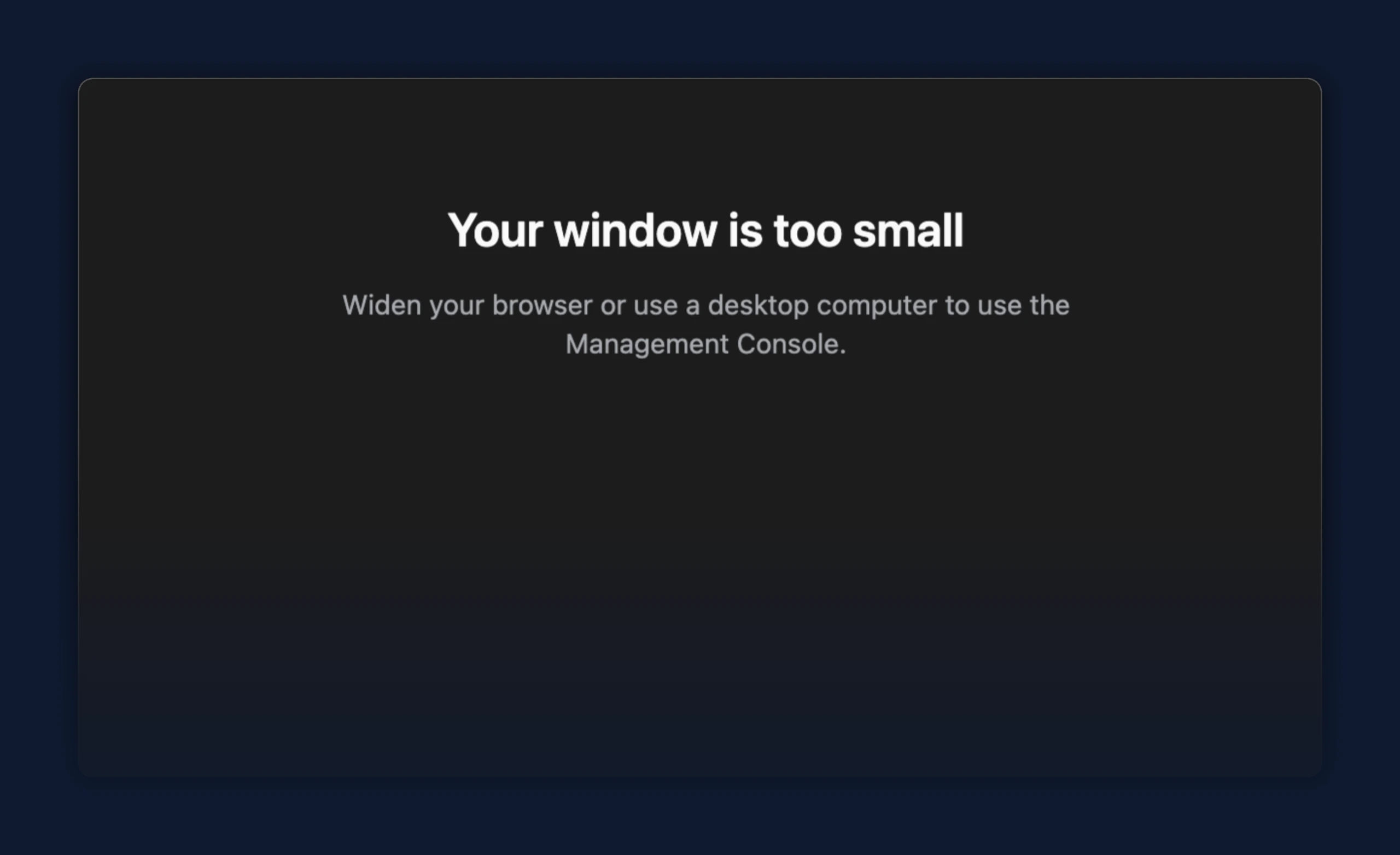
- On a screen too small for the console, a message now points you to a desktop browser on every page, including sign-in and registration, instead of a broken layout
- In a bridge the code mode, tag processor and the address table now underline any data contract that doesn't exist on the instance, and Save & Deploy stays blocked until you create it or fix the name. Previously a mistyped or never-created data contract deployed silently and was only flagged after deployment.
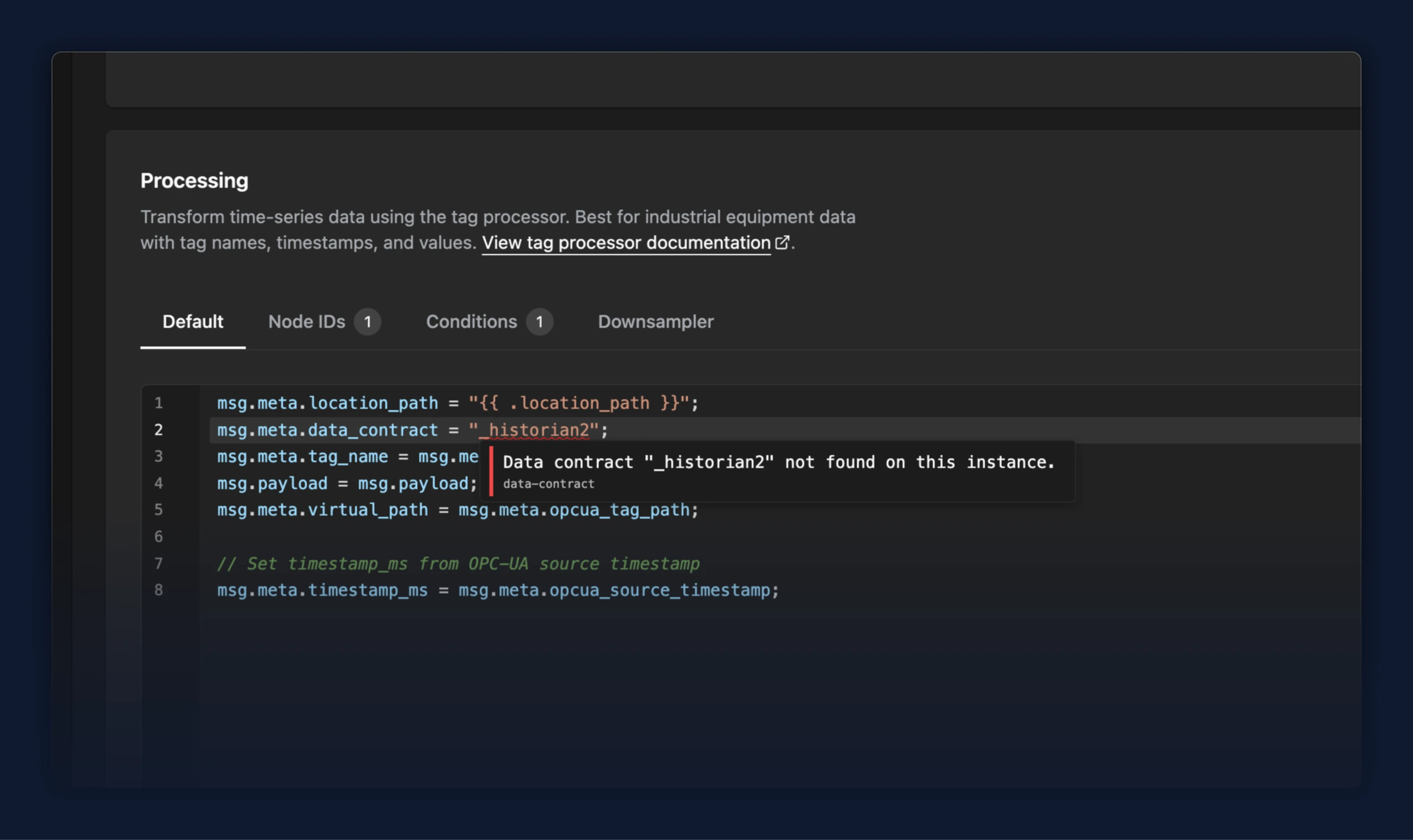
- In a standalone data flow, the code editor now underlines any data contract that doesn't exist on the instance, and Save & Deploy stays blocked until you create it or fix the name. Previously a mistyped or never-created data contract deployed silently and was only flagged after deployment.
Improvements
- Enterprise companies that sign in through their own SSO connection can now invite UMH value engineers to help manage their instances. Previously, an invitation sent to a
@umh.appaddress was tied to the company's own connection, where the engineer has no account, so the invitation could not be accepted. Now, invitations to@umh.appaddresses use UMH's Google Workspace login, which is enabled on your organization automatically, so your UMH value engineers can accept the invite.
Fixes
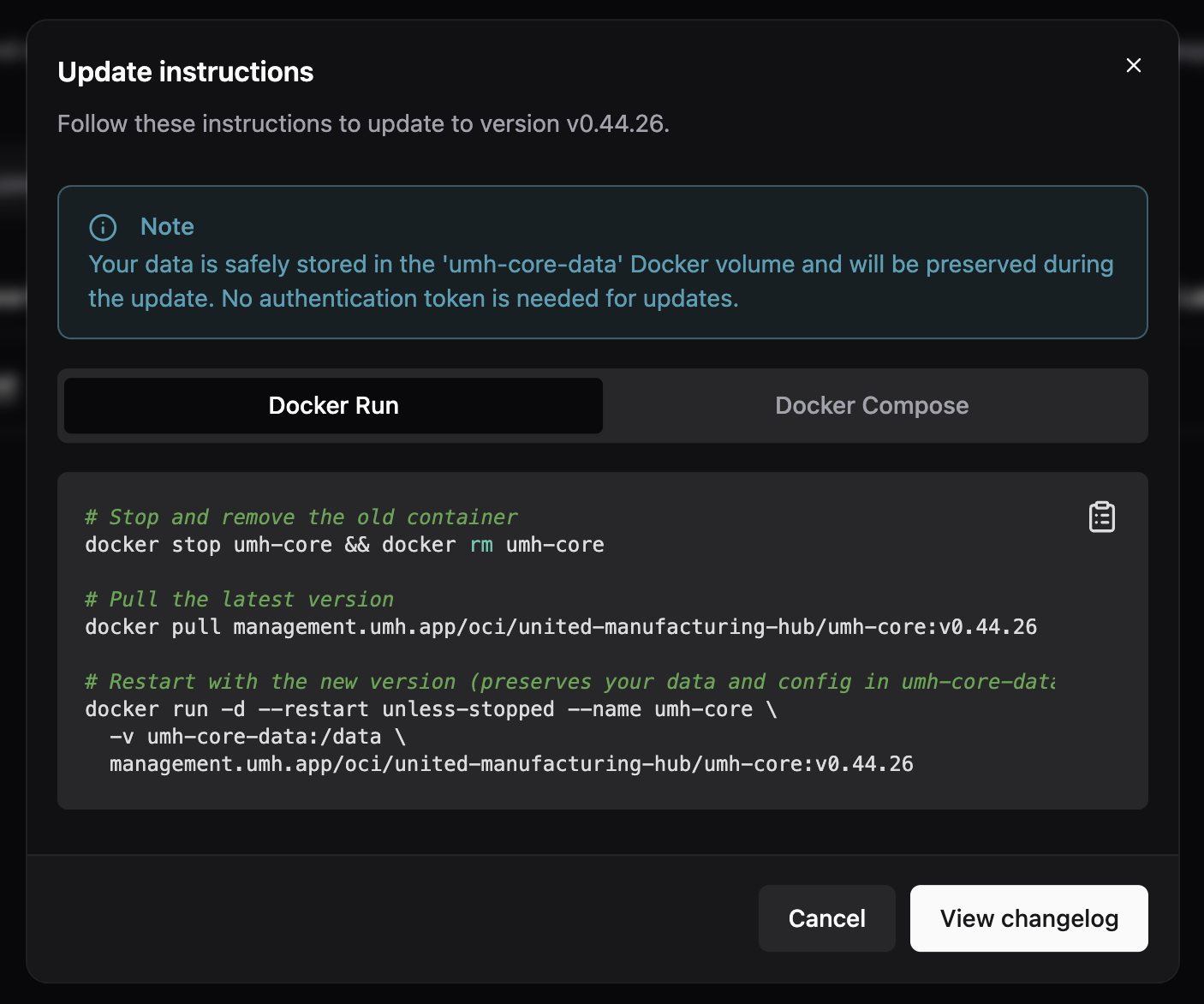
- Classic instances showed Docker stop, pull, and run commands in the update instructions dialog — instructions that don't apply because Classic runs on Kubernetes, not as a standalone Docker container. The dialog now explains the correct upgrade path and links directly to the instance details page. UMH Core update instructions (Docker Run and Docker Compose) are unchanged.

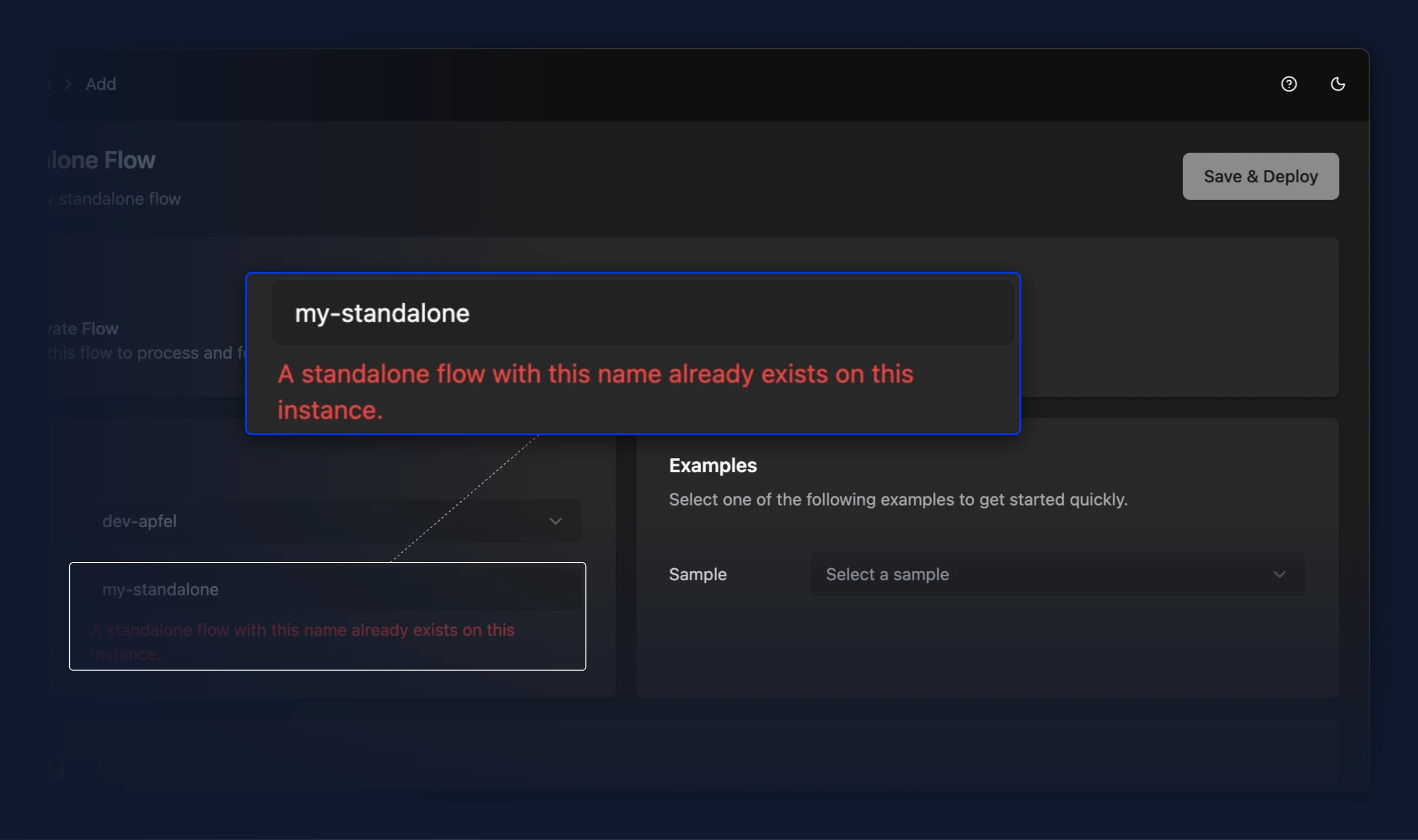
- Naming a standalone flow the same as one that already exists on the instance is now caught as you type. The name field is highlighted and Save & Deploy is blocked. Previously the deploy appeared to start and then failed on the instance, because two flows with the same name resolve to the same identity.
- After deploying a standalone flow, the "Continue Editing" button now opens the flow's editing view as intended. Previously it only closed the dialog and left you on the create page.
- For users testing the Write flows preview, add selection between time-series and relational data processing for read and write flows.
New Features
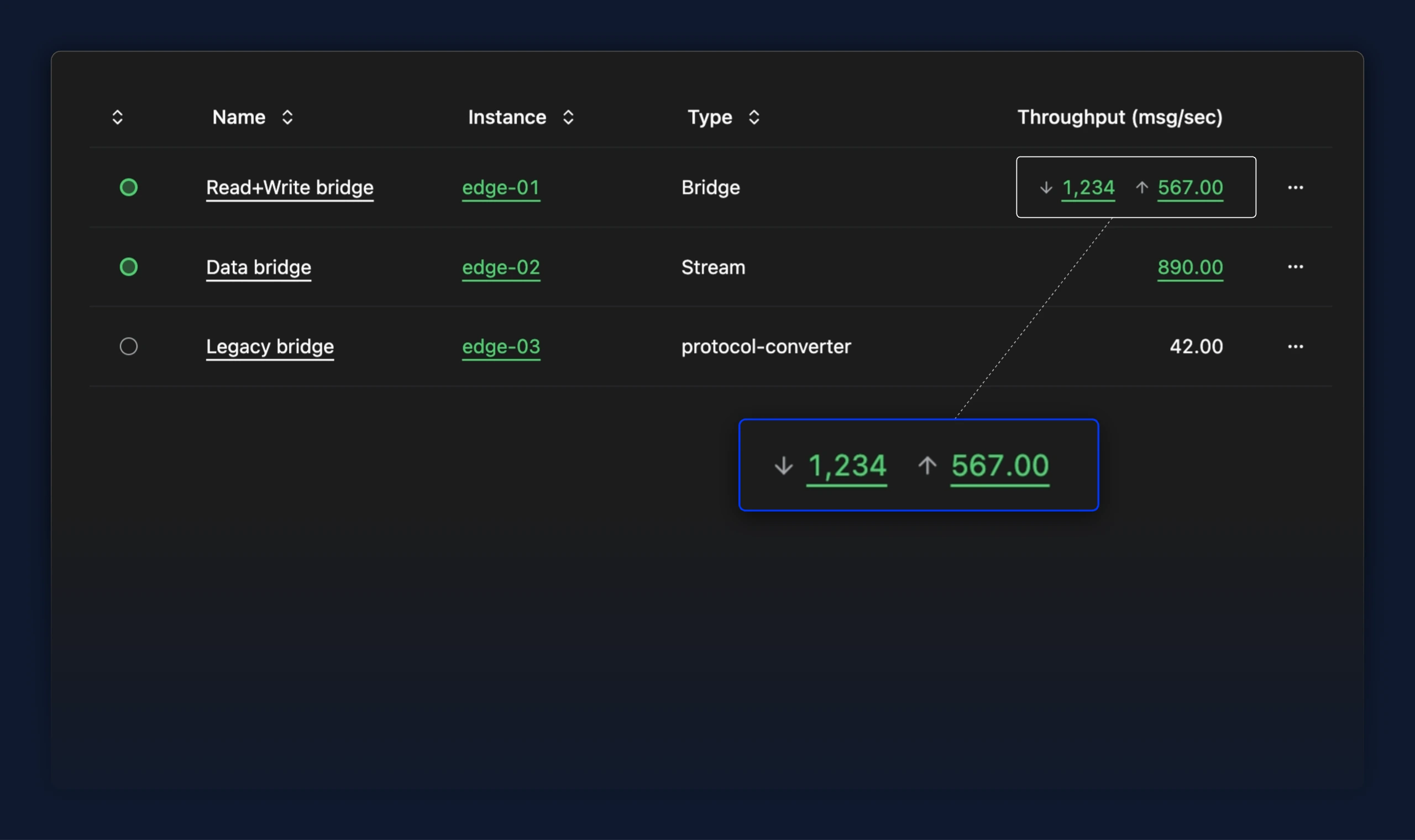
- For users testing the Write flows preview, the bridges table now shows read and write throughput separately in one cell, each clickable to open its own flow. Previously a single combined number always linked to the read flow, so write throughput was neither visible nor reachable from the table
Improvements
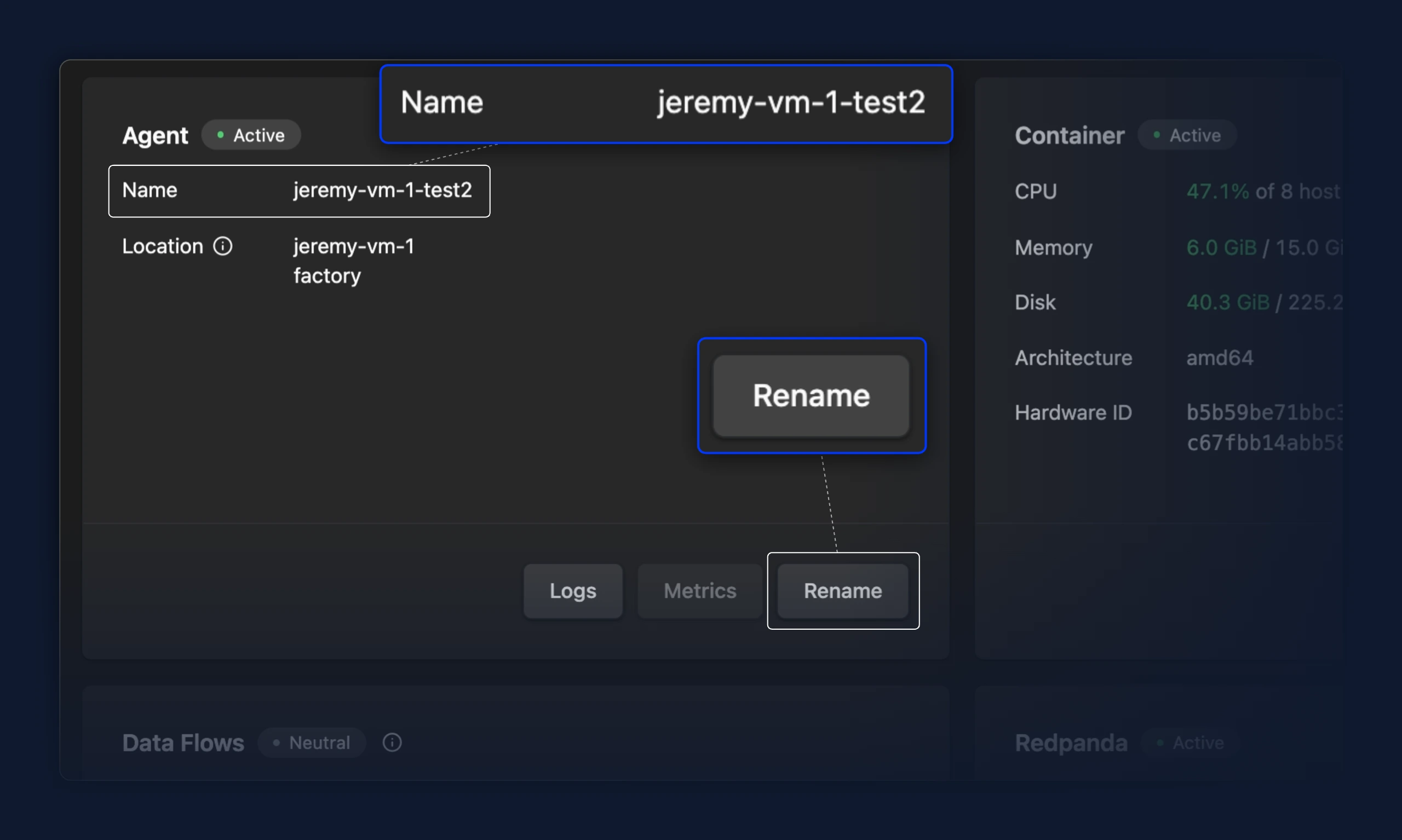
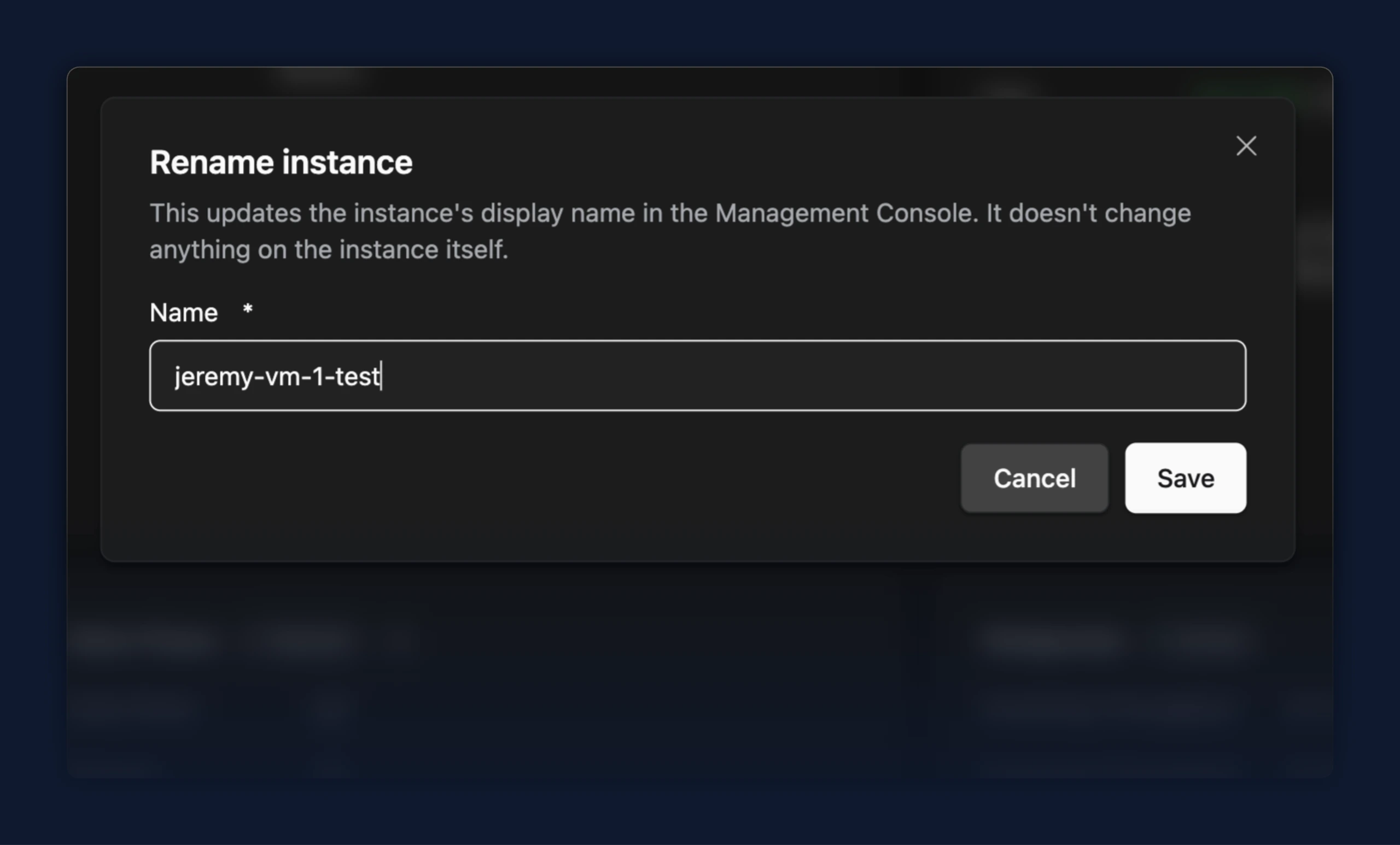
- The instance name on the Agent card is now read-only text alongside the other details; a Rename button on the card opens a dialog to change it, so the card no longer carries an inline input and a separate Save
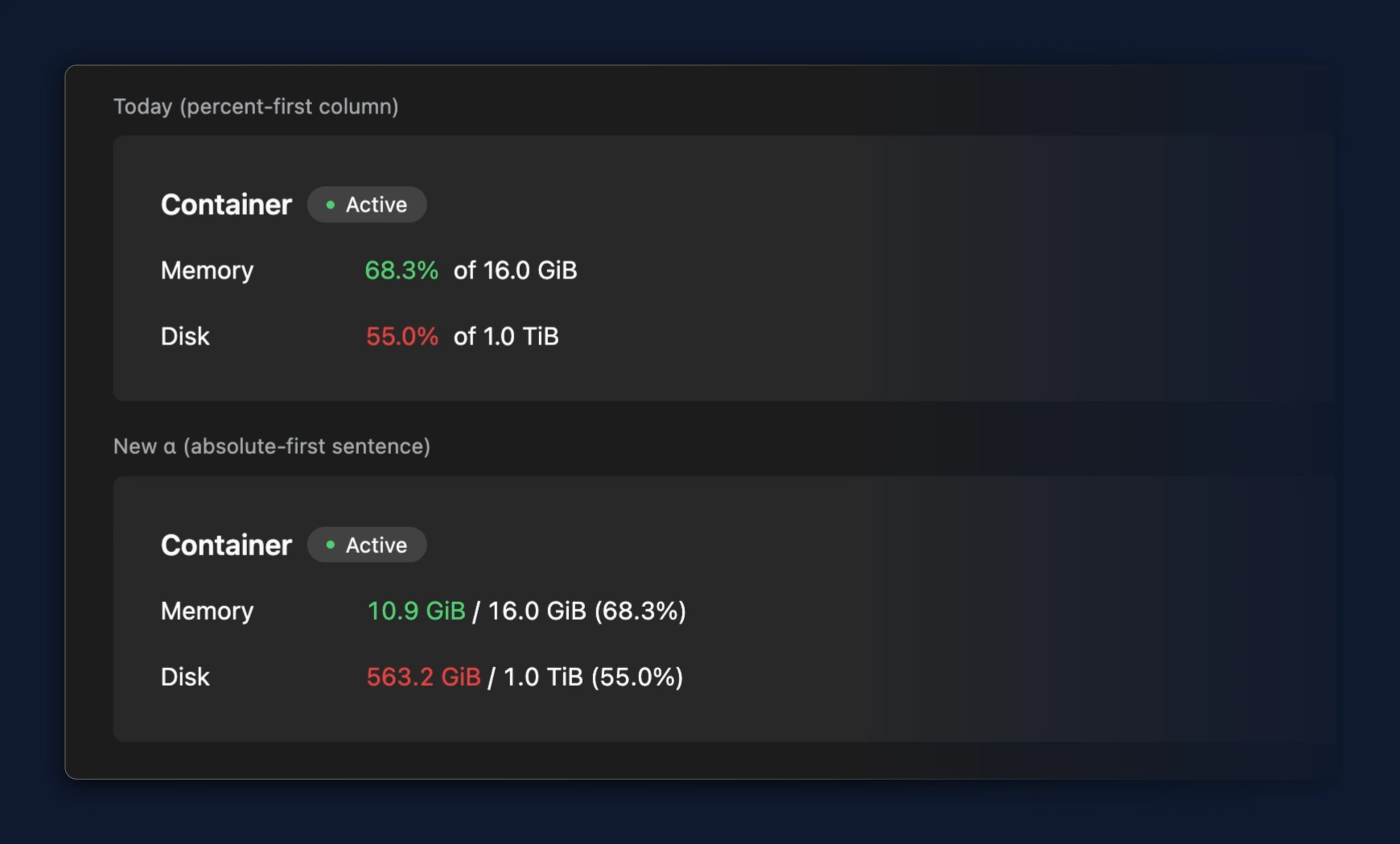
- Memory and disk usage on the instance overview now lead with the amount in use, shown as
10.9 GiB / 16.0 GiB (68.3%)instead of68.3% of 16.0 GiB, so the actual consumption is the first value you read
- The Agent card now shows the instance location as plain read-only text instead of greyed-out fields, so a multi-level location reads clearly; the note that location is fixed after setup moved to an info icon on the label
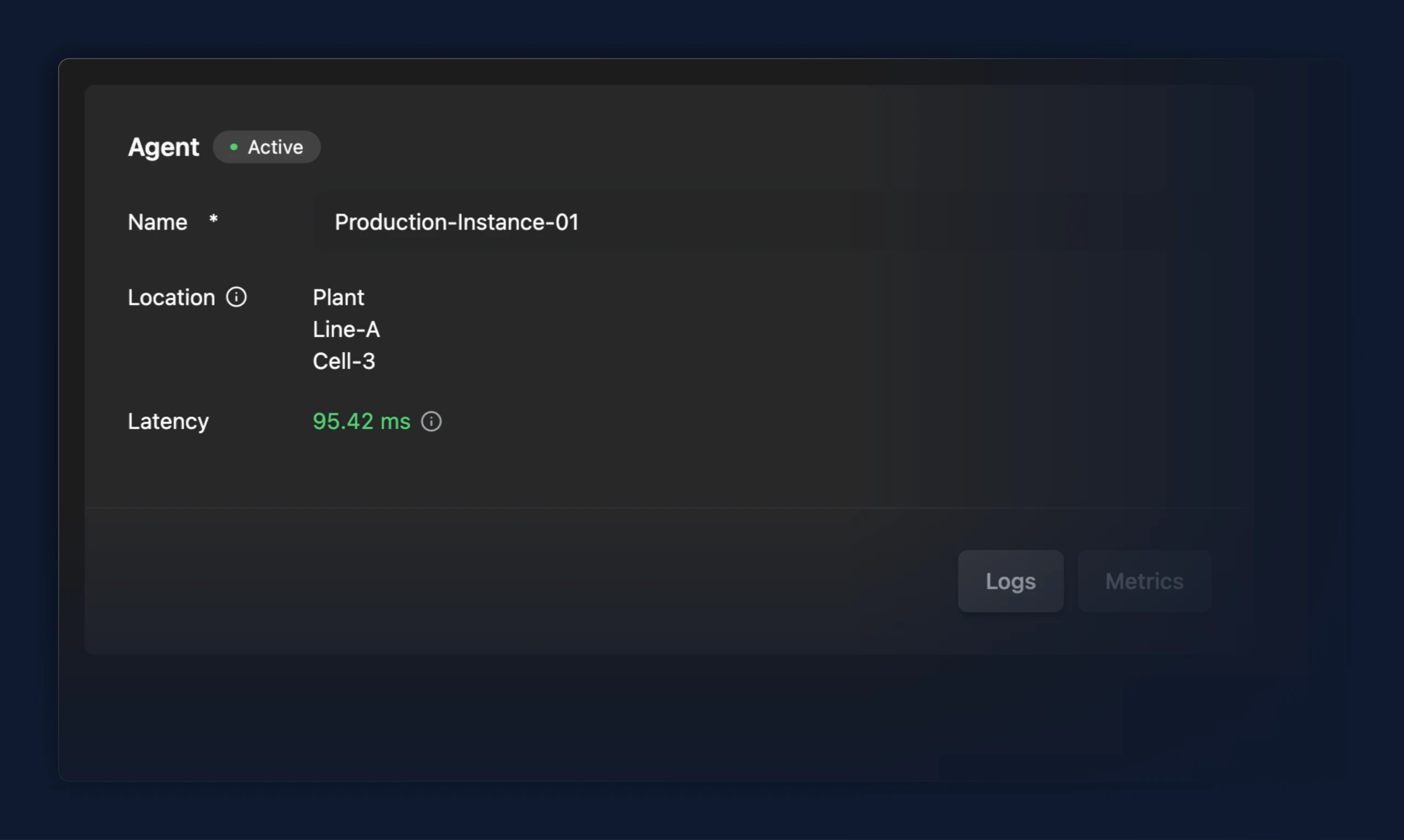
- The Agent card no longer shows a 0.00 ms latency when no measurement has been reported; the latency row is hidden until a real reading is available
- Status cards now show the reason a component is degraded in a tooltip on its status badge instead of a banner inside the card, so cards no longer resize as health changes

Fixes
- After deploying a standalone flow, the "Continue Editing" button now opens the flow's editing view as intended. Previously it only closed the dialog and left you on the create page
- Safari now shows a clear page recommending Chrome or Edge, with download links, instead of a blank screen
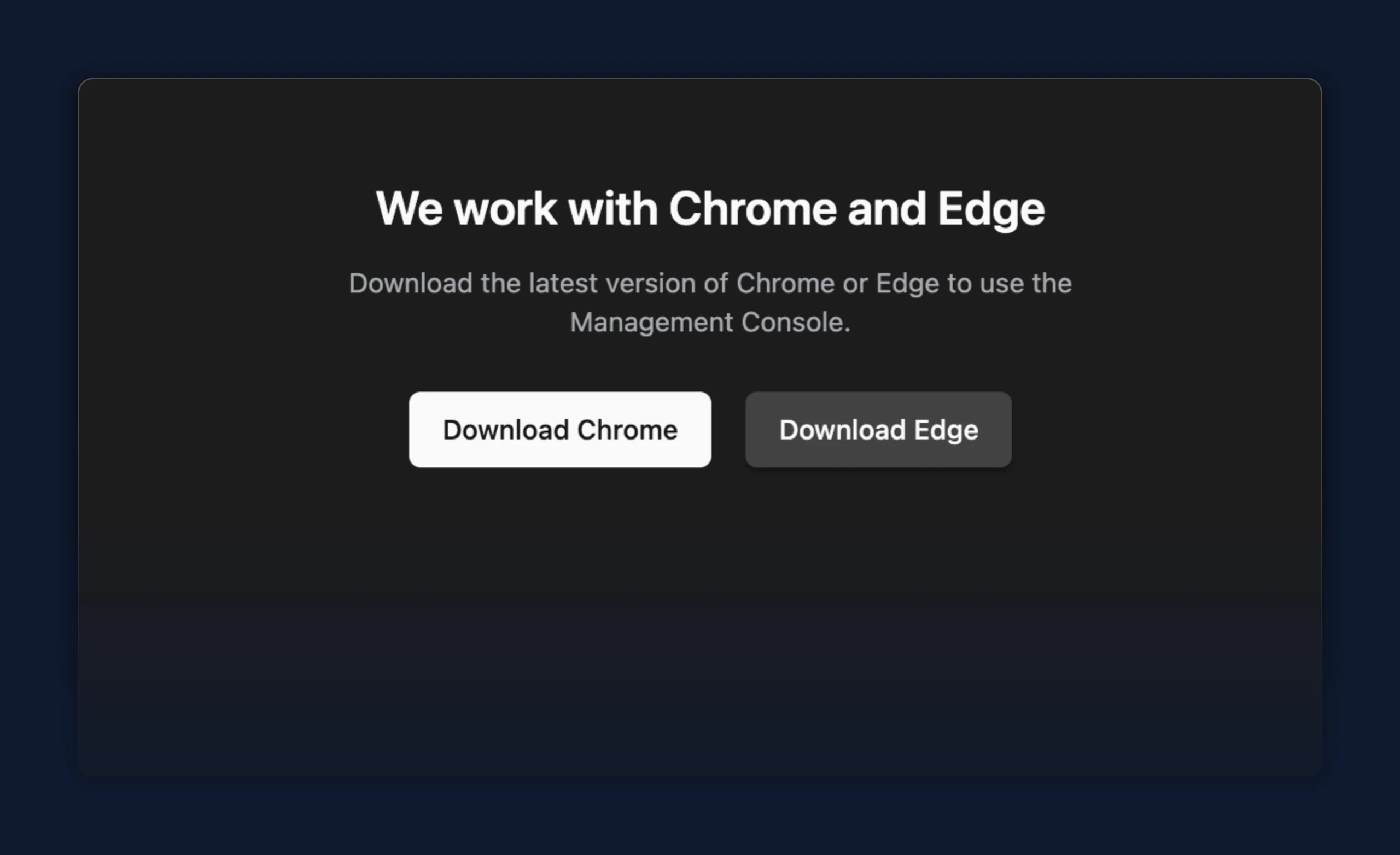
Improvements
- Bridge deploy, edit, and delete progress messages and the bridge status feed now say "Bridge" instead of "Protocol converter", matching the Management Console terminology
Improvements
- The TimescaleDB Historian bridge template now creates all of its tables, types, and functions in a dedicated
umhschema (for exampleumh.value_<contract>instead ofvalue_<contract>), keeping the historian's objects separate from anything else in your Postgres database. New deployments use theumhschema automatically, and the database setup no longer needs a grant on the public schema. If you already deployed an earlier version that used the public schema, the bridge editor now includes a short one-time migration guide (a fewALTER ... SET SCHEMA umhstatements) to move your existing tables intoumhbefore redeploying, so your historical data is preserved. - Deploying a bridge now saves your full configuration in one step. If the deployment does not reach a running state in time, your configuration is kept instead of being discarded and you are taken to the bridge's editing view, where you can adjust it and deploy again. Previously a failed first deployment could leave you without a saved bridge.
Fixes
- During sign-up, choosing a company name that was already taken showed "You are already onboarded" and redirected you to the home page, even though your account was never created. The onboarding form now shows "Please use a different company name" and keeps you on the page so you can pick another name and finish signing up.
Improvements
- Added Snowflake PUT bridge template with batching tuned for cost-efficient Snowpipe ingestion (6h period, ~150 MB compressed files).
Fixes
- After deploying a newly created bridge, the "Continue Editing" button always reopened the editor on the General tab. It now returns you to the tab you deployed from — General, Read Flow, or Write Flow — so you stay where you were working.
- TimescaleDB Historian bridges deployed with the historian data contract now store tag metadata; a SQL error in the template's database setup previously stopped the metadata table from being created, so metadata was lost
- Copying a write-only bridge now works correctly. Previously, copying a bridge failed with a "No Protocol Configuration" error because the action only checked for an existing read flow configuration. Now also write-flow configurations are recognized and copied correctly.
Improvements
- OPC UA: encrypted connections (
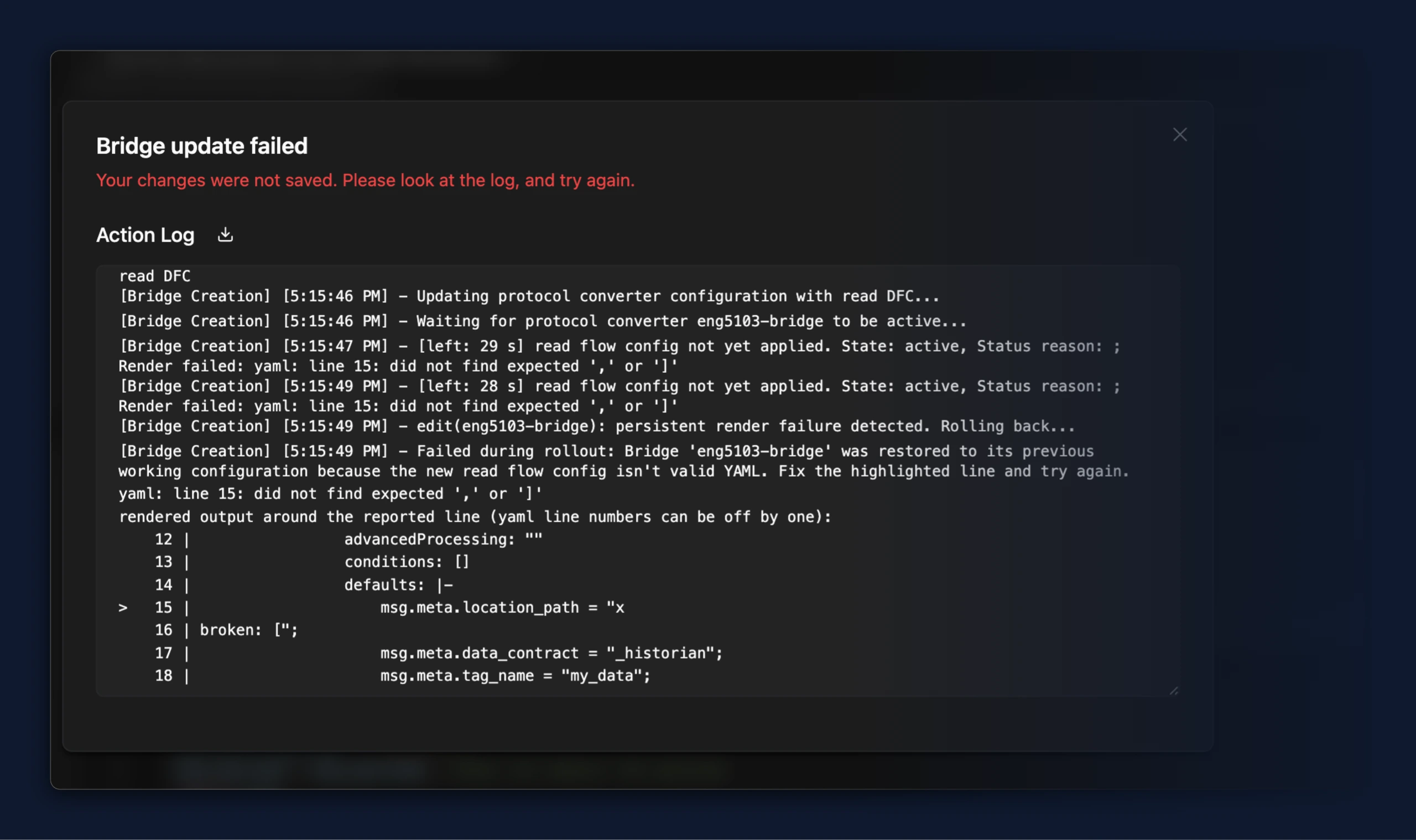
Basic256Sha256, bothSignandSign & Encrypt) now complete reliably, including signing-only mode which previously failed to connect - When a bridge, flow, or stream processor config fails to render because the result is invalid YAML, the error now includes the failing lines of the rendered output. Previously the error named only a line number (for example
yaml: line 25: did not find expected key) while the rendered output was discarded, so the failure could not be diagnosed from logs - Editing a bridge whose new configuration keeps failing to render now fails after three identical render failures (a few seconds) and rolls back to the previous configuration automatically, naming the render failure as the root cause; while the edit is still retrying, each progress update also names the render failure. Previously such an edit retried for the full 30-second timeout before rolling back, and progress updates gave no reason
Fixes
- OPC UA: reading or subscribing to large tag sets (roughly a thousand or more) over an encrypted connection no longer drops the connection with an
EOFerror - OPC UA: subscriptions now survive a reconnect, so data collection resumes automatically after a network interruption instead of stalling until the input is restarted
- OPC UA: connecting to servers that present their certificate as a chain (leaf plus intermediates), such as Siemens WinCC Unified, now works
- OPC UA: a single unreadable or invalid node ID no longer blocks monitoring the rest of a subscribed batch
- OPC UA: browsing certain servers no longer crashes the input
New Features
- TimescaleDB Historian bridge template in the Add Bridge wizard: Save data from the UNS into TimescaleDB for a single data model. Values and metadata are stored in TimescaleDB hypertables with compression enabled on deploy, keeping high-volume time-series data compact and fast to query. By default it archives all tag metadata except high-churn transport keys (OPC UA and Sparkplug timestamps, sequence numbers, Kafka record times, and similar) that change on nearly every message and would otherwise bloat the metadata table; you can instead set an explicit list of metadata keys to keep. It is maintained and supported by the UMH team, with the required database setup documented inline in the bridge editor.
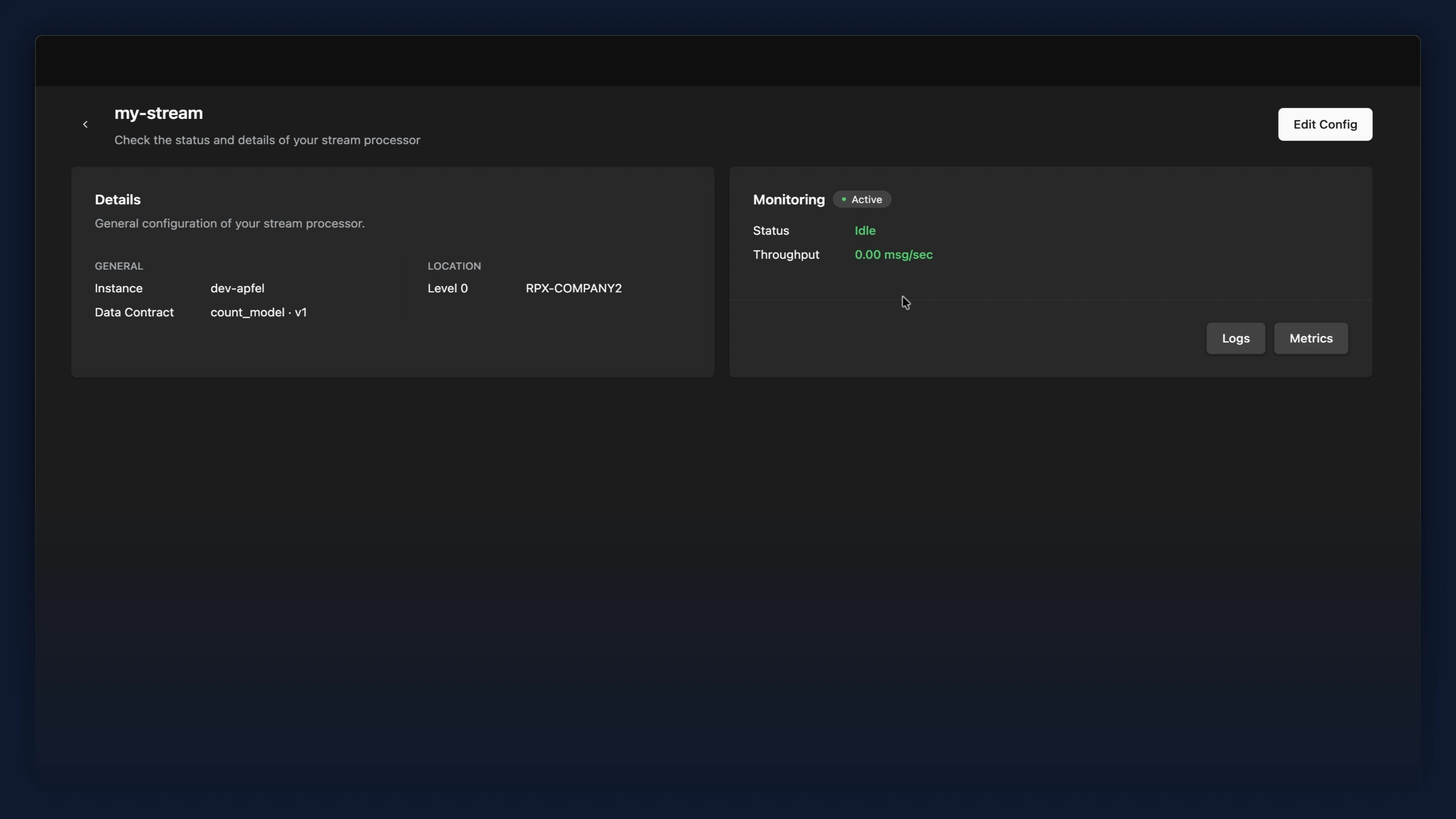
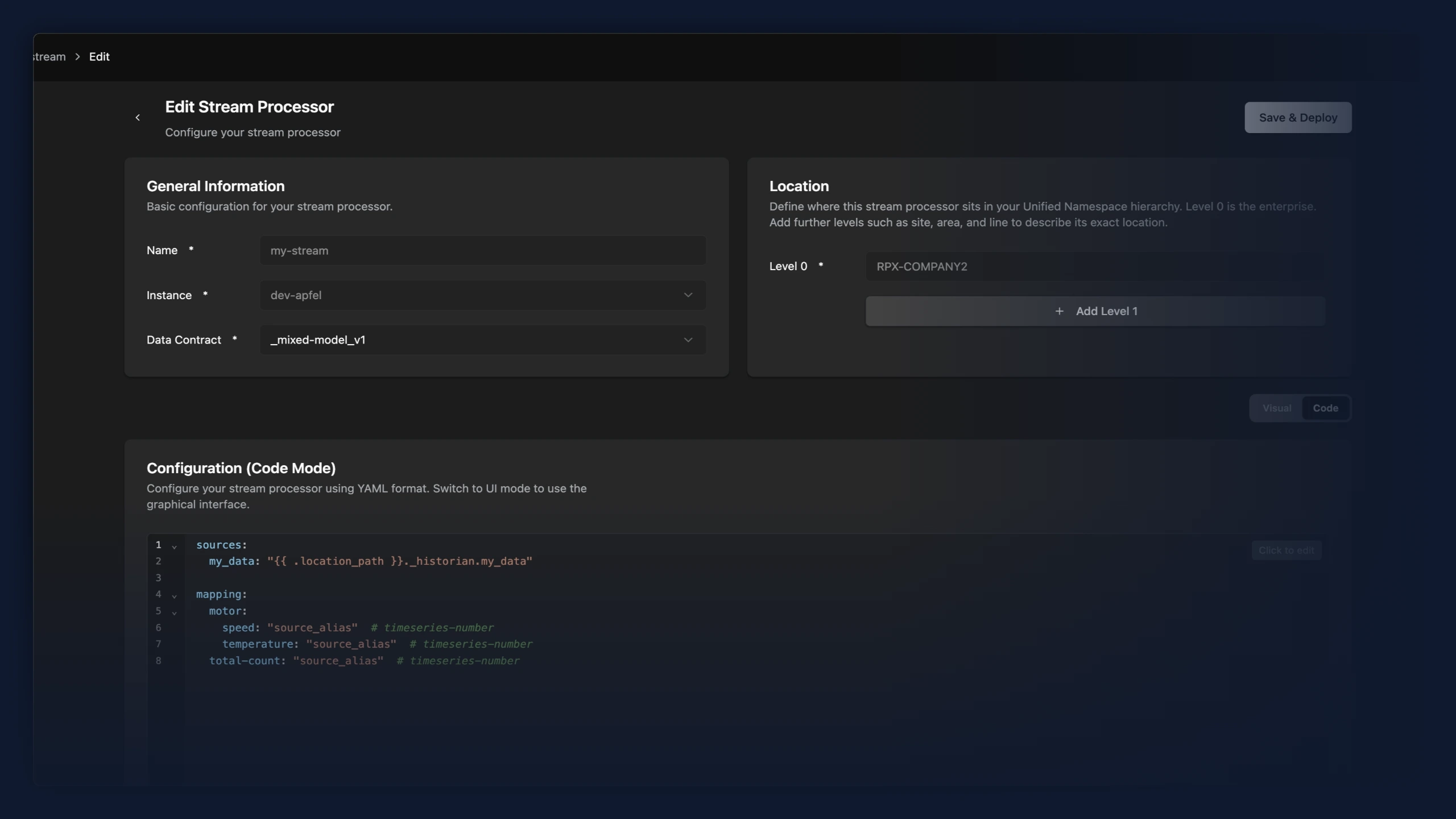
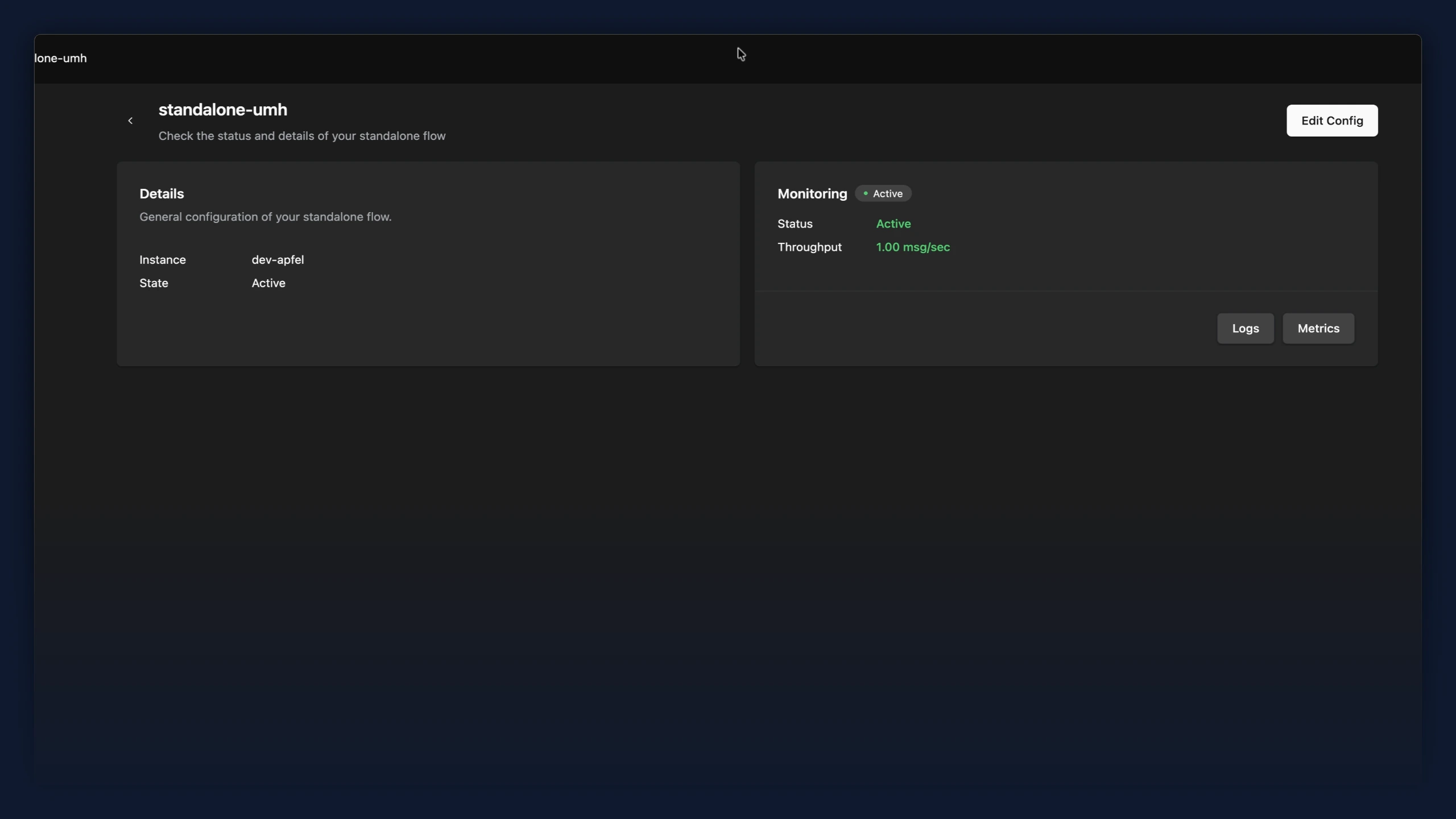
- Stream processors now have an overview page, and the editor has been reworked. Opening a stream processor from the data flow list shows a read-only summary with live monitoring (status, throughput, plus Logs and Metrics) instead of dropping you straight into the editor. A new "Edit Config" button opens the editor. In the editor, the general settings and the UNS location are now split into separate cards, and the code editor fills the available height and scrolls internally instead of stretching the page.
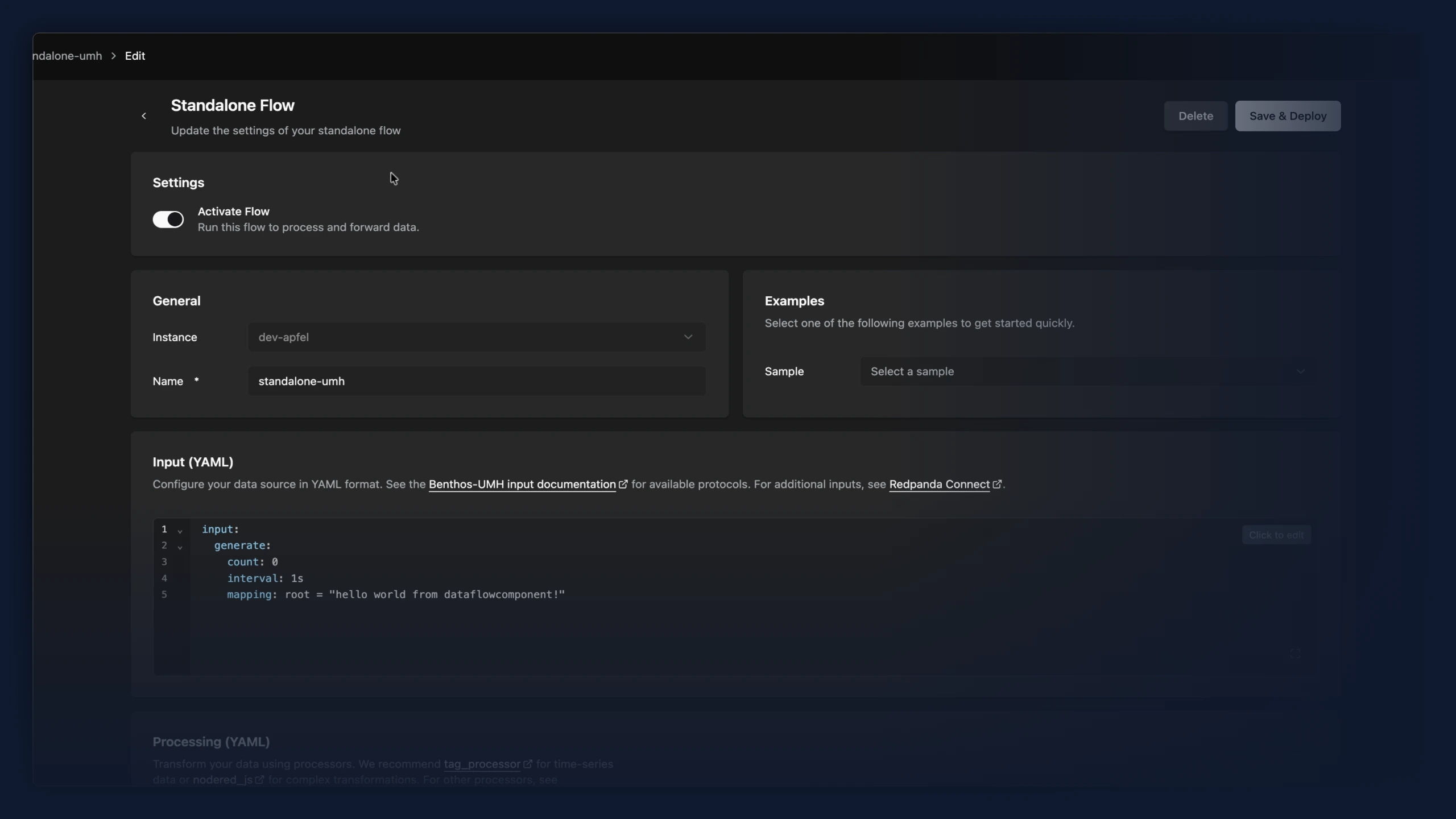
- Standalone data flows now have an overview page and a refreshed editor. Opening a Standalone Flow from the data flow list shows a read-only summary with a live monitoring view. A new "Edit Config" button opens the editor when you want to make changes. The editor now matches the rest of the app with the same cards and spacing. Activating or pausing a flow is now a clear "Activate Flow" toggle in its own card, the same control bridges use, instead of an "Active/Stopped" dropdown.
Improvements
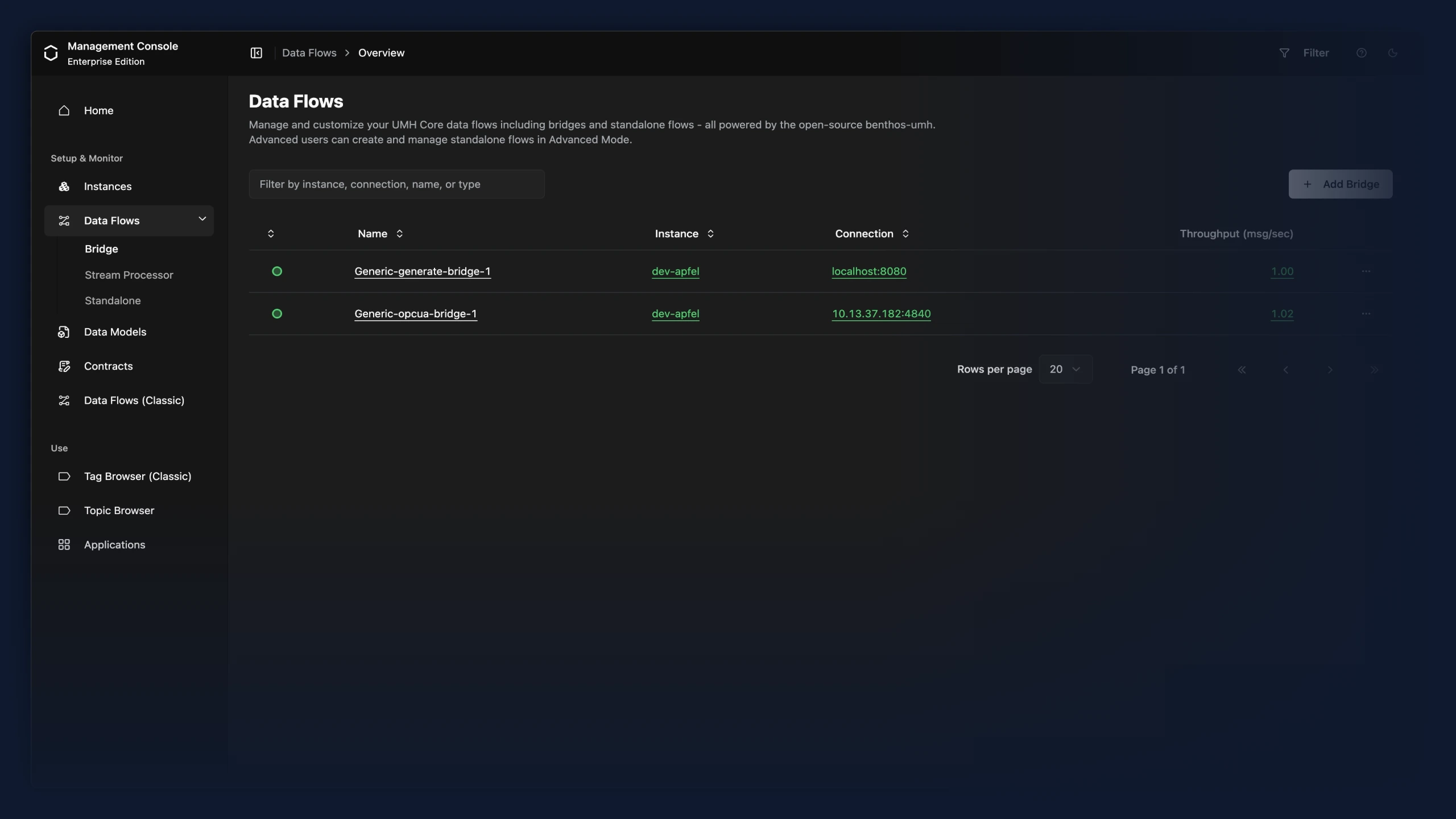
- Data flow type selection (Bridge, Stream Processor, Standalone) now lives only in the Data Flows sidebar sub-navigation. The duplicate tab bar above the data flow list has been removed, since it switched between the same views the sidebar already offers.
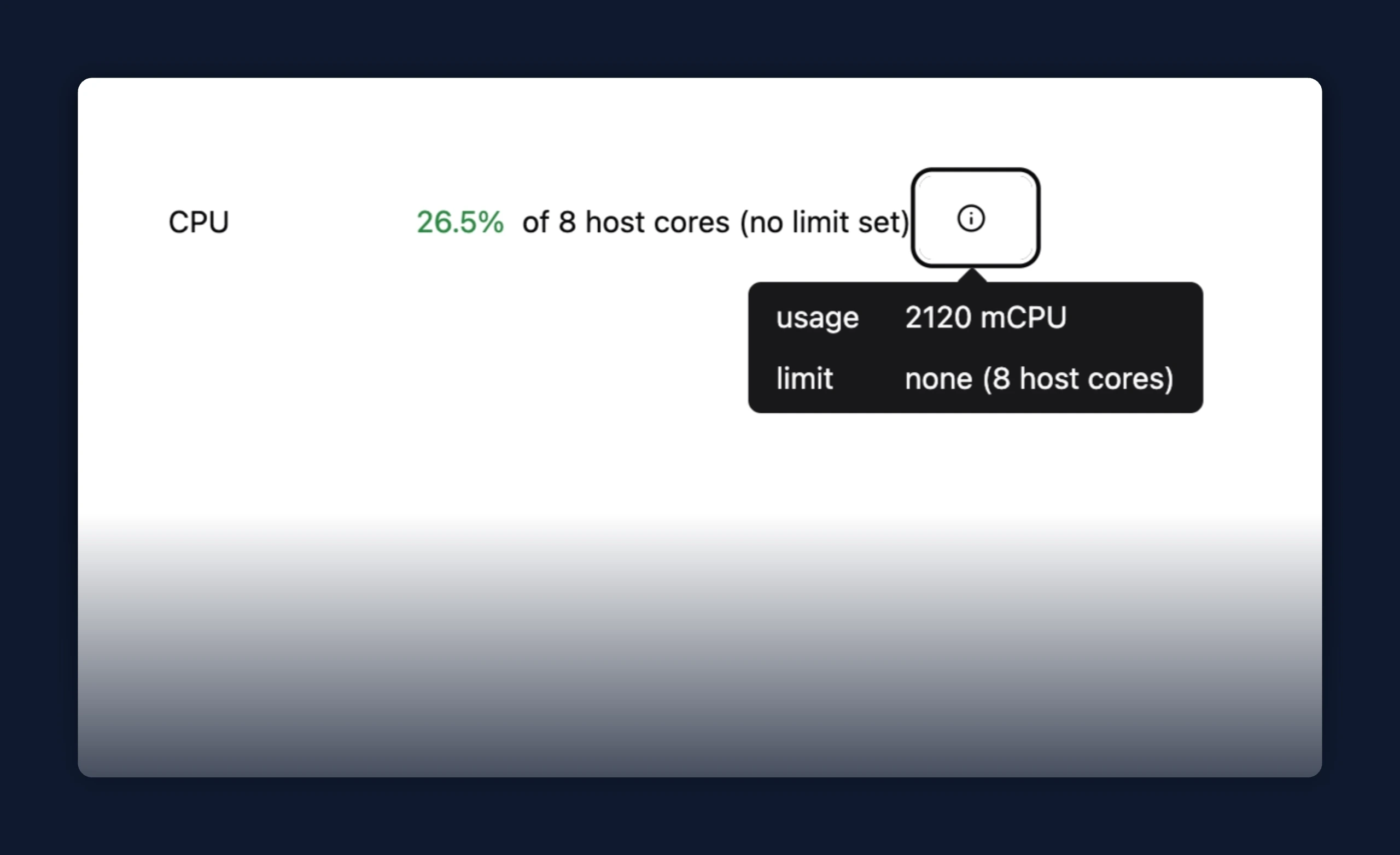
- CPU usage in the instance details row now shows usage against the container's cgroup limit when one is set (for example, 1850 / 2000 mCPU), instead of as a percentage of all host cores.
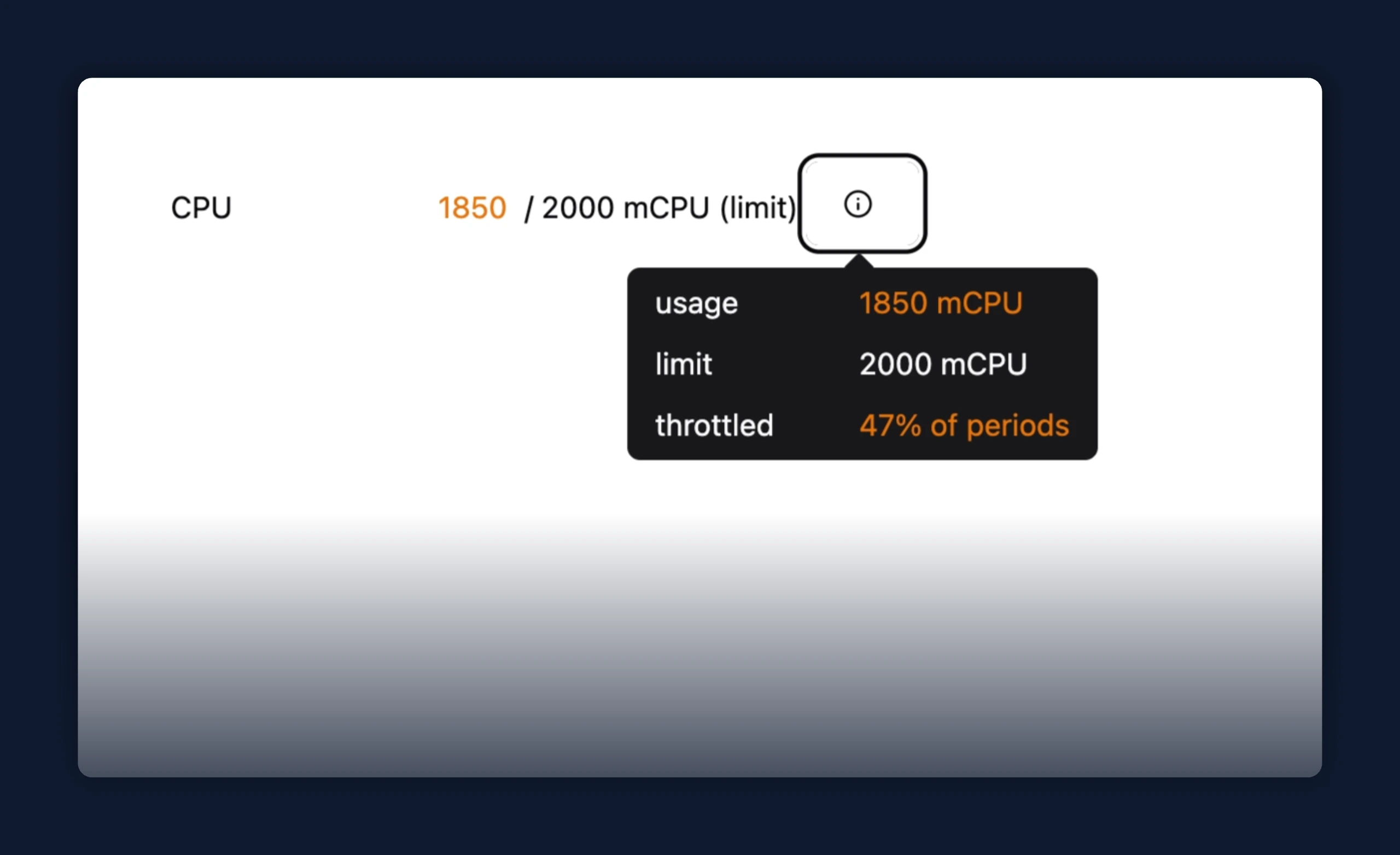
- Hovering the CPU row opens a metrics tooltip with usage, limit, and throttle breakdown.
Fixes
- Sparkplug B bridges now show every metric in the Topic Browser, including ones that never change after startup. A Sparkplug device announces each metric's initial value once and then only reports later changes, but the default template ignored those initial announcements, so any metric that stayed constant never appeared; initial values now come through and seed each topic, with later changes updating it in place
Improvements
- After a successful deployment, the dialog previously pushed you out of the editor: the primary "Continue" button returned you to the data flow overview, and when updating an existing flow there was no option to keep editing. The primary action is now "Continue Editing", which keeps you in the editor. A "Back to Overview" link still takes you back to the data flow list, or to the bridge's overview page when write flows are enabled.
Fixes
- When deploying or editing a bridge or standalone data flow failed because of an invalid or rejected configuration, the dialog still offered a "Save Anyway" button. For these errors that button could not help, and for an invalid config it would re-apply the broken configuration and report success — leaving the component crash-looping with no rollback. "Save Anyway" now appears only for errors where ignoring them is safe (such as a timeout); for configuration errors the dialog asks you to fix the configuration and try again.
Improvements
- Consistent spacing between tabs and the content below them in the bridge editor, matching the rest of the page.
Fixes
- Interface elements that are links or images can no longer be dragged loose from their position. The browser let you pick up the back button on detail pages, sidebar tabs, breadcrumbs, logos, link-styled buttons such as "Add Bridge", table row-action menu entries, your profile picture, and decorative images and drag them around the page; everything now stays put while clicking still works as before.
Fixes
- Sparkplug B output: a standard
tag_processor → sparkplug_bflow now publishes its tags. The output read the value from a payload field named after the tag, buttag_processoremits it undervalue, so every message was silently dropped — leaving only an emptyNBIRTHon the broker. The output now extracts the value the same way the Sparkplug B input does (value/val/data/measurement), makesvirtual_pathoptional, and warns instead of dropping silently when a payload can't be turned into a metric - OPC-UA input now preserves string values exactly; previously, numeric-looking strings like serial codes were emitted as numbers and lost precision. For tags processed by
tag_processor, also setmsg.meta.datatype = "string"so auto-detection does not convert them back - Sparkplug B input: metric datatypes now survive from BIRTH to DATA. Per spec,
NDATA/DDATAcarries only alias + value while the BIRTH certificate defines name and datatype — but the input cached only the name, so DATA messages lost theirspb_datatypemetadata and signed integers decoded as their unsigned two's-complement wire value (anInt32of-12surfaced as4294967284). The alias cache now restores the datatype alongside the name, andInt8/Int16/Int32/Int64wire values are reinterpreted as signed
Improvements
- After deploying a standalone data flow or a Classic protocol converter, the success dialog's button was labeled "Data Flows" while the bridge deploy flow labeled it "Continue". All three now use "Continue".
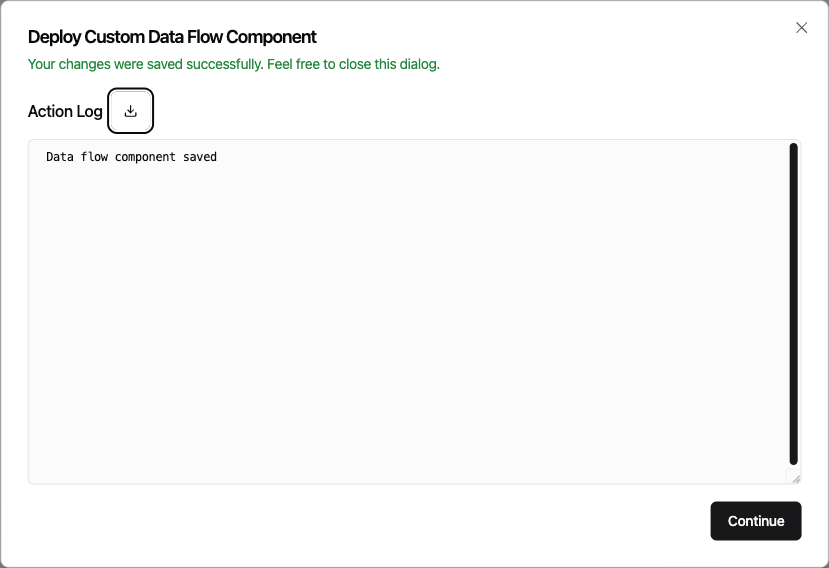
- Clicking "Continue" after deploying a bridge dropped you onto that bridge's edit page, while deploying a standalone data flow returned you to the data flow overview. Both now return to the overview.
Fixes
- Condition cards and their clause rows in the Tag Processor can no longer be dragged loose from anywhere on the card. They now move only when you grab the drag handle, the way reordering was always meant to work.
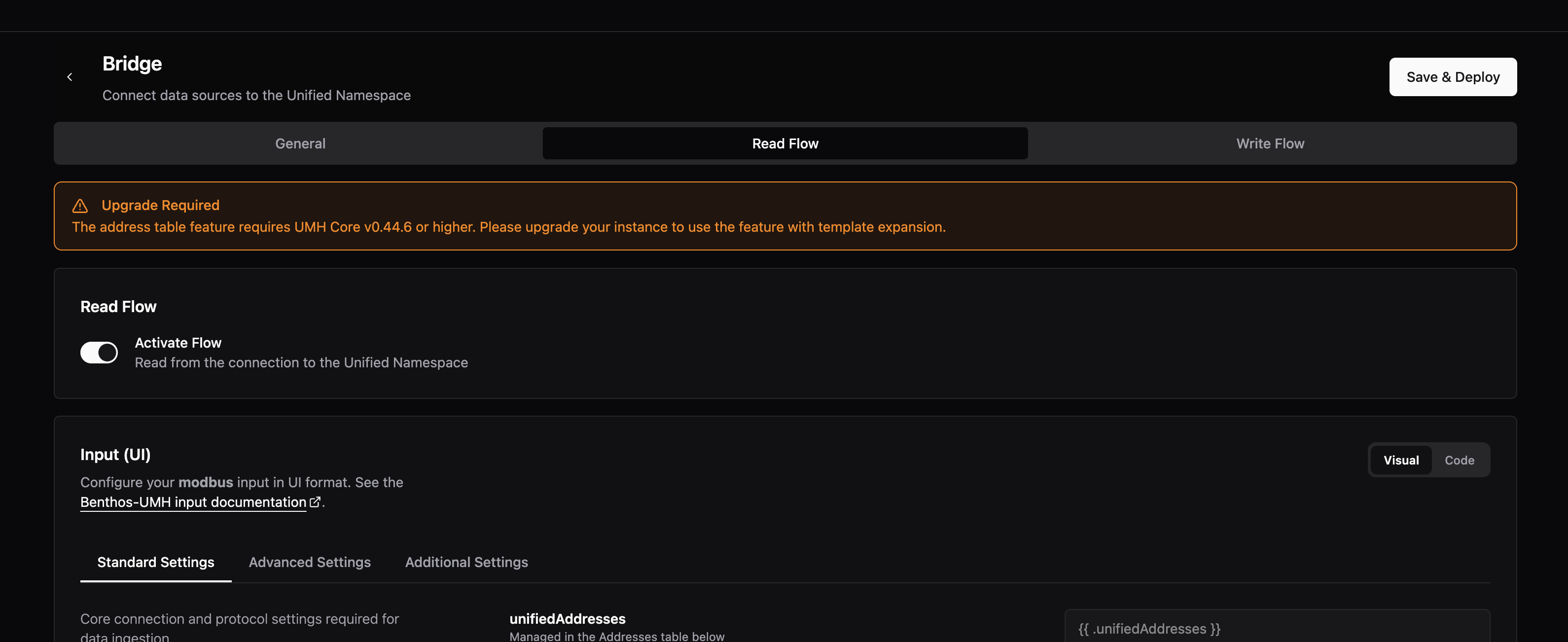
- Previously, when configuring a bridge's processing before choosing an instance, the address table section showed an "Upgrade Required" message — even though the real problem was that no instance had been selected yet. The notification now shows a clear "No Instance Selected" prompt pointing you to the General tab. In addition the notification has been moved out of the processing section address tab, to the top of the read flow to be better and quicker recognizable.
Fixes
- Previously, a standalone data flow that writes to more than one destination (
switch,broker, orfallback) showed zero or incomplete throughput in the Management Console even though it was processing data normally. The throughput, error, and connection counts now include every destination
Preview: Write Flows
- The write flow schema has been updated to use structured fields. The previous flat fields
input_topicsandoutputare replaced bysource.topics,destination.protocol,destination.code,processing, andextra. Write flows configured before this release must be re-created from the UI; read flows and connection settings are not affected.
New Features
- Modbus bridge addresses can now be edited through a guided dialog. Previously, each address was a single string such as
temperature.holding.100.INT16:scale=0.1that you had to assemble and edit by hand in the read flow table. Clicking an address cell, which holds a 'unifiedAddress' now opens a dialog with a separate field for each part (name, register type, address, data type, and optional modifiers like scale and slave ID), and only shows the fields that apply to your selection (for example, length appears only for string types). Hovering an address cell shows its parts at a glance.


Improvements
- After migrating your account to Auth0, entering your email on the login page now sends you straight to the sign-in method you migrated with. Previously, you landed on Auth0's hosted login UI and had to pick your provider (Google, LinkedIn, SAML, ...) before being prompted for credentials. This applies to both community and enterprise accounts; enterprise users are additionally routed directly into their company's Auth0 organization.
- The sidebar tab that opens data models is now labeled "Data Models", matching the heading on the page it opens. Previously the tab read "Models" while the page itself was titled "Data Models".
Fixes
- Previously, opening a bridge and leaving the page warned about unsaved changes even when nothing had been edited, while real edits to the Read Flow's Input section went undetected and could be lost on navigation. The bridge page now captures a clean baseline once it finishes loading and compares the Input configuration directly, so the unsaved-changes prompt appears only when you have actually made a change.
Improvements
- Sparkplug B input:
request_birth_on_connectnow defaults totrue, sosecondary_active/primarybridges proactively rebirth newly seen nodes on connect. Set it tofalseto keep the prior behavior (ignored undersecondary_passive) - Sparkplug B input: field descriptions and the primary-role startup log now clarify that
identity.edge_node_idis the Sparkplug v3.0-compatiblehost_idin the STATE topic (spBv1.0/STATE/<host_id>) - New
snowflake_putoutput: ports the warpstreamlabs/bento Snowflake output into benthos-umh for writing batched messages to Snowflake stages with optional Snowpipe ingestion. Supports user/password and key-pair auth, all gosnowflake compression modes, and per-message stage/Snowpipe interpolation
Fixes
- When an FSMv2 transport worker (auth, push, or pull) was stuck in a transient-retry state, the supervisor heartbeat printed the same stale reason set on entry — for example
"Desired state is running, transitioning to Starting"— instead of the live per-tick reason the worker already composes, such as"auth backoff: 42 errors (cloudflare_challenge), delay 60s". The heartbeat now surfaces the live reason within one ~10s cycle. - Sparkplug B input:
identity.group_idnow filters the MQTT subscription by default. Previously an emptysubscription.groupssubscribed to every Sparkplug group on the broker (spBv1.0/+/#) regardless ofidentity.group_id. To restore the old behavior, setsubscription.groups: ["+"]explicitly - Sparkplug B input: bridges now request a rebirth when DATA references aliases the cache hasn't seen (typically after a bridge restart with no retained
NBIRTH/DBIRTHon the broker). Previously tags surfaced as…/_historian/alias_<n>until something external triggered recovery
Preview: Write Flows
- Write flows (preview) now take their input topics directly on the flow, with Go template support for values like
{{ .location_path }}. Write flows configured on this preview before this release are not carried over and need to be re-created from the UI; read flows and connection settings are unaffected
Fixes
- Tag names and virtual paths entered in the address table are now preserved when reopening a bridge. Previously, reopening a configured bridge showed an empty table, and re-deploying would overwrite the saved values with empty ones.
Fixes
- S7 bridges now connect using the configured port. Previously, the port entered during setup was ignored and the connection always used the default port 102
- Location and virtual path columns in the address table no longer show a required field indicator
Improvements
- Links across the app now share a single visual style. Previously, links used different colors, underline treatments, and hover effects depending on where they appeared, producing an inconsistent look across pages. They now follow a unified style, and external links — those pointing outside the app, such as to documentation — automatically open in a new tab and display a small indicator icon next to the text.


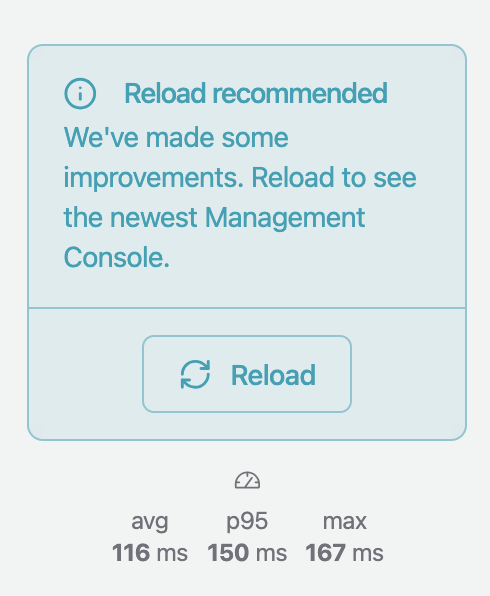
- We now display a reload dialog when the app needs to be refreshed.
Fixes
- Previously, the log viewer re-fetched the full 24-hour window on every refresh and kept all returned lines in memory. On instances with busy logs, this grew continuously and could crash the browser tab. The log viewer now fetches only new entries since the last refresh and caps the in-memory log at 10,000 lines.
- Previously, picking certain protocol templates when adding a bridge (for example
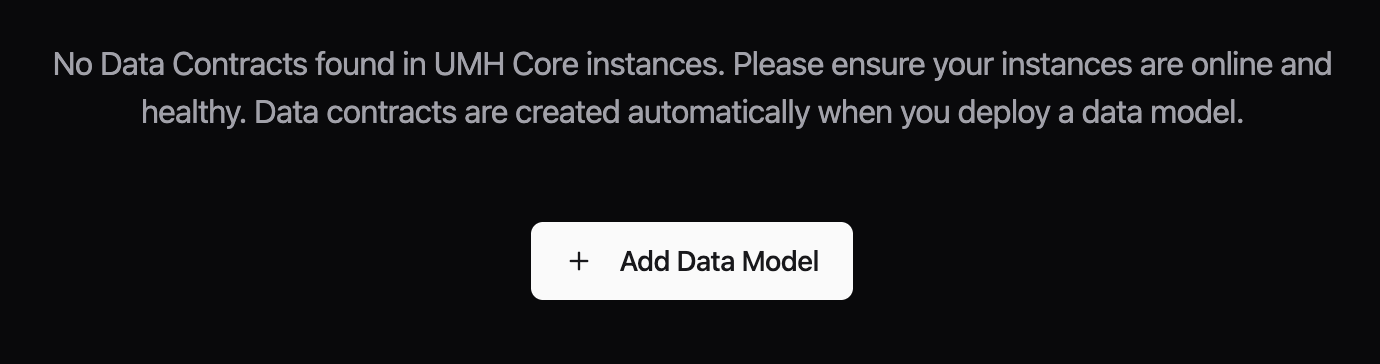
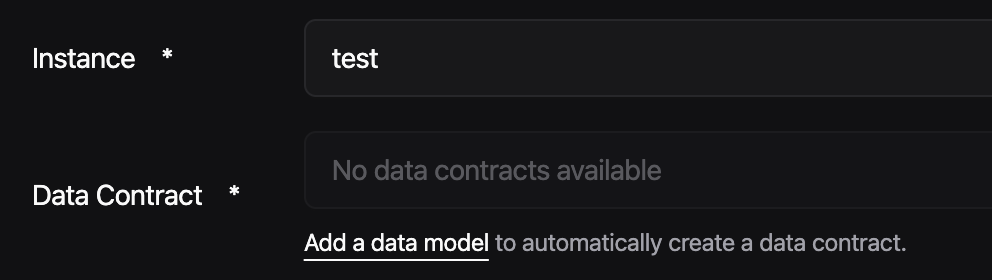
http_server) produced a default name likeGeneric-http_server-bridge-1that could not be saved, with an error about invalid characters. The suggested name now uses only valid characters (e.g.Generic-http-server-bridge-1), so you can deploy without renaming it first. - Previously, the Data Contracts page showed a dead-end empty state on fresh instances, with no indication that data contracts are created automatically when a data model is deployed. The empty state now explains this and links directly to the data model creation page. The stream processor editor's contract selector also shows a link to add a data model when no contracts are available.
Fixes
- Editing or deploying a bridge with an invalid config could hang the Management Console in "executing" indefinitely — umh-core's rollback path crashed mid-execution, the instance restarted, and the UI never received a final reply. The bridge often ended up needing delete + recreate to recover. The edit/deploy now ends with a clear failure when the rollback succeeds. Affects v0.44.19
- An unexpected error in umh-core (e.g. editing or deploying a bridge) used to restart the umh-core instance and leave the operation stuck in "executing". Affected operations now end with a clear failure message (
Internal error: <type> action failed unexpectedly. UMH engineering has been notified.) while the rest of the instance keeps running
New Features
- Community accounts can now migrate from email/password login to Auth0. A banner on the home page opens a short wizard that links your account to an Auth0 identity. After linking, you sign in to UMH through Auth0, which adds Google and LinkedIn sign-in options and supports MFA. You still use your existing password to unlock your data after sign-in. Email/password login keeps working for accounts that haven't migrated yet, so you can take the migration at your own pace.

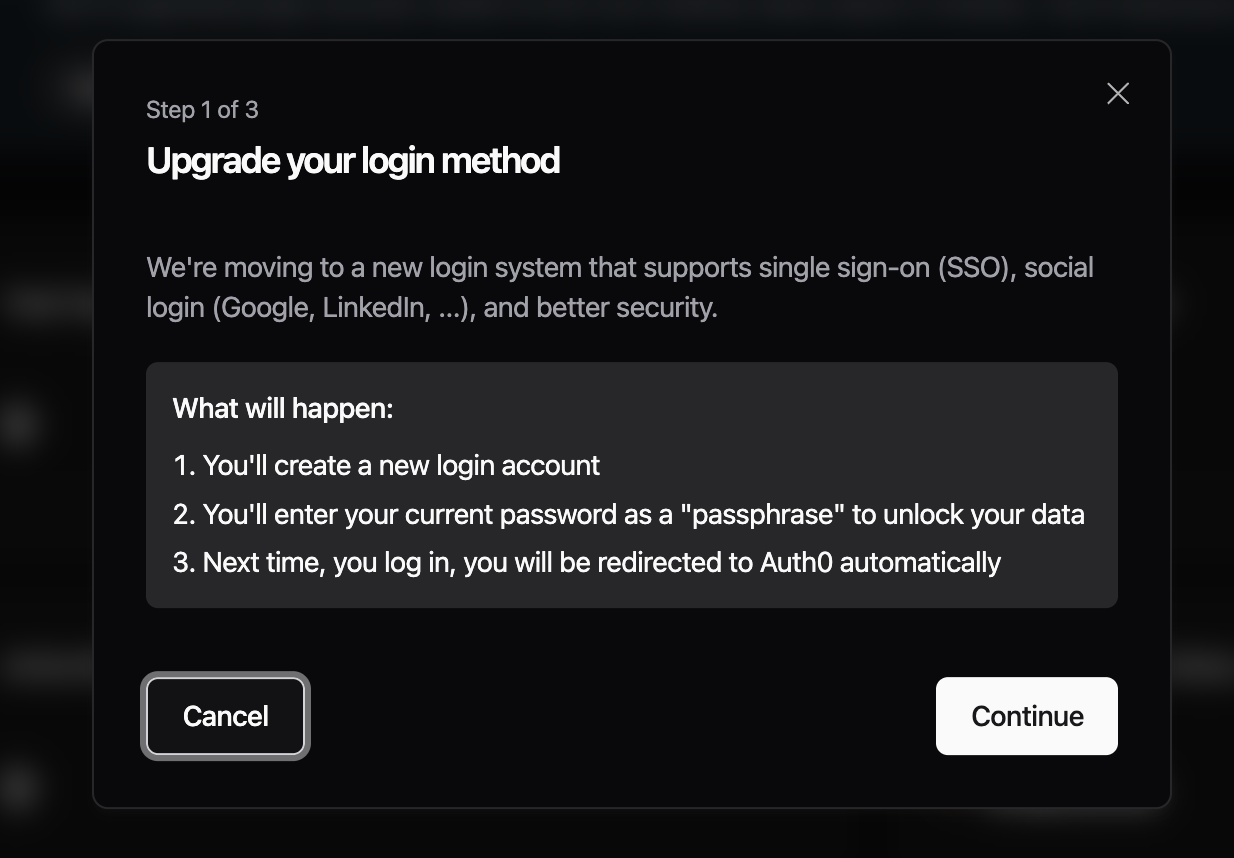
- The login page now starts with a single email field and routes you to either the password screen or to Auth0 based on which login method your account uses. If you previously linked an Auth0 identity but kept signing in with email/password, you are now routed through Auth0.

Improvements
- The bridge setup wizard, dynamic protocol forms, and enhanced read flow UI were previously shipped as previews enabled by default, and are now generally available.
Fixes
- Previously, bridges created with Copy Template showed "Not configured" on the Read Flow card even while data was flowing through. This showed a misleading Configure Read Flow button on bridges that were already set up. Both new copies and existing affected bridges now display their Read Flow correctly.
- Previously, using the breadcrumb navigation for some bridges and standalones would result in showing a missing overview page. This is now fixed.
Preview: Enterprise login migration
- Enterprise organizations can opt in to a migration that provisions an Auth0 organization for the company, lets the owner pick a default sign-in connection (Google, LinkedIn, or a custom Auth0 connection ID), and walks each member through a short migration once the owner has finished. To opt in, contact your UMH point of contact to prepare the migration (i.e. setup the custom SAML connection in Auth0 and designate a company owner who is then able to run through the company migration wizard).

Improvements
- Previously, the component tasked with communicating with the UI could stop working if it rebuilt its HTTP connection (which happens after persistent network failures) while a message was being sent or received. Connection rebuilds and in-flight requests are now coordinated so they cannot interfere.
- Config backup is now enabled by default. Previously, automatic config.yaml backups required setting
ENABLE_CONFIG_BACKUP=true. After validating the feature in customer environments for over two months, every umh-core instance now writes timestamped copies ofconfig.yamlto/data/config-backups/on every config write, retaining the 100 most recent versions (roughly 5–20 MB). To opt out, setENABLE_CONFIG_BACKUP=false. To roll back a bad config, use the second-most-recent backup — the most recent one mirrors the bad write - Previously,
docker stopand Kubernetes pod terminations killed umh-core immediately, dropping in-flight messages and connections without a clean shutdown. umh-core now handles SIGTERM and lets its background services (e.g., the communicator) finish their in-flight work before exiting, typically well within Docker's 10 s and Kubernetes' 30 s default grace periods.
Fixes
- A data flow (bridge, standalone, or stream processor) could get stuck in a starting state when its on-disk service directory was left in an inconsistent state — for example after a container restart or OOM-kill interrupted setup. umh-core now detects the inconsistency and rebuilds the directory automatically. Previously, recovery required restarting umh-core or recreating the data flow under a different name.
- OPC-UA input could get stuck while browsing when a configured NodeID did not exist on the server, requiring a manual restart. Browse failures now trigger a clean reconnect
- OPC-UA input no longer spams
Variant is nilerrors when a node sends a status update without a value. These are harmless and now logged at debug level with the NodeID and status code - Modbus TCP input now reconnects immediately on any transport-level error (timeouts, resets, network failures), not just broken pipes. Previously these stuck the connection for up to 10 seconds
- Modbus TCP input now recovers automatically from transaction-ID mismatches. Previously, when a slow PLC reply arrived after its read timeout, the next poll picked up the stale frame and failed with
modbus: response transaction id 'X' does not match request 'Y'. The connection thrashed (reconnect, mismatch, reconnect) and reads stalled until conditions cleared or the input was restarted
Improvements
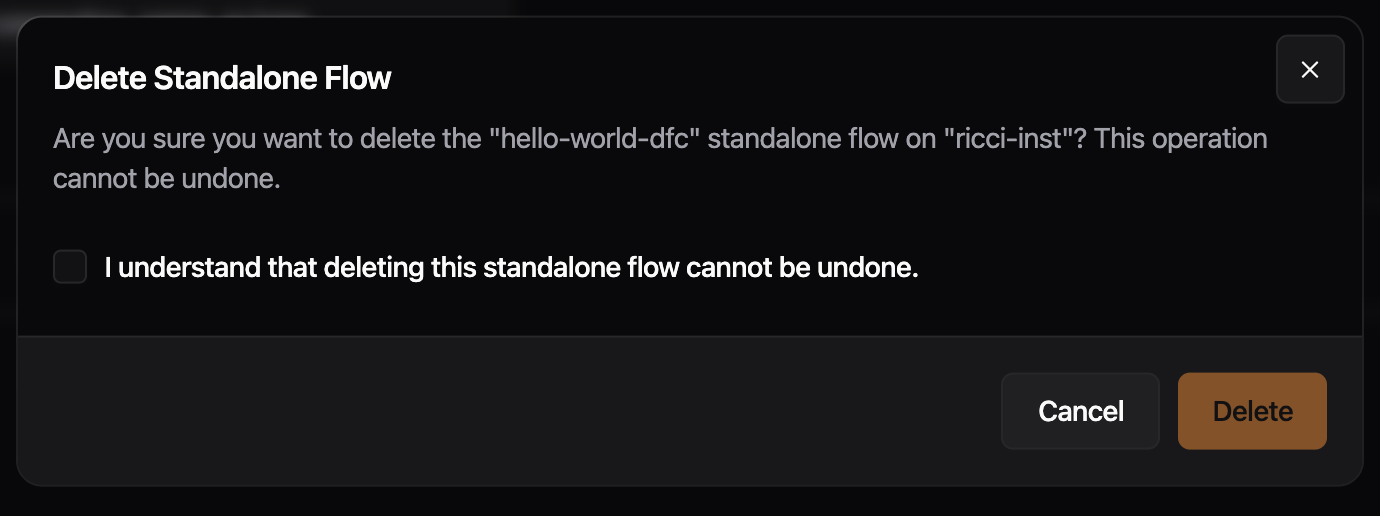
- The delete confirmation for data flows and data models now includes the instance name in the description. Previously, if the same flow or data model name existed on multiple instances, the dialog gave no way to tell which instance was being targeted.
Fixes
- Previously, using "Copy Bridge" on an existing bridge and clicking "Save & Deploy" failed with an "Action Failure" error. Cloning and deploying bridges now works correctly
Preview: Disable Read Flow
- Improved metrics view on overview page for different states of read and write flows.
Delete dialogs, sidebar data flows grouping, and several polish fixes: alert text wrapping, version tooltip/dialog cleanup, button cursors, and bridge condition meta keys.
Improvements
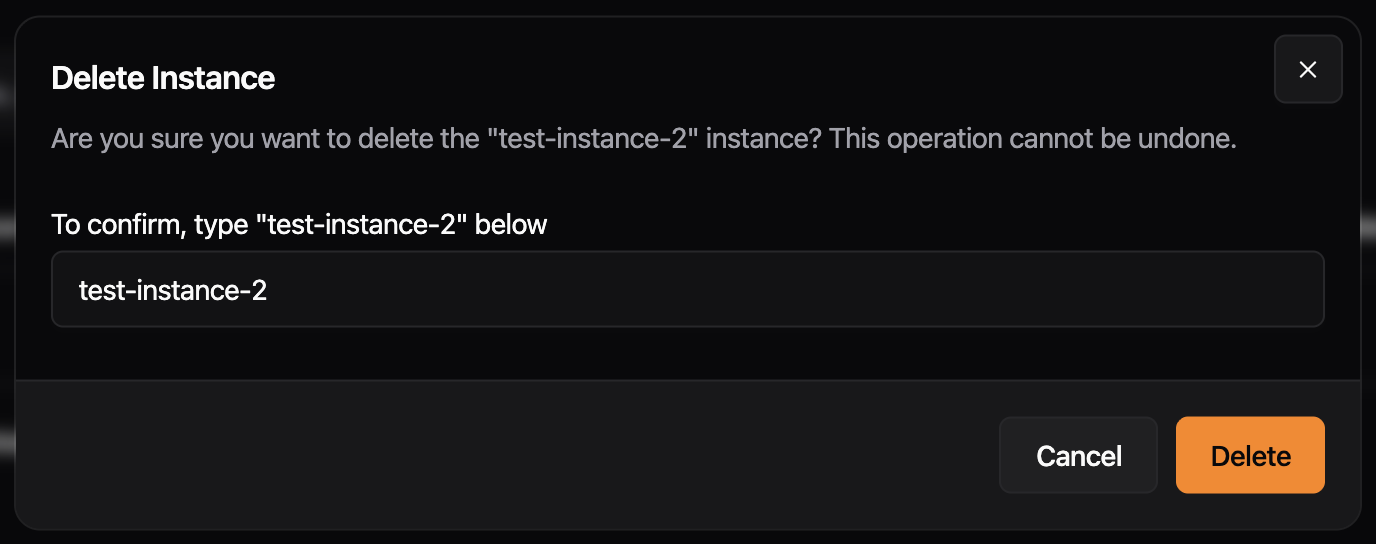
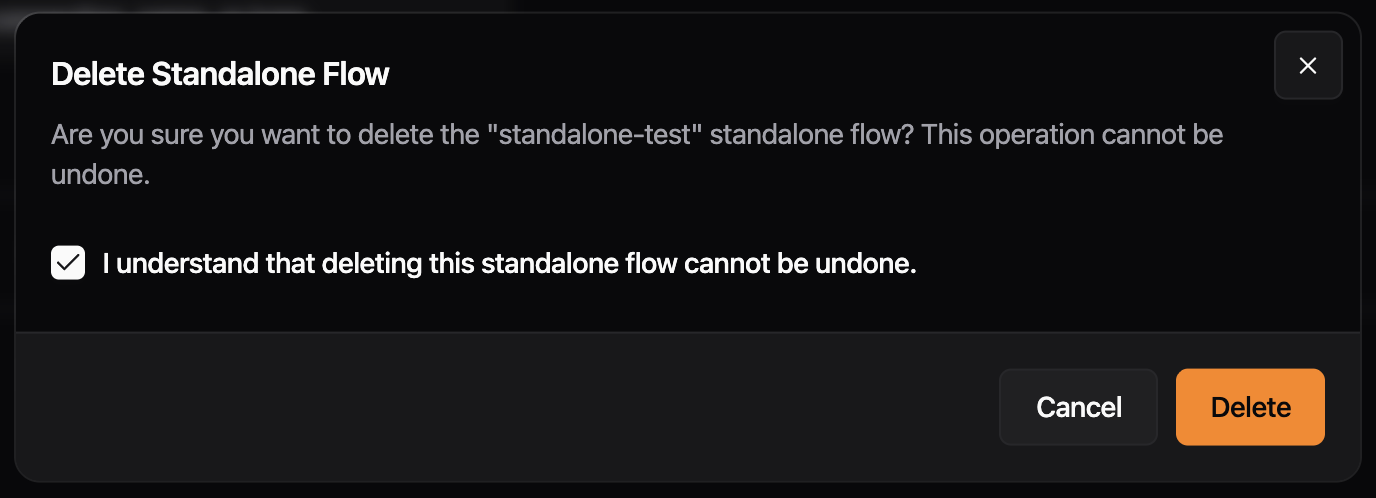
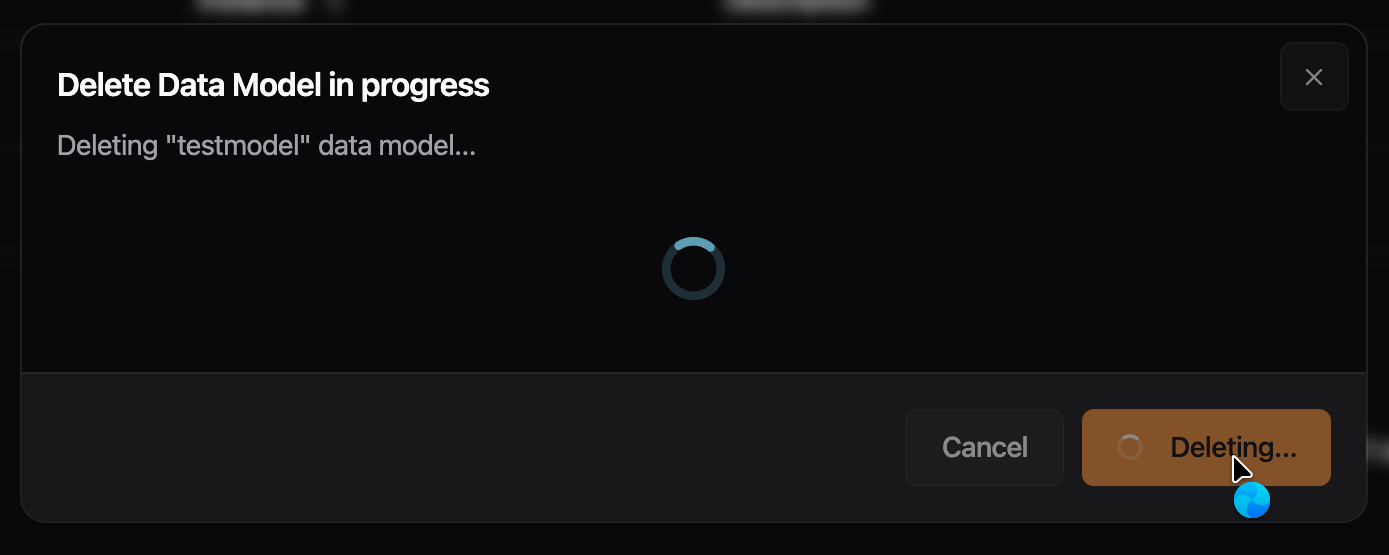
- Delete dialogs for instances, data flows, and data models now use the same dialog shell as the rest of the app. Escape and outside clicks are blocked while a deletion is running, the title updates to reflect progress, and a "Continue" button appears when the operation completes.

- The sidebar now groups Bridges, Stream Processors, and Standalone Flows under a single collapsible "Data Flows" section. Jumping between data flow types takes one click from anywhere in the app, and the section remembers whether you left it open or collapsed.
Fixes
- Previously, error messages, identifiers, and URLs without spaces could overflow the alert box and appear cut off. Alert text now wraps at any character boundary, keeping the full message visible.

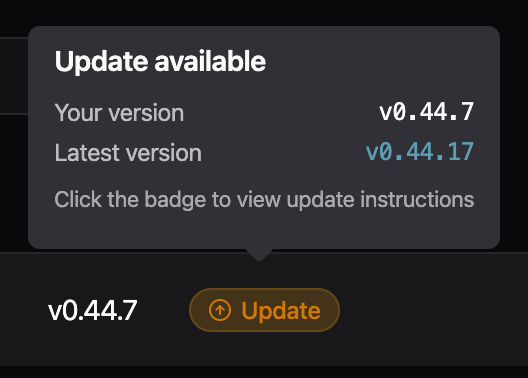
- Cleaned up the version update tooltip in the instances table: removed the low-contrast divider and washed-out text on the dark tooltip background, evened out the spacing, and clarified the call-to-action so it's clear the badge itself is what you click to open the update instructions.
- Update instructions dialog now uses the standard dialog look and feel (matching other dialogs in the app), with a "View changelog" action in the footer instead of a buried link in the description.

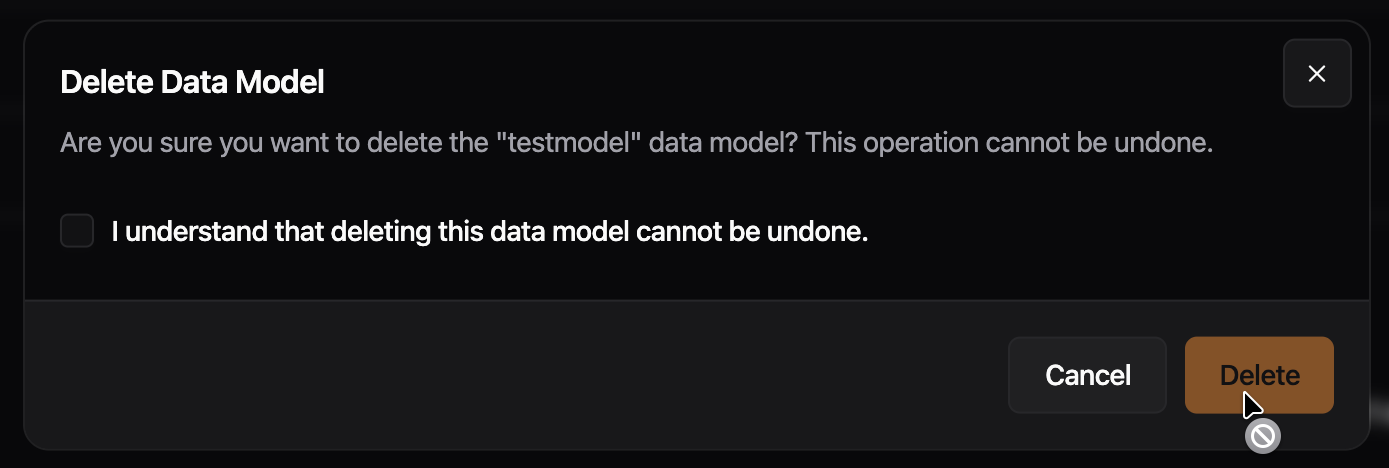
- Disabled buttons now show a not-allowed cursor instead of the default arrow cursor, and loading buttons show a busy cursor. Previously,
pointer-events-noneon disabled buttons suppressed all pointer events, so the cursor never changed.
- Conditions in the bridge processing step now match incoming messages. Previously, the default field selector for OPC UA and S7 bridges generated YAML referencing meta keys (
msg.meta.nodeId,msg.meta.address) that the inputs do not emit, so conditions silently never fired. The selector now defaults to the actual runtime keys (msg.meta.opcua_attr_nodeid,msg.meta.s7_address) while keeping the human-readable labels "Node ID" and "Address" in the dropdown.
Improvements
- Tag processor now supports
msg.meta.datatypeto override value type auto-detection. Set to"string","number", or"bool"to force the output type
Fixes
- Dialogs no longer disappear when clicking outside of them
- Code block text selection in sidebar no longer appears dark in light mode
Enables FSMv2 communicator by default.
Improvements
- The FSMv2 communicator is now enabled by default. Previously, enterprise networks with firewalls that dropped idle connections could leave instances appearing offline in the Management Console until the container was restarted. The new communicator uses separate connections for status and commands, so a dropped pull connection no longer prevents heartbeats from reaching the backend, and it recovers automatically when the connection comes back. The memory cleanup routine it depends on is also enabled by default. If you previously disabled FSMv2 by setting
useFSMv2Transport: falseinconfig.yaml, that setting has had no effect since v0.44.8 -- to keep the legacy communicator you must setUSE_FSMV2_TRANSPORT=falseas an environment variable. To roll back, setUSE_FSMV2_TRANSPORT=falseandUSE_FSMV2_MEMORY_CLEANUP=false.
Preview: Write Flows
- Previously, write flows used raw
inputfor benthos. We now define a user variableUMH_TOPICSand automatically generate the properinputin umh-core, which provides an improved user experience and less surface for errors.
Fixes
- When creating a Bridge with the newest version of
umh-coreyou previously got a warning for not existing schemas. These are now added. - Depending on the screen resolution, the toggle-switch appeared slightly misaligned. This issue has been resolved, so the button now appears consistent regardless of the screen resolution.
- Previously, standalone flow names accepted spaces and other characters that cause deployment failures. Names are now validated the same as bridges and stream processors: letters, numbers, dashes, and underscores only
Preview: Disable Read Flow
- Now uses
UMH_TOPICSlist as input for write flows. Breaks all existing write flows.
Improvements
- Cache API for JavaScript processors: new
cache.set(key, value),cache.get(key),cache.exists(key), andcache.delete(key)methods for tracking state across messages. Previously, state management required complex Benthosbranch/request_map/result_mapconfigurations. Now you can store any JSON-compatible value (strings, numbers, objects, arrays) directly from JavaScript. Usecache.exists(key)beforecache.get(key)to handle missing keys. Available in bothnodered_jsandtag_processor. Currently in-memory only (lost on restart), persistent backend planned - Updated Go dependencies, includes security fixes for OIDC and JOSE authentication libraries
Preview: Disable Read Flows
- Supports extracting metrics for write flows for bridges.
Improvements
- Cards in the read flow editor now group related settings behind tabs, so you only see what you need for the step you're on. Long sections that used to force a lot of scrolling now fit in one view, and switching between settings takes one click instead of hunting through the page.

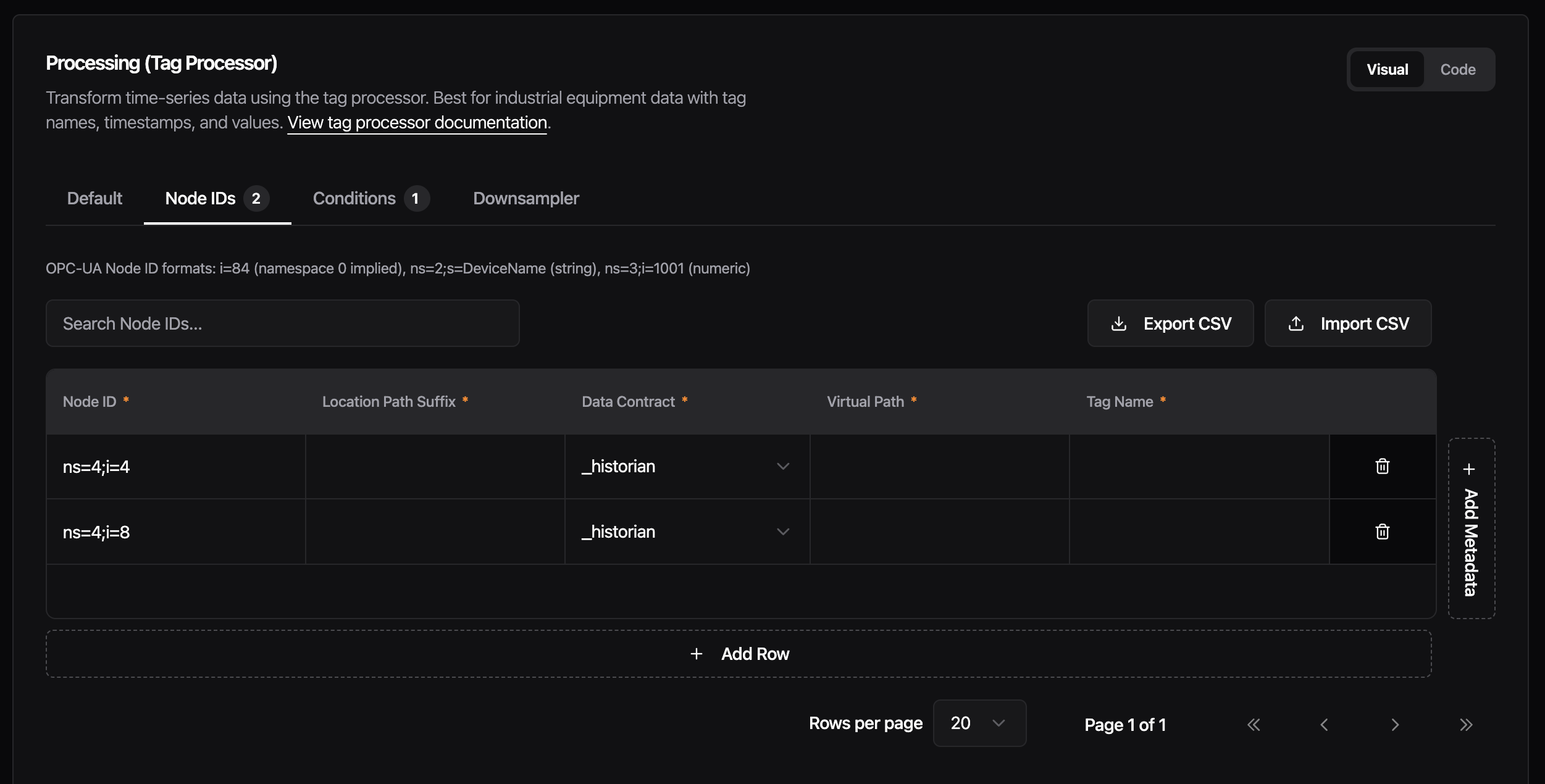
- Each category now has a single Code/Visual toggle instead of one per section. Switch the whole card at once when you want to drop into raw config, and flip it back without having to redo the choice on every tab. Your view stays consistent while you work through a card. - Metrics will display separate metrics for read and write flows in bridges, once umh-core supports it. - We replaced the editor engine behind the tag processor rules, bridge configuration, data models, stream processors, and other configuration screens. Editors now open faster, handle typing and scrolling more smoothly on large configurations, and offer easier and faster implementation for future features.
Fixes
- When confirm dialog is loading, pressing Escape or clicking outside no longer cancels the running action. Dialog stays locked until the operation is finished.
- Previously, navigating to “Add standalone flow” showed a Monitoring card carrying over status and throughput data from a previously viewed component. The Monitoring card now only appears when editing an existing component
Security updates and more templates.
New Features
- Add more templates and ability to show a verbose vendor name.
Adds relational field type, per-direction flow metrics, config backup with post-write fix, and retry-resilient status delivery for FSMv2.
New Features
- Data models now support a new
_relationalfield type for defining flat relational data alongside timeseries fields. Each inline field contains named columns with a type (string,number). This is mutually exclusive with_payloadshapeand_refModelon the same field
Improvements
- Previously, a Flow only exposed a single health and throughput metric. Starting with this version, umh-core exposes separate throughput metrics and health status for read and write flows.
Preview: Config Backup
ENABLE_CONFIG_BACKUP=truesaves a timestamped copy ofconfig.yamlto/data/config-backups/every time umh-core writes the config (Management Console actions, and startup after a manual edit). umh-core keeps the 100 most recent backups and deletes older ones. Use these to roll back a bad config- Fixed: the first config change after a restart was not backed up, because the pre-write file matched the latest backup and the duplicate check skipped it. Backups now run after the write. One caveat: the most recent backup mirrors the most recent write, so to recover the state from before a bad write, use the second-most-recent backup
Preview: FSMv2 Communicator
- Previously, healthy instances could appear offline in Management Console when earlier status messages failed to send. New status messages now continue to reach Management Console while previous ones are being retried. Only affects instances with
USE_FSMV2_TRANSPORT=true
Reworked install dialog with Docker Run/Compose/Manual tabs and download support; fixed orphaned identity records on user deletion, OPC UA browser crash loop, and sidebar icon hover contrast.
New Features
- Reworked install dialog. The install dialog now shows three tabs: Docker Run, Docker Compose, and Manual Setup. They cover different deployment environments. Closing without copying or downloading the command now triggers a confirmation prompt instead of navigating away silently. A prominent warning highlights that the auth token can not be retrieved after closing. Download buttons let you save the command as a
.shor.ymlfile. After completing setup, the instances view shows a brief notice that the instance will appear offline until the install command runs.


Fixes
- Previously, deleting a user left orphaned identity records in the database, so re-inviting the same email address could fail during signup. User deletion now removes all associated identity records in the same operation
- Previously, opening the OPC UA browser updated the form in the background (syncing checked node IDs), which the UI misread as a protocol change and reinitialized the browser — creating a crash loop. The OPC UA browser now opens without crashing.
- Previously, the rendered icon did not inherit the hover text color, so it always had the same color regardless of the hover state. Fixed sidebar user dropdown icon contrast. The Settings, User Management, and Logout icons stayed a fixed color on hover. They now inherit the highlighted text color, matching the rest of the menu item
Fix issue when redeploying a bridge.
Fixes
- Previously, if a read flow had a stale error, a new deployment would always fail, even if the current state is healthy. Now, we first always stop the flow, redeploy it and only check the current state, not any stale states.
Schema, theme, and editor fixes.
Fixes
- Map fields in the bridge editor JSON schema incorrectly produced
"type": "string"instead of"type": "object"withadditionalProperties. Component reference types (input,output,processor,scanner) and unknown types had the same issue -- all now map to the correct schema types - Previously, if two bridges shared the same internal ID, the bridge selection list would fail to render. Duplicate entries are now filtered out automatically
- Make the background of the user management input fields respond to the selected theme

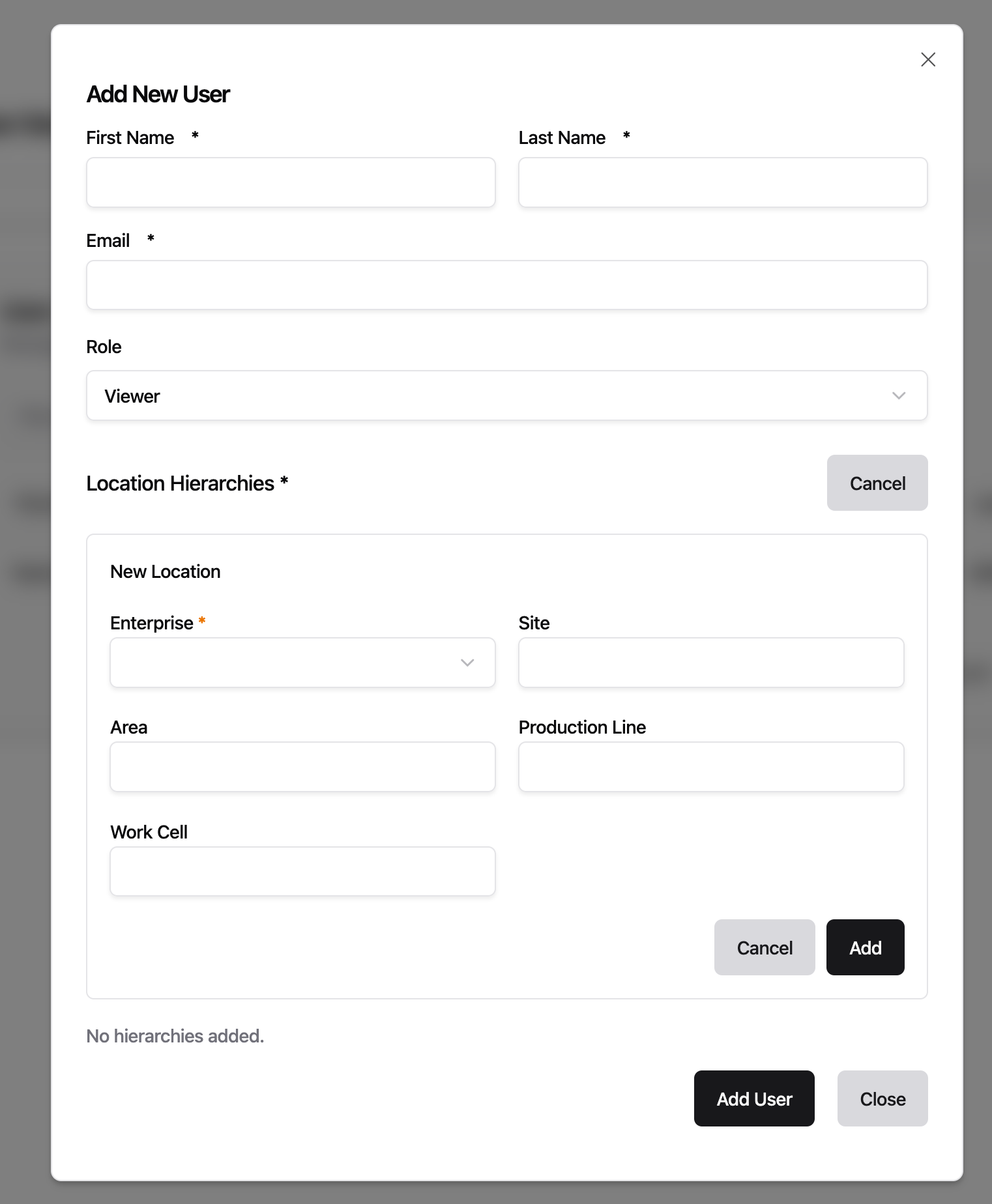
- Fixed the data model code editor being capped at a small fixed height, leaving most of the screen empty -- it now expands to fill the available window height, consistent with other editor instances
Improvements
- Unified Address Field for Modbus: introduces
unifiedAddressesas a single-string alternative to the existing address object list. Format:name.register.address.type[:key=value]*(e.g.,temperature.holding.100.INT16:scale=0.1). The legacyaddressesobject list continues to work with a deprecation warning. Both fields are mutually exclusive
Fixes
- CPU health stayed Degraded permanently after any brief throttle event because the ratio used cumulative counters since pod start. Now uses a sliding window, so health recovers when throttling stops
- ADS symbol downloads failed in certain configurations -- bumped ADS plugin to v1.0.8 which fixes the issue
Preview: FSMv2 Communicator
- Brief network interruptions during authentication (DNS failures, server errors) no longer produce Sentry warnings. If authentication keeps failing for five consecutive failures, a single
persistent_auth_failurewarning is logged. Permanent errors like invalid credentials or a deleted instance still warn immediately on first occurrence. Only affects instances withUSE_FSMV2_TRANSPORT=true - When authentication permanently fails (invalid credentials or deleted instance), the transport worker now enters a dedicated failed state instead of retrying indefinitely. It re-attempts authentication automatically when the configuration changes (new auth token, relay URL, or instance UUID). Only affects instances with
USE_FSMV2_TRANSPORT=true
Fixes for location level naming and condition editing.
Fixes
- Previously, typing in a condition value field lost focus after every character, requiring you to click back into the field after each keystroke. Condition editing now keeps focus as expected
- Previously, location level inputs in the instance setup form would automatically reformat text as you typed -- lowercasing letters, replacing spaces with hyphens, and removing special characters. Location inputs now accept text exactly as entered
Fixes
- Updated gRPC to v1.79.3 to patch CVE-2026-33186, a critical authorization bypass where path-based access control policies could be circumvented via malformed HTTP/2 requests
Topic browser, table filters, and bridge settings now persist across navigation and page reloads. Fixed OPC UA bridge defaulting to wrong port, "Save Anyway" not bypassing validation errors, and special characters breaking bridge deployments. Preview: new "Disable Read Flows" toggle for bridges.
Improvements
- Previously, the topic browser reset to its default state whenever you navigated away -- your selected topic, expanded/collapsed nodes, search term, and scroll position were all lost. Now the topic browser remembers all of these across navigation and page reloads, and resets on logout
- Previously, new instances defaulted to the Enterprise release channel, which lagged behind in versions. Now new instances default to Stable, so they start on the latest recommended version
- Previously, the filter of a table was reset whenever you navigated away. Now the state of all table filters is persisted throughout the entire UI.
- Table filters now support fuzzy finding.
Fixes
- Previously, creating an OPC UA bridge pre-filled port 3000 instead of the OPC UA standard port 4840, requiring manual correction every time. The bridge setup assistant now defaults to port 4840
- Fixed "Save Anyway" button not bypassing validation errors during bridge updates -- clicking it re-triggered the same deployment without ignoring errors, causing the same failure again. It now correctly saves despite benthos linting or configuration errors
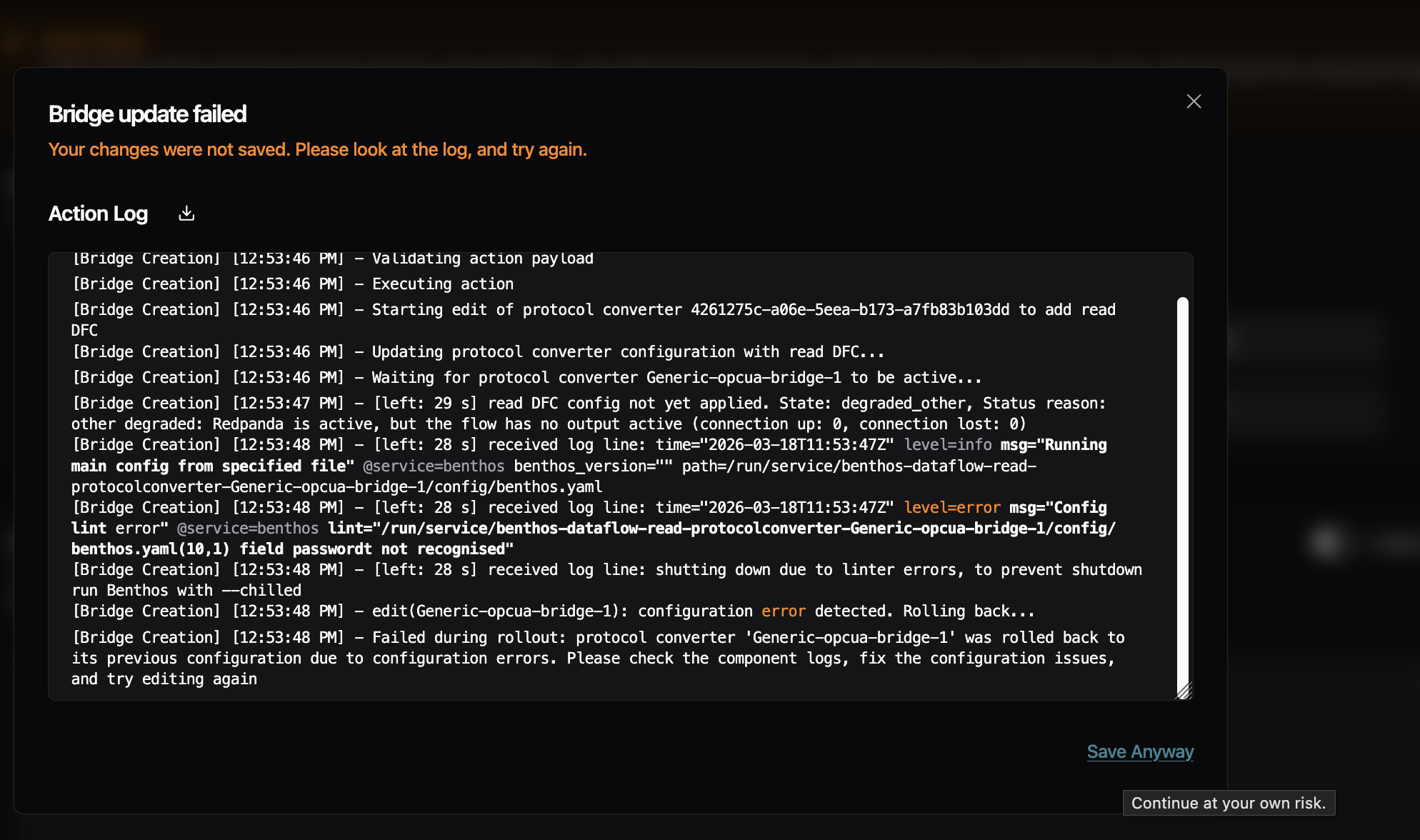
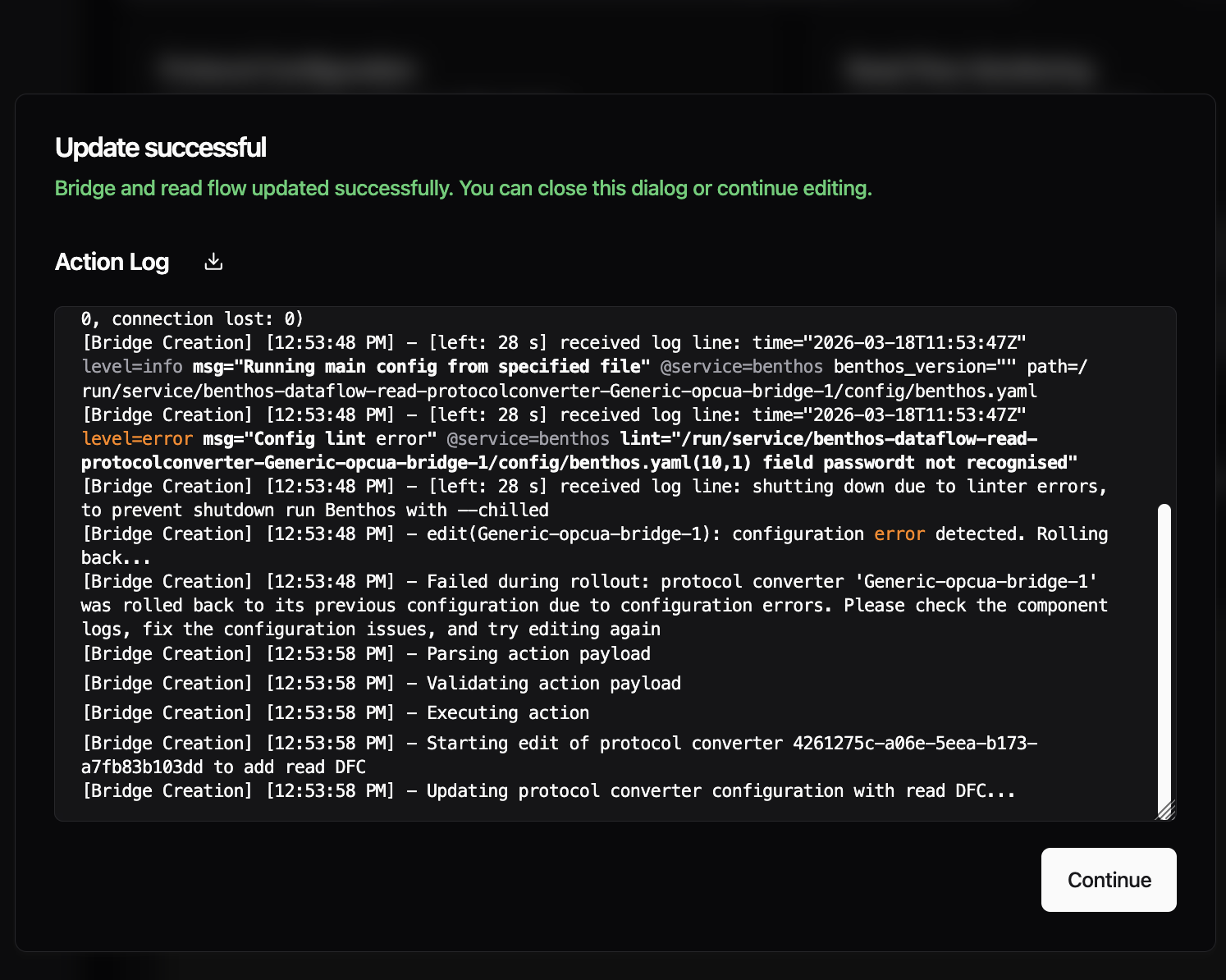
- Previously, special characters like double quotes in address mappings or metadata fields broke bridge deployments because they were not escaped in the generated YAML. Now values are properly escaped before sending to the backend and unescaped when loaded back into the UI
Preview: Disable Read Flows
- Introduced the new, experimental feature flag "Disable Read Flows" -- When activated you get a new toggle in the Read Flow section of the bridged. Using the toggle, you can temporarily disable reading data. This feature is already present for Standalones and is now being ported to the read flows.

Improvements
- Starting with this version, umh-core supports stopping and starting bridges. Previously, bridges were always active and could only be removed entirely. A Management Console update is required to expose this in the UI
Fixes
- The container previously restarted hundreds of times per minute when config.yaml was missing or invalid and now waits 60 seconds before retrying, giving you time to fix the configuration
- Previously, memory monitoring read host-level values even inside containers, while CPU monitoring already used cgroup-aware values. Memory metrics now read cgroup v2 limits and usage, so dashboards show correct container memory utilization
- Fixed debug logging settings being lost when editing bridges or data flows -- the debug_level flag is now preserved across configuration changes
Preview: FSMv2 Communicator
- Instances could appear permanently offline in the Management Console even though the pod was running and healthy -- only a restart would fix it. This happened because token re-authentication briefly caused child workers to enter a stopping state from which they could not recover, leaving the communicator stuck indefinitely. Workers now always complete the stop and automatically recover when the parent is healthy again. Requires
USE_FSMV2_TRANSPORT=true
We revised how locations work in the Management Console. The instance setup form now matches what UMH Core already supports -- more than five location levels, and location is locked after the initial setup to prevent accidental redeployment of all your data flows.
Improvements
- Previously, the instance setup form was limited to exactly 5 fixed location fields (enterprise, site, area, line, work cell), even though UMH Core already supports deeper hierarchies. Core instances running v0.44.9 or later now support up to 10 levels in the Management Console, so you can define location hierarchies that match your organization's structure

Fixes
- Fixed instance location being editable after setup -- changing it would silently redeploy all data flows and rename all tag names, which is almost never intended. Location is now set once during setup and clearly marked as permanent. If you need a different location, create a new instance. Changing the location of a bridge is still possible
- Fixed the configuration editor and log viewer being capped at a small fixed height, leaving most of the screen empty -- both now expand to fill the available window height
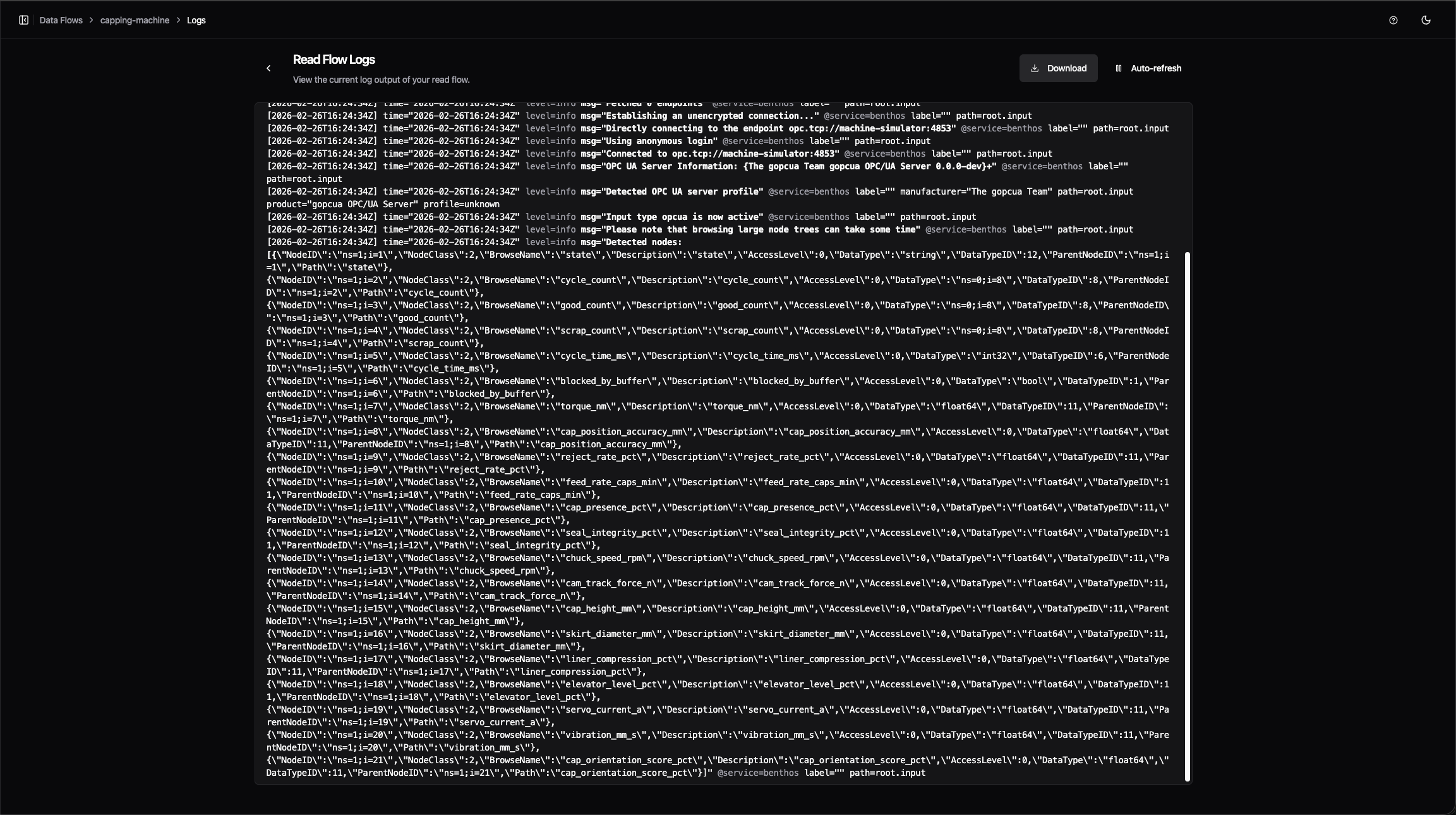
- Fixed feature flag toggles in Settings taking effect silently with no confirmation -- toggling now shows a brief notification

Improvements
- Previously, internal timing metrics grew continuously in memory the longer your instance ran, consuming over 500 MB on busy systems with many bridges and data flows. These metrics now use fixed-size histogram buckets that no longer grow with uptime, reducing steady-state container memory by roughly 30%
If you run instances with a large number of topics, the Management Console could feel sluggish -- slow clicks, delayed page updates, and high latency shown in the status bar. This was most apparent with many instances, on older laptops, or alongside resource-heavy software like antivirus scanners. The browser now handles incoming data much more efficiently during updates. This does not eliminate all sources of latency, but removes the largest one.

Improvements
- Condition input fields now suggest values directly from your CSV address table -- clicking a suggestion auto-filters the table to matching rows
Fixes
- Fixed tag names falling back to a raw system identifier when no name was configured -- this could cause deployment errors
This release simplifies S7 addressing and fixes three edge cases in the Management Console editor and S7 data type handling.
Improvements
- S7 addresses for PE, PA, MK, C, and T areas no longer require a block number that served no function. You can now write
PE.X0.0instead ofPE0.X0.0. The old format still works but logs a deprecation warning and will be removed in a future version. Data Block addresses (DB1.DW20) are unchanged
Fixes
- The S7
DateAndTimedata type crashed due to an incorrect buffer size and now reads correctly - Fields with children that already have default values were incorrectly marked as required when editing bridge configurations -- they are now correctly treated as optional
- Fields marked as deprecated in bridge plugin definitions were not flagged in the Management Console editor -- they now correctly appear as deprecated
Preview: FSMv2 Communicator
- Status updates and incoming commands now use independent connections, so a connection dropped by an enterprise proxy or firewall no longer prevents the instance from sending heartbeats. Requires
USE_FSMV2_TRANSPORT=true
The interface no longer stutters periodically during your session -- a background security check was running on the main thread every 10 seconds and has been moved off it.
Fixes
- Fixed the error details panel showing no content when a validation error occurred -- it now displays the specific errors correctly
- Fixed a bug where the instance deletion dialog would get stuck after deleting an instance -- the confirmation input stayed visible and the dialog could not be closed
Fixes for bridge configuration saving and condition builder defaults that were introduced alongside the CSV Address Tables release.
Fixes
- Fixed bridge save discarding deleted addresses and custom meta fields -- removing an address row or a custom metadata column in the address table now persists correctly on save
- Fixed the second conditional clause defaulting to "equals" when its value was empty -- new clauses now start without a pre-selected operator, matching the first clause behavior
- "Unit" has been removed from the default CSV table columns. A warning indicating column duplicates was added
Configuring OPC-UA and S7 bridges no longer requires writing YAML by hand. The Read Flow processing section now uses a visual address table where you can add, edit, and search addresses directly, or import them in bulk from a CSV file. You can also duplicate any existing bridge as a starting point for a new one. Previously available as a preview, this is now the default experience for all OPC-UA and S7 bridges on instances running UMH Core v0.44.6 or later.
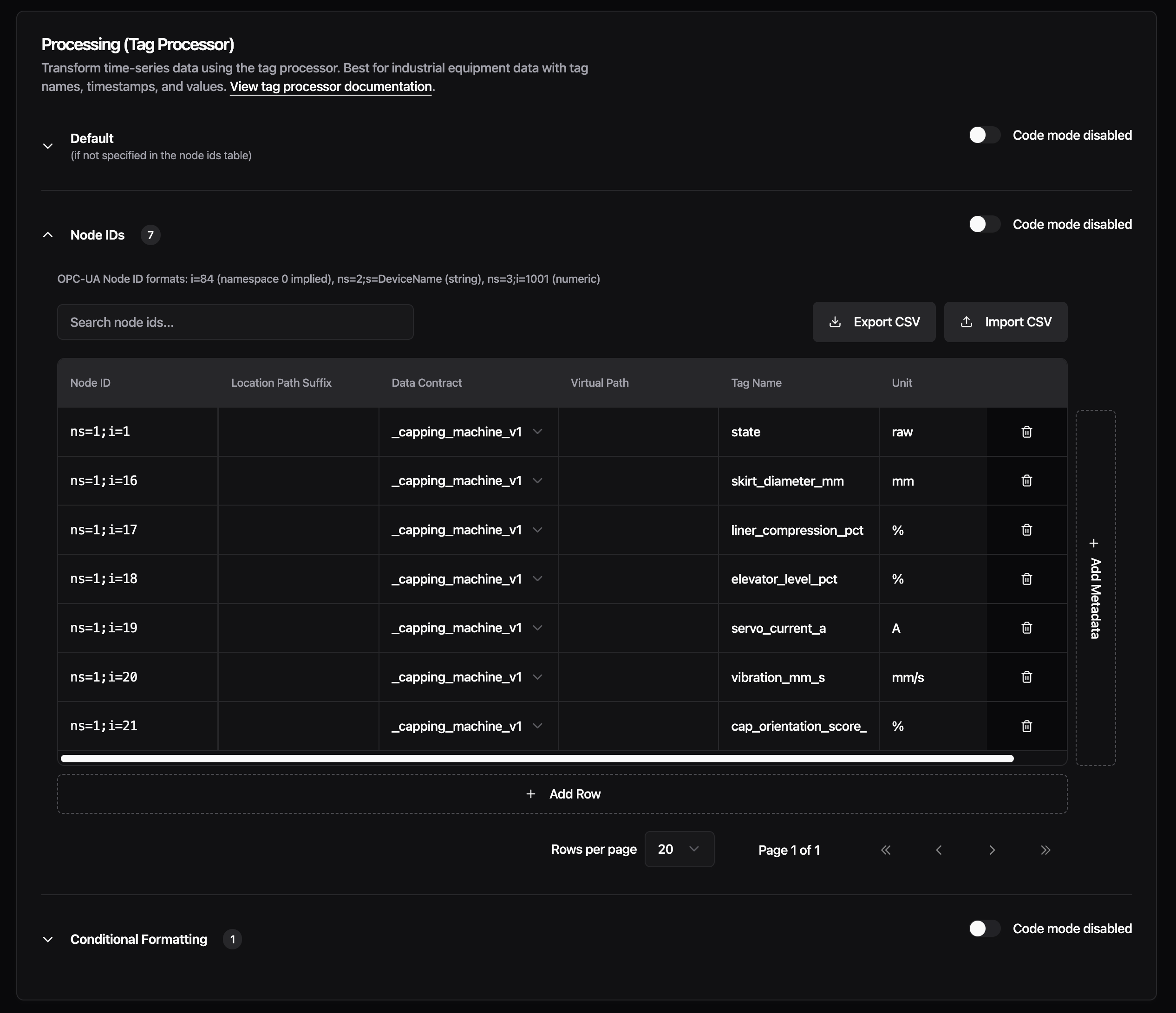
New Features
CSV Address Tables - The Read Flow processing section for OPC-UA and S7 bridges is reorganized into three sections: Default, Addresses, and Conditional Formatting. The Addresses section replaces the raw YAML input with a spreadsheet-style table. Each row represents one node ID (OPC-UA) or address (S7), with columns for data contract, location path suffix, virtual path, tag name, and unit. You can add custom metadata columns for any additional fields your setup needs. Support for more protocols is planned for upcoming releases.
Import your address list from a CSV file to populate the table in bulk, or export the current configuration back to CSV. The table supports pagination (20, 50, or 100 rows per page) and live search across all columns, so working with hundreds of addresses stays manageable.
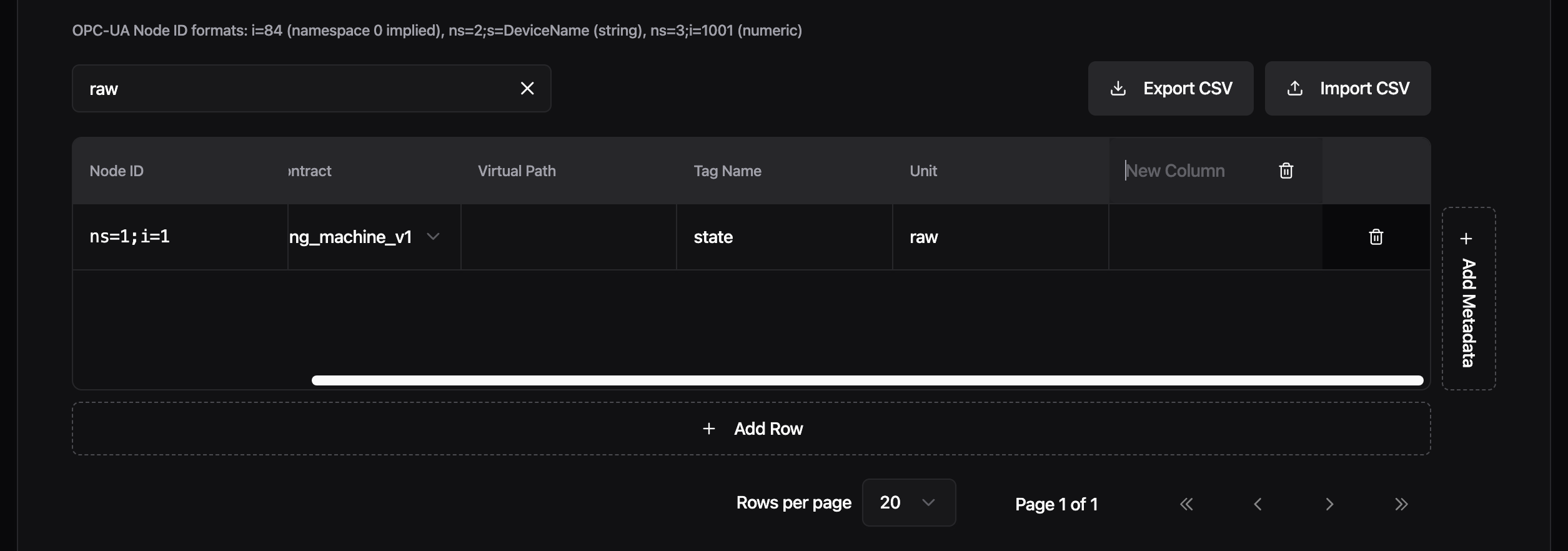
Each section has its own UI/Code toggle. Switch to code mode to see and edit the generated YAML directly, then switch back to continue in the visual editor. Changes sync both ways.
The Conditional Formatting section now uses structured dropdowns for building conditions: select a meta tag, pick an operator (equals, starts with, contains, and others), and enter a value. Chain multiple clauses with AND/OR, and drag to reorder conditions. Previously, conditions required typing the full JavaScript expression manually.
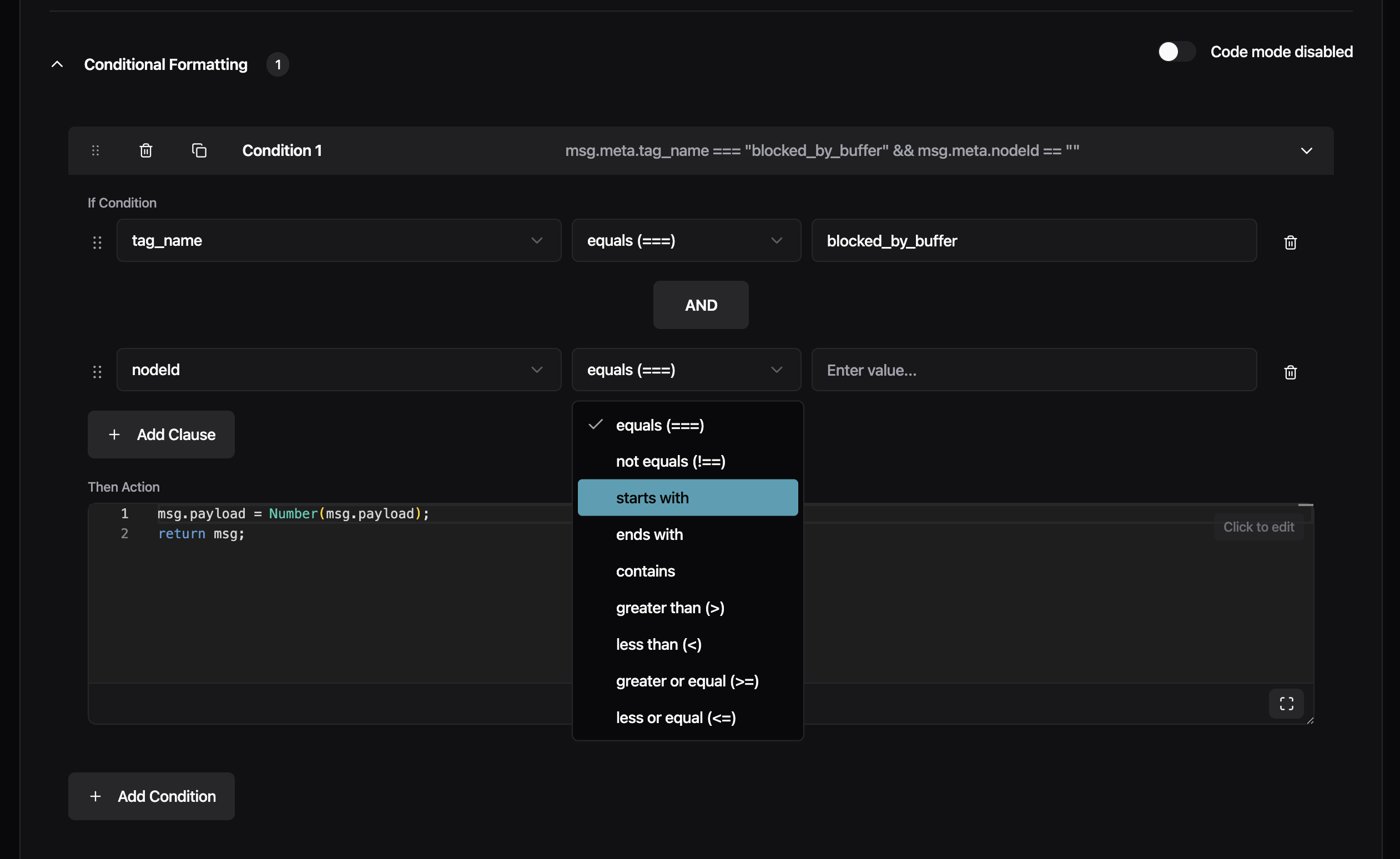
Create From Existing Bridge - You can now create a new bridge by copying an existing one. From the Data Flow list, click the three-dot menu on any bridge and select "Copy Bridge", or use the "From Existing Bridge" card in the creation wizard. The new bridge is pre-filled with the source bridge's connection settings, protocol configuration, and full Read Flow processing setup. The name is automatically suffixed with "-copy" to avoid conflicts. Edit any field before saving. Currently, each copy is independent. Shared bridge templates where changes propagate to all referencing bridges are already supported via config.yaml. A future release will bring this to the Management Console UI as well.
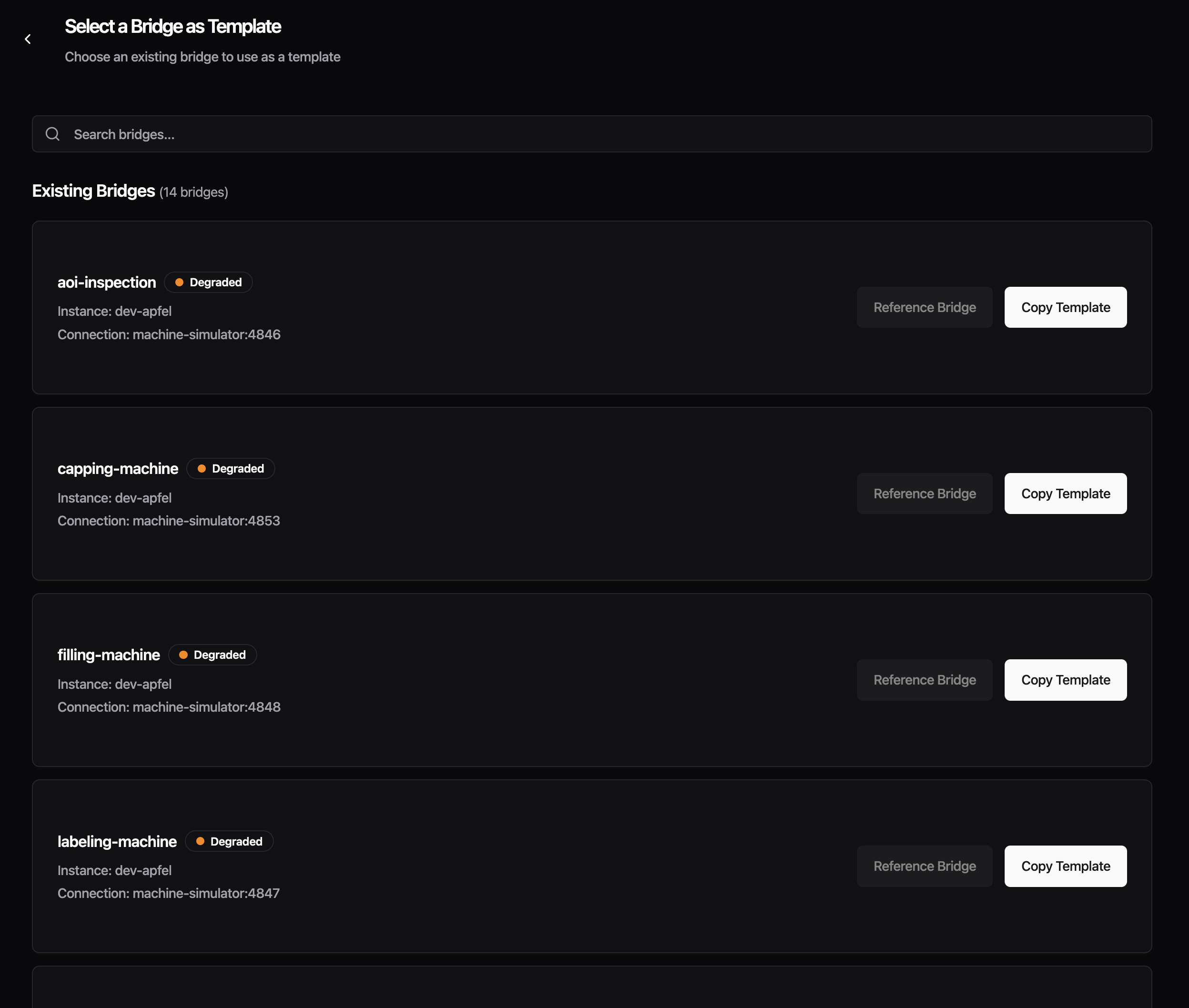
Improvements
- The Data Contract dropdown in the processing section now lists custom data contracts from your instance alongside the built-in
_historianand_rawoptions - Protocol configuration forms no longer show deprecated fields, reducing clutter in the input section
Fixes
- Fixed the Advanced Settings section disappearing when a protocol had no auto-generated advanced fields, which blocked access to custom configuration. Custom YAML fields now also show inline validation errors
- Fixed Read Flow processing silently dropping all messages when address mappings were configured -- re-saving your bridge after this update corrects it automatically
This release adds config backup as an opt-in preview and includes stability fixes for FSMv2 communicator preview users. All changes require feature flags -- if you haven't enabled any preview features, this release does not affect you.
Preview: Config Backup
- Previously, config.yaml could be permanently lost during upgrades or crash loops with no way to recover. Timestamped backups are now created before every write, with deduplication to prevent churn during restarts, retaining the last 100 versions in /data/config-backups/
To enable, set the ENABLE_CONFIG_BACKUP=true environment variable and restart your container:
To verify, check that backup files appear in /data/config-backups/ after a config change. If no files appear, confirm the environment variable is set and the container was restarted.
Preview: FSMv2 Communicator
- The cleanup routine retained state history for 24 hours, allowing hundreds of thousands of entries to accumulate in RAM -- the retention window is now 1 hour, reducing steady-state memory by roughly 95%. Requires
USE_FSMV2_MEMORY_CLEANUP=true
- The supervisor logged an error on every tick when the communicator temporarily had no workers during a restart cycle -- it now skips the tick and self-heals when workers return. Requires
USE_FSMV2_TRANSPORT=true
- A nil-pointer panic could occur in ResetTransportAction under specific timing conditions -- the action now safely handles nil state. Requires
USE_FSMV2_TRANSPORT=true
IO-Link bridges that fetch device descriptions from the IODD registry now connect correctly. Previously, the Management Console's IODD proxy did not trust the certificate authority used by ioddfinder.io-link.com, which prevented IO-Link bridges from loading device descriptions needed to decode sensor data.
Improvements
- Updated Go runtime to 1.25.6 and Node.js to 22.22.0 with security patches
Fixes
- Fixed the "Detected Changes" confirmation dialog appearing on Read Flow configuration pages when no changes had been made
Preview Improvements
These improvements apply to features currently available as a preview.
- Addresses now correctly load when opening an existing bridge, creating a new one, or switching between protocols (Enhanced Read Flow UI)
- Fixed deleting newly added custom columns from the address table not working (Enhanced Read Flow UI)
The right-click menu on Data Flow pages no longer shows redundant labels. Previously, the menu item repeated the flow type name (e.g., "Standalone Flow" or "Stream Processor") even though you were already viewing that tab. Now it simply says "Configure" with a cog icon, which is clearer and less cluttered.
Fixes
- Fixed the "Go back to safety" button on error pages not navigating anywhere when clicked. The button now performs a full page reload to take you back to the home page.
- Fixed buttons with tooltips (like the "Full screen" button in code editors) not responding to clicks
- Fixed dropdown menu items showing a default cursor instead of a pointer cursor on hover
- Fixed inconsistent font styling in the audit logs table

If you enabled the FSMv2 communicator preview (introduced in v0.44.5), this release fixes three issues that could cause your instance to use a lot of memory, go offline, or restart unexpectedly. We strongly recommend upgrading.
If you have not enabled the FSMv2 preview, this release does not affect you.
Action Required (FSMv2 Preview Users Only)
You need to add a new environment variable to get the memory fix.
Regardless of how you enabled FSMv2, set both of these environment variables and restart your container:
USE_FSMV2_TRANSPORT=true— enables FSMv2 (unchanged from before)USE_FSMV2_MEMORY_CLEANUP=true— new in v0.44.8, enables the periodic memory cleanup
If you enabled FSMv2 via useFSMv2Transport: true in config.yaml, that method no longer works — FSMv2 is silently not running. Remove that line from your config.yaml and use the environment variables above instead.
To verify FSMv2 is running after the change:
If this returns no output, FSMv2 is not running. Double-check that both environment variables are set and that the container was restarted.
Fixes
- Memory no longer grows unbounded over time. Previously, long-running instances with FSMv2 enabled would slowly consume more and more memory because internal state changes accumulated without ever being cleaned up. One customer reported 13 GB of RAM usage at only 4 messages per second. Eventually, the system would kill the container to free memory, causing a brief data gap while it restarted. A periodic cleanup routine now keeps memory usage flat regardless of how long the instance runs. This fix requires
USE_FSMV2_MEMORY_CLEANUP=true(see above).
- Instances no longer crash when a worker hits an unexpected error. Previously, if one of the internal FSMv2 components encountered an unexpected error, it could crash the entire process, taking your instance offline until the container restarted. The system now catches these errors and automatically recovers. If the same error keeps recurring, the affected component is stopped to prevent crash loops while the rest of the system keeps running.
- Instances no longer get stuck after configuration changes. When you changed a configuration and the system restarted an internal component, the new component could inherit a stale "shut down" signal from the old one and immediately stop itself. This could make the instance appear stuck or unresponsive after config changes. The shutdown signal is now properly cleared before starting a replacement.
The crash fix and the configuration fix are automatically active for all FSMv2 users and do not require additional configuration.
Other
- Updated container base image (Alpine) with security patches.
- Updated Go dependencies.
Setting up new instances is now more reliable, and we've added helpful context throughout the console -- from changelog links in the update dialog to descriptions on the Location card. Non-admin users also now get clear explanations for disabled actions instead of hidden buttons.

Improvements
- The umh-core update dialog now includes a link to the changelog so you can see what changed before upgrading

- The Location card now displays a brief description explaining what it is used for, with a link to the documentation for further details

- The login page now displays an ISO 27001 certification badge alongside the existing G2 badges, with all badges slightly smaller for a cleaner appearance
- Non-administrator users previously saw no "Add Instance" button at all. Now the button is always visible but disabled for non-admins, with a tooltip explaining "Only company administrators can add instances"
Fixes
- Fixed the install command dialog silently deleting your instance when closed without using the copy button -- closing the dialog now keeps your instance intact
- Fixed Docker Run and Docker Compose tabs incorrectly appearing for UMH Classic instances, which only have a single install command
- Fixed the disabled "Continue" button in the install dialog not explaining why it was disabled -- it now shows a tooltip
- Fixed the condition editor showing duplicate sections and broken layout when viewing Read Flow configurations
- Fixed the upgrade alert showing "v0.44.4 or higher" when the correct required version is v0.44.6
- Fixed rows in the Topic Browser's "Last Message" section having inconsistent heights when info tooltips were present
- Fixed the Data Flow Component editor using a hardcoded Benthos schema version instead of loading the correct version dynamically
Preview Improvements
These improvements apply to features currently available as a preview.
- You can now hover over template variables like
location_pathto see the actual resolved value based on your instance and bridge location (Enhanced Read Flow UI)
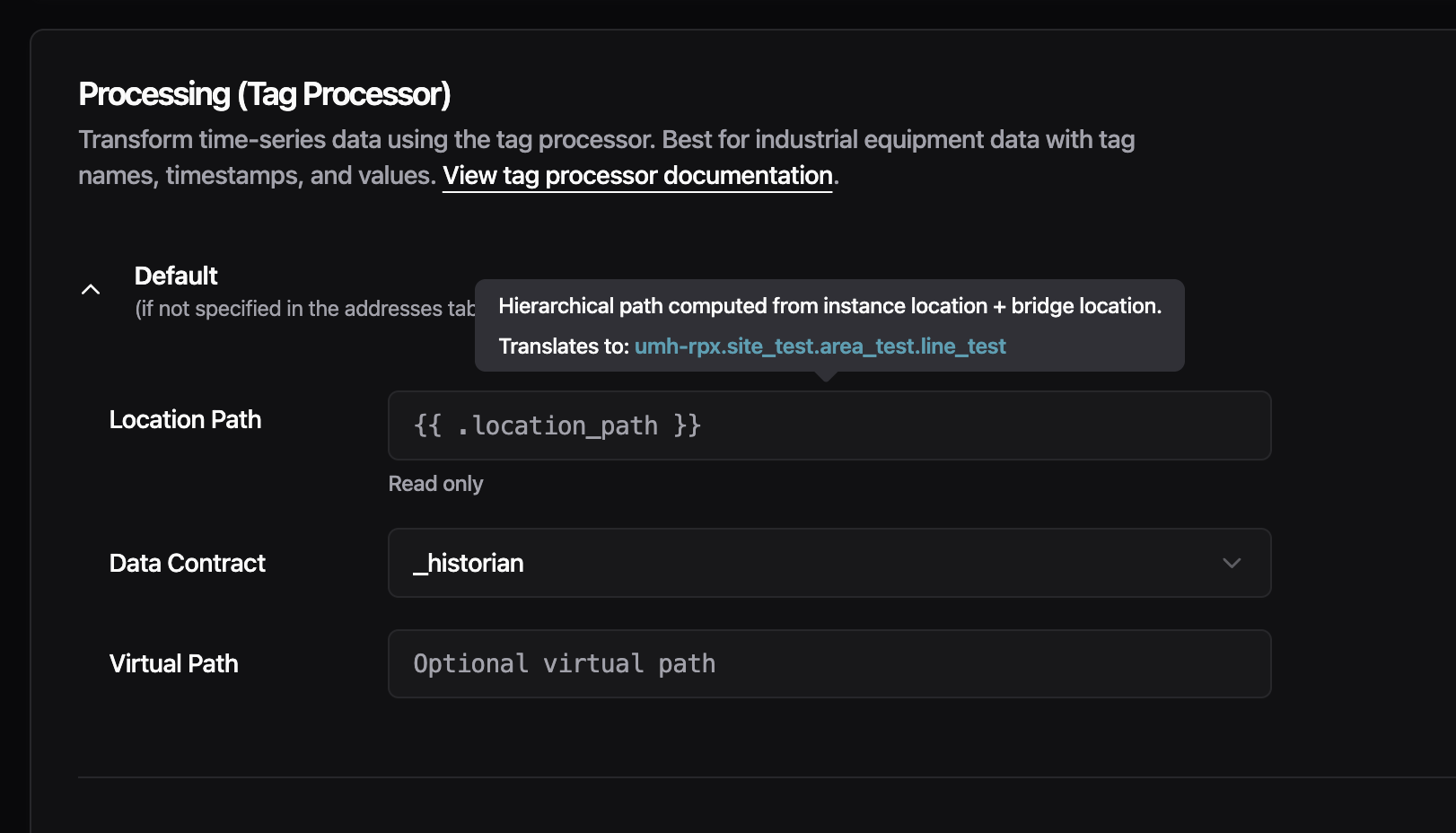
- Fixed conditions using strict JavaScript operators (
===,!==) not being recognized by the condition editor (Enhanced Read Flow UI) - Fixed users who registered through Auth0 being unable to perform certificate operations on V2 instances (V2 Certificates)
This release removes the 20-address limit for S7 bridges and adds per-slave register mapping for Modbus gateways.
New Features
- You can now assign specific registers to individual slaves when reading from a Modbus TCP/RTU gateway. Previously, all configured addresses were read from every slave, when different slaves expose different registers. This forced you to create separate connections per slave, which could exhaust the limited TCP connections available on many industrial gateways. Now you can add a
slaveIDfield to each address entry to target a specific slave. Addresses without aslaveIDare still read from all configured slaves, so existing configurations work without changes.
Improvements
- S7 bridges no longer have a 20-address limit. S7 connections now negotiate the actual PDU size with the PLC during connection and automatically split addresses into optimally-sized batches. If you previously had to create multiple connections to the same PLC because of the 20-address limit, you can now configure all addresses in a single connection. The
batchMaxSizeconfiguration field is deprecated and ignored — PDU size is handled automatically. Existing configs withbatchMaxSizecontinue to work with a deprecation warning.
Fixes
- Updated container base image to Alpine 3.23.3, which includes security patches for OpenSSL vulnerabilities.
- Updated Go dependencies with security fixes for the Gin framework (GraphQL API) and other dependencies.
This release fixes container startup failures on fresh deployments and enables advanced variable types for bridge template configurations.
Fixes
- Containers now start reliably on fresh deployments. Previously, containers could fail to start with "permission denied" errors when services tried to write to temporary directories. This only affected fresh installations without Docker cache - upgrades and cached deployments were not impacted. The issue was caused by a known Docker BuildKit limitation that doesn't preserve directory permissions during multi-stage builds.
Improvements
- Bridge templates now support array and object variables. You can now use complex variable types in your protocol converter YAML configurations, not just simple text values. This enables bulk configuration patterns like defining a list of PLC addresses with their tag names, units, and data contracts as a single variable, then iterating over them in your template with
{{ range .AddressMappings }}. This is particularly useful for S7 and OPC UA bridges where you need to map many addresses to tags.
Example usage in YAML:
Then in your template: {{ range .AddressMappings }}{{ .Address }} -> {{ .TagName }}{{ end }}
Opening the Management Console with the same account in multiple browsers previously caused unpredictable behavior—messages would get routed to the wrong browser, causing buttons to stop responding and data to silently get lost. Now, logging in from a new browser automatically signs out your previous session. You'll see a clear message explaining what happened, so you always know which browser is active.
New Features
- Instance selectors now show offline instances grayed out with an "(offline)" label. Online instances appear at the top of the list, and offline instances cannot be selected. This prevents confusing behavior that occurred when trying to configure unavailable instances.
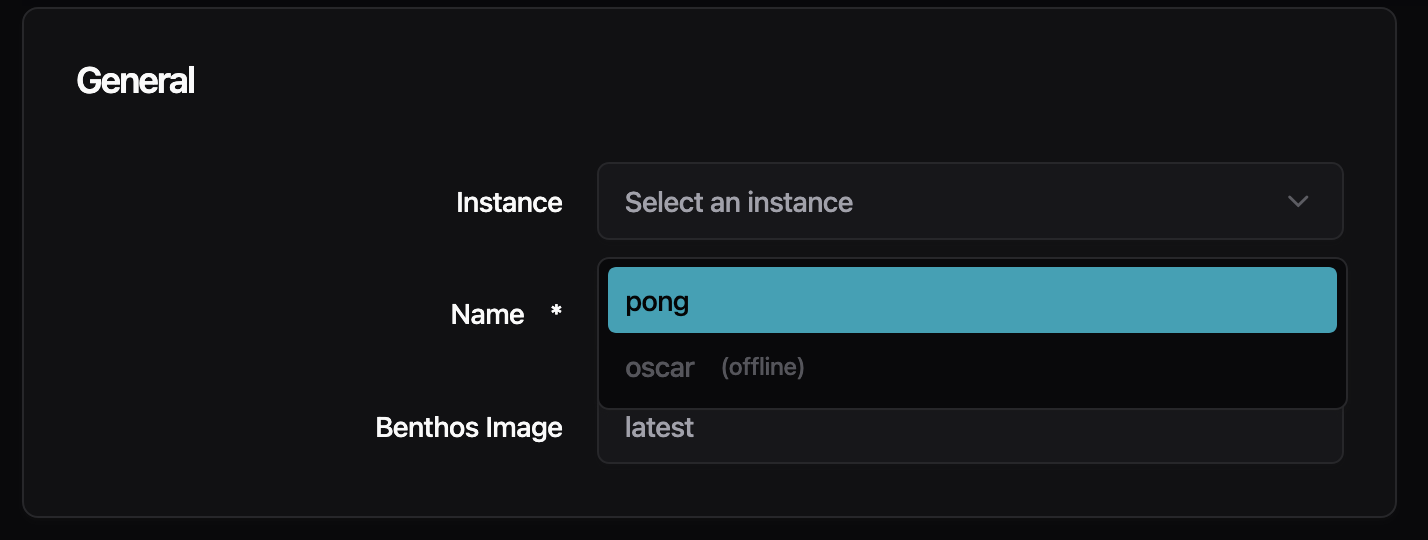
- The Management Console now detects which benthos-umh version your instance is running and loads the matching configuration forms. Previously, forms were hardcoded to one version, which could show incorrect fields if your instance version differed. If your version doesn't have an exact match, you'll see a banner explaining that some options may only be available in the YAML editor.
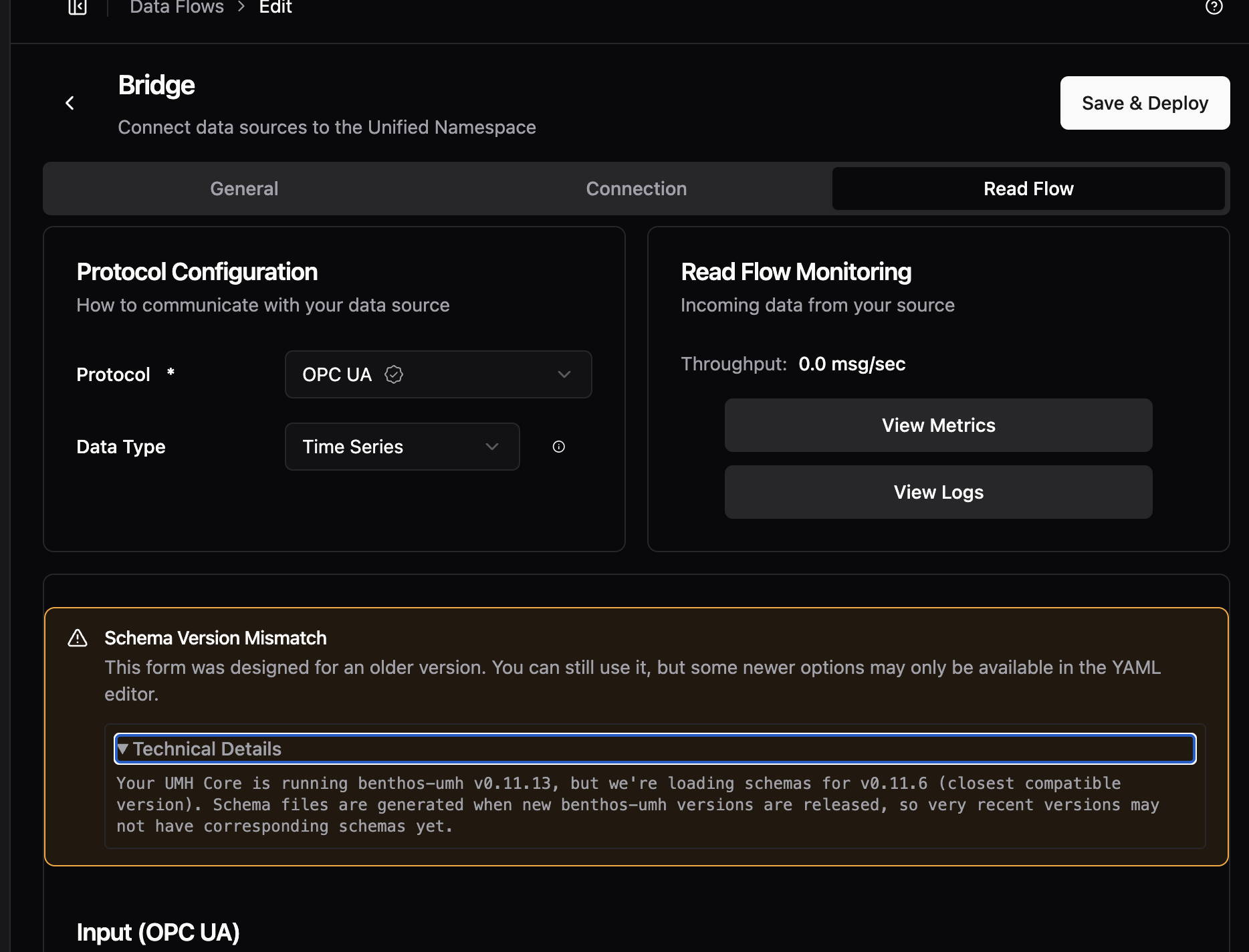
- When creating an account or accepting an invite, you now see a real-time checklist showing password requirements (12+ characters, uppercase letter, digit, and symbol). The checklist updates as you type, showing green checkmarks for requirements you've met. This replaces the previous approach of only showing errors after you tried to submit.
Improvements
- Privacy Policy links now point to the correct URL on signup, invite, and onboarding pages
- The page heading now correctly says "Data Flows" (plural) to match the sidebar menu
- The checkmark in dropdown menus is back on the left side where it was before, with improved contrast when highlighted
Fixes
- Fixed the X button in search/filter fields not being vertically centered
- Fixed sticky header in configuration pages that stopped working on pages with long content
- Fixed an issue where users were incorrectly signed out on certain API errors—now only authentication failures trigger sign-out
- Fixed profile pictures disappearing after page refresh and appearing squished when the sidebar is collapsed
We've made infrastructure improvements to help instances stay connected to the Management Console more reliably.
Some users have experienced instances appearing "offline" in the Management Console even though the instances were running correctly and processing data. This was caused by network interruptions that the legacy communicator couldn't recover from automatically.
What We've Done
- Backend servers are now more stable, reducing connection interruptions.
Preview: Try the New FSMv2 Communicator
If you've been experiencing connection issues (instances showing offline when they're actually running), you can try our completely rewritten communicator which has better recovery from network interruptions.
To enable, add to your config.yaml:
Or via environment variable:
To verify it's working, exec into your container and check the logs:
You should see log entries with fsmv2 and states like Syncing or TryingToAuthenticate.
Note: To disable later, you must explicitly set useFSMv2Transport: false in config.yaml.
We'd appreciate feedback on how this works for you. Once validated, FSMv2 will become the default communicator.
