Management Console
2026-08-05
Improvements
- Dialogs across the app now share a consistent look and behavior. Previously, different dialogs varied in sizing, spacing, and how closing or canceling was handled, producing an inconsistent feel from one dialog to the next. All dialogs now render through the same standardized components, so appearance and interaction stay uniform everywhere a dialog appears.
- The write flow tab of a bridge no longer shows a "Data Type" selector. It only ever offered a single, greyed-out "Relational" option that configured nothing, and the label was misleading for write flows that send time-series data.
- Bridges that write to the Historian now show a Configure Historian button when the instance has none, and say so outright when the instance cannot run the Historian at all
- Updated the 'Name' label for the Modbus unified address dialog to 'Address Name', so that there is no confusion about the Tag Name and Address Name columns
Fixes
- A read flow tag on a custom data contract with Virtual Path "(none)" is now correctly set as empty, so the tag lands directly under the data contract instead of the protocol's default node path.
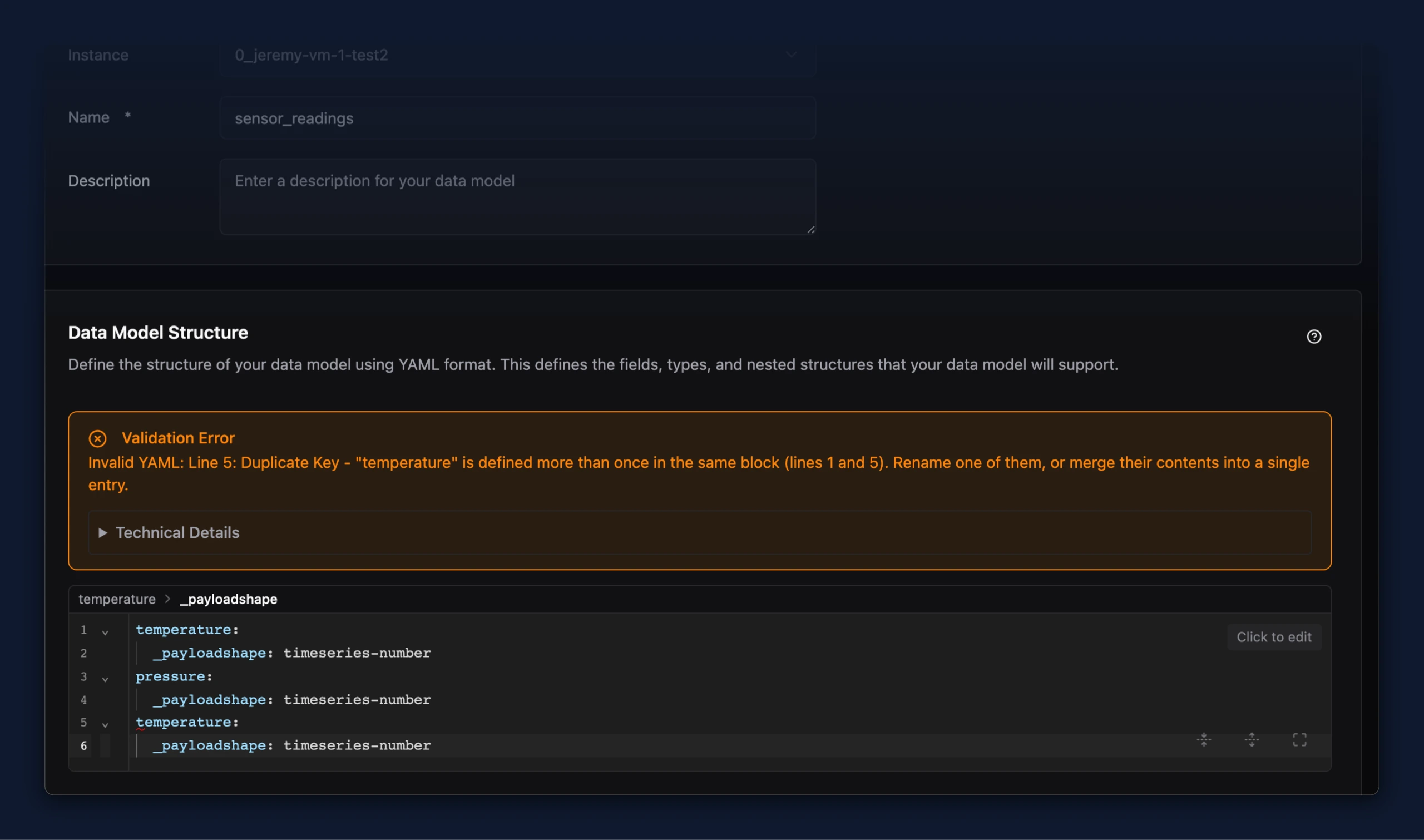
- When YAML in a data model structure or a bridge's config fails to parse, the error message now names the actual problem. Previously nearly every parse error came back as "Indentation Error - Check your white spaces and indentation", which pointed at whitespace whatever the real cause was, and that cause was only visible after expanding Technical Details. Duplicate keys, tabs used for indentation, missing colons, and values containing an unquoted colon now each get their own message, naming the field and the lines involved.