CSV Address Tables and Read Flow Improvements
Configuring OPC-UA and S7 bridges no longer requires writing YAML by hand. The Read Flow processing section now uses a visual address table where you can add, edit, and search addresses directly, or import them in bulk from a CSV file. You can also duplicate any existing bridge as a starting point for a new one. Previously available as a preview, this is now the default experience for all OPC-UA and S7 bridges on instances running UMH Core v0.44.6 or later.
New Features
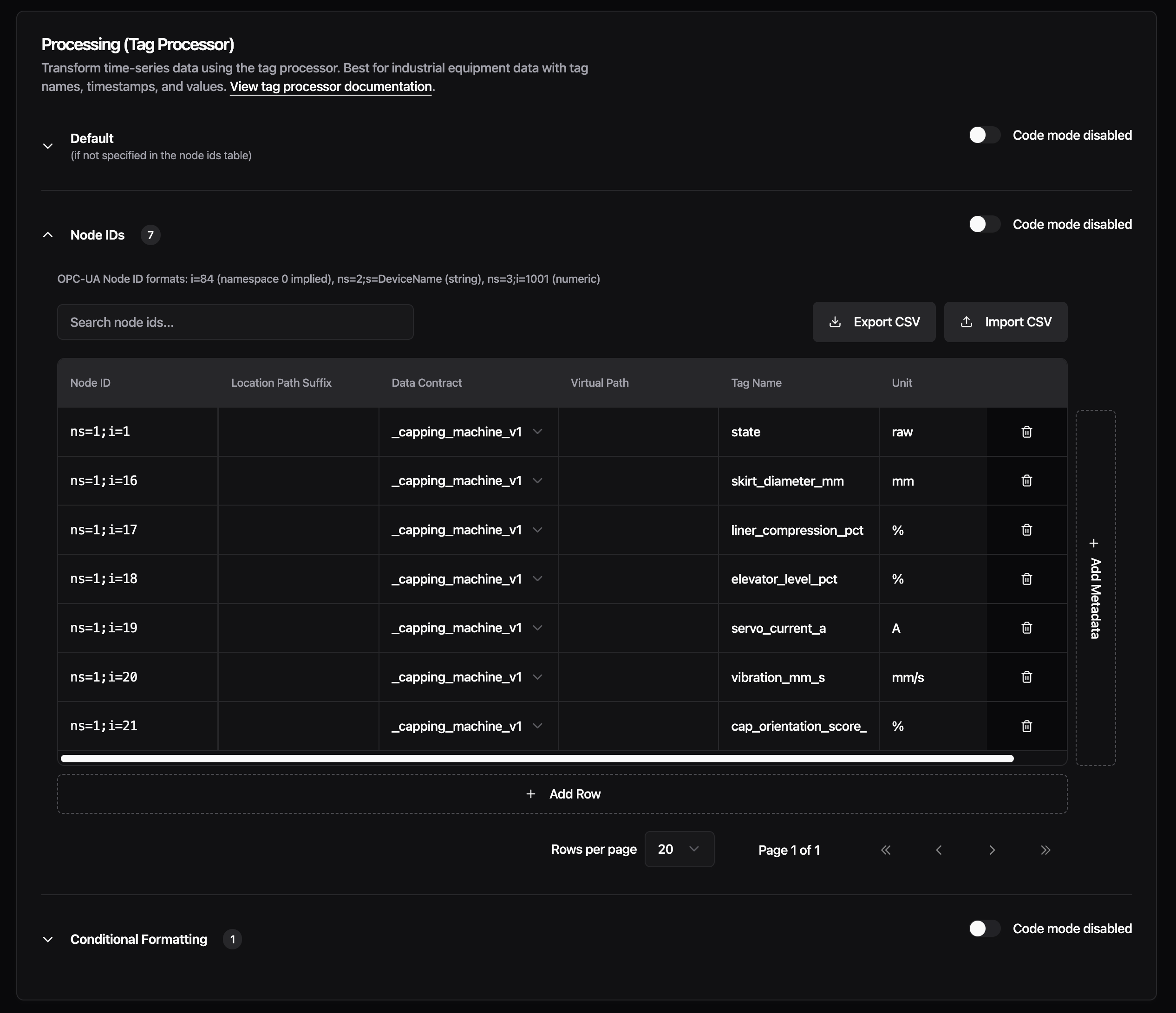
CSV Address Tables - The Read Flow processing section for OPC-UA and S7 bridges is reorganized into three sections: Default, Addresses, and Conditional Formatting. The Addresses section replaces the raw YAML input with a spreadsheet-style table. Each row represents one node ID (OPC-UA) or address (S7), with columns for data contract, location path suffix, virtual path, tag name, and unit. You can add custom metadata columns for any additional fields your setup needs. Support for more protocols is planned for upcoming releases.
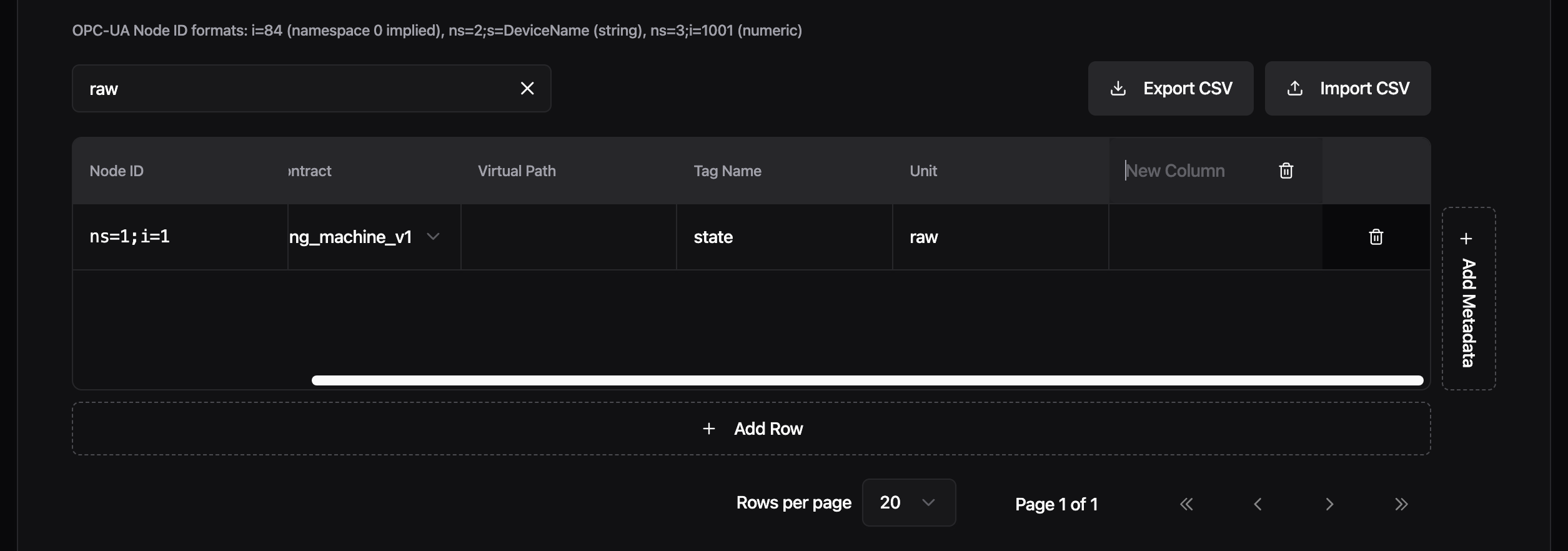
Import your address list from a CSV file to populate the table in bulk, or export the current configuration back to CSV. The table supports pagination (20, 50, or 100 rows per page) and live search across all columns, so working with hundreds of addresses stays manageable.
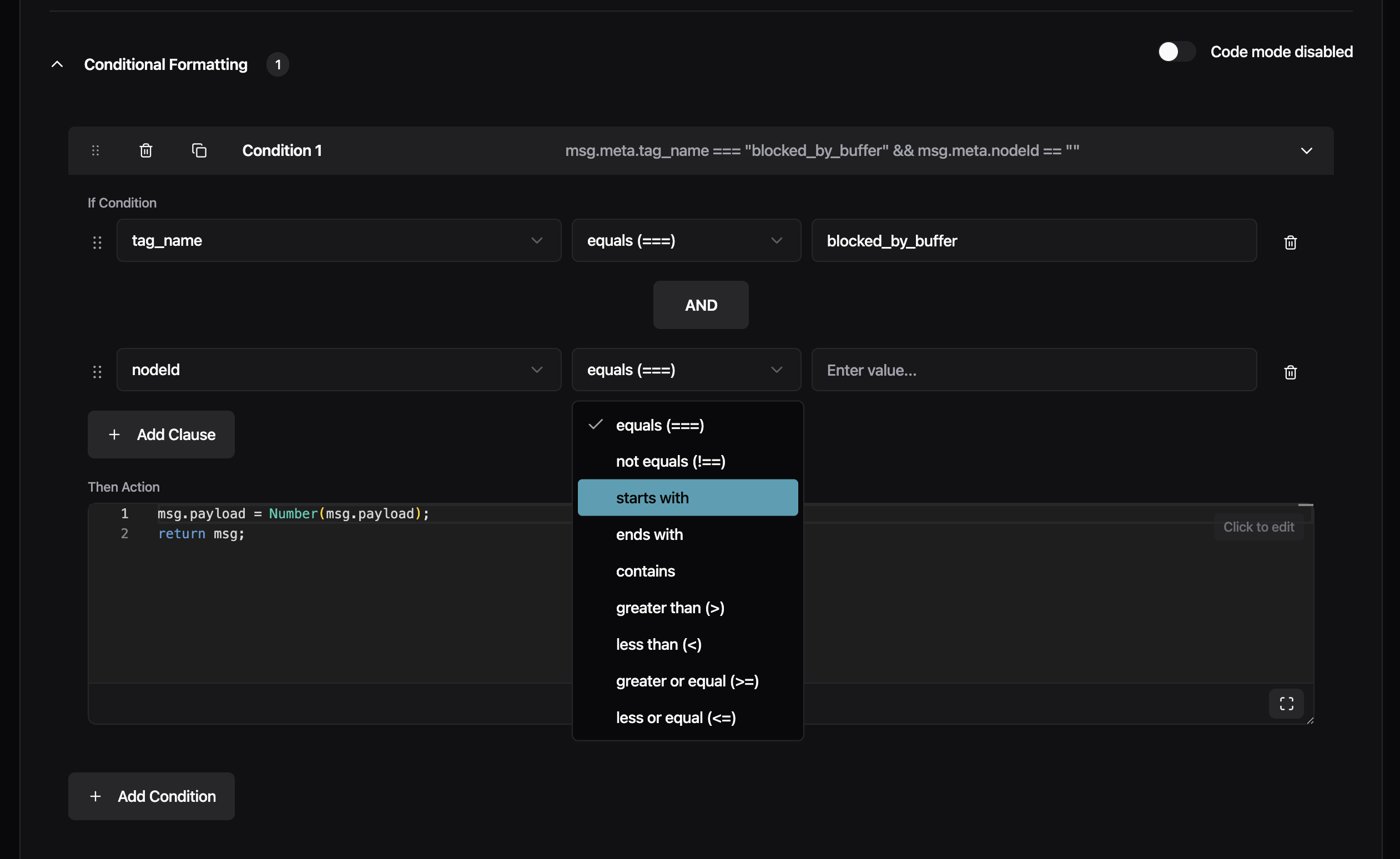
Each section has its own UI/Code toggle. Switch to code mode to see and edit the generated YAML directly, then switch back to continue in the visual editor. Changes sync both ways.
The Conditional Formatting section now uses structured dropdowns for building conditions: select a meta tag, pick an operator (equals, starts with, contains, and others), and enter a value. Chain multiple clauses with AND/OR, and drag to reorder conditions. Previously, conditions required typing the full JavaScript expression manually.
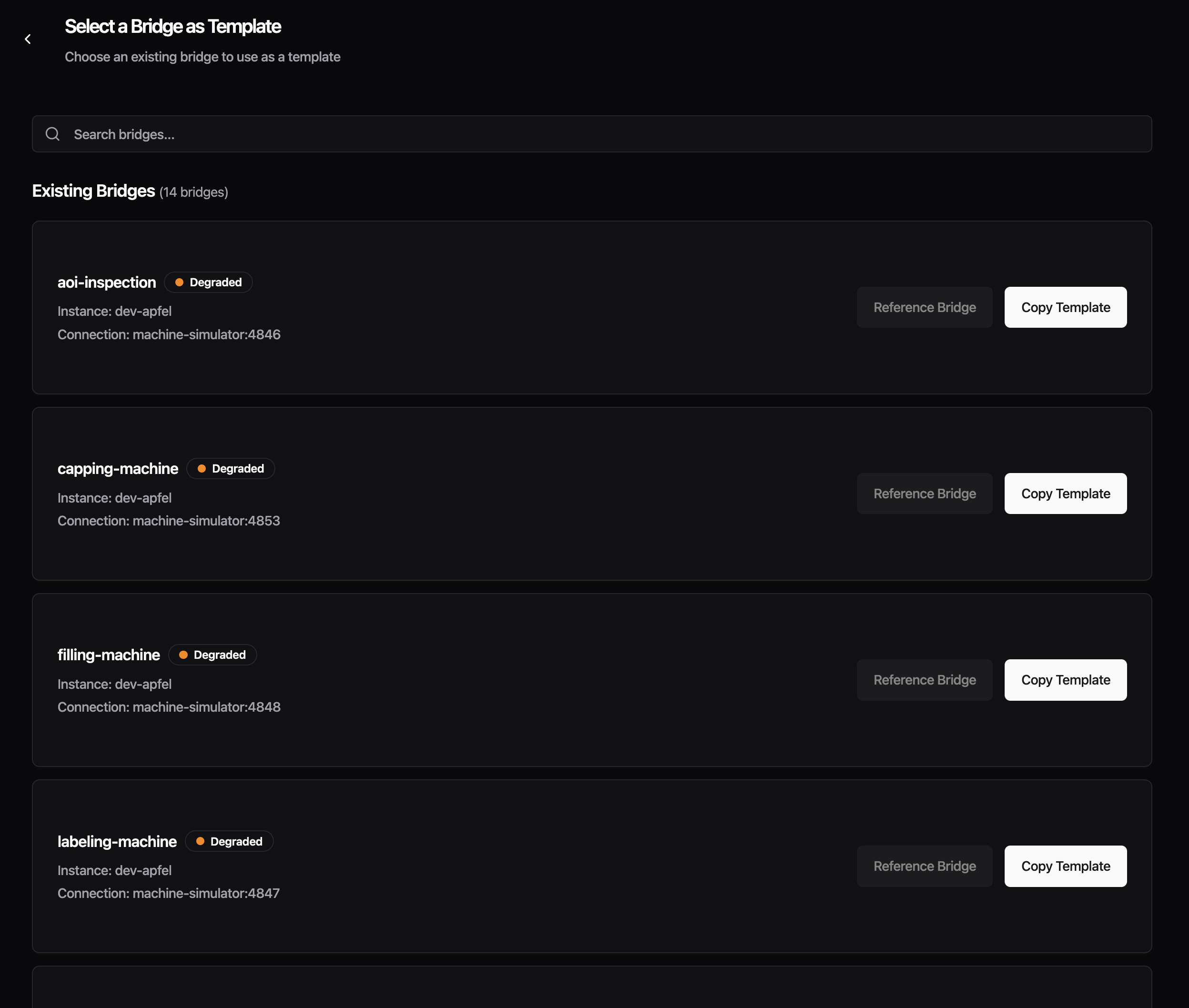
Create From Existing Bridge - You can now create a new bridge by copying an existing one. From the Data Flow list, click the three-dot menu on any bridge and select "Copy Bridge", or use the "From Existing Bridge" card in the creation wizard. The new bridge is pre-filled with the source bridge's connection settings, protocol configuration, and full Read Flow processing setup. The name is automatically suffixed with "-copy" to avoid conflicts. Edit any field before saving. Currently, each copy is independent. Shared bridge templates where changes propagate to all referencing bridges are already supported via config.yaml. A future release will bring this to the Management Console UI as well.
Improvements
- The Data Contract dropdown in the processing section now lists custom data contracts from your instance alongside the built-in
_historianand_rawoptions - Protocol configuration forms no longer show deprecated fields, reducing clutter in the input section
Fixes
- Fixed the Advanced Settings section disappearing when a protocol had no auto-generated advanced fields, which blocked access to custom configuration. Custom YAML fields now also show inline validation errors
- Fixed Read Flow processing silently dropping all messages when address mappings were configured -- re-saving your bridge after this update corrects it automatically