Management Console
Read Flow Editor Tabs and New Editor Engine
Improvements
- Cards in the read flow editor now group related settings behind tabs, so you only see what you need for the step you're on. Long sections that used to force a lot of scrolling now fit in one view, and switching between settings takes one click instead of hunting through the page.

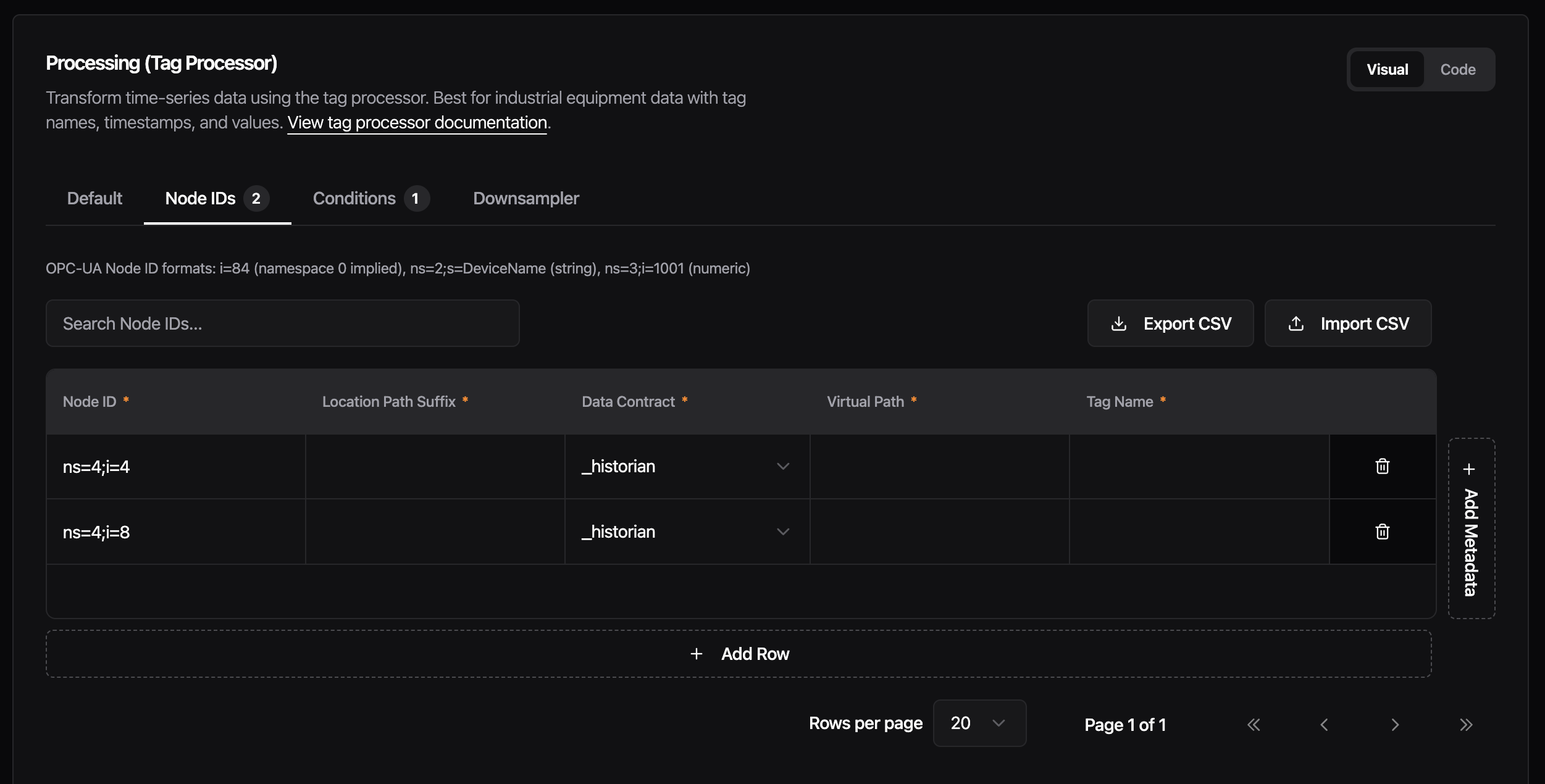
- Each category now has a single Code/Visual toggle instead of one per section. Switch the whole card at once when you want to drop into raw config, and flip it back without having to redo the choice on every tab. Your view stays consistent while you work through a card. - Metrics will display separate metrics for read and write flows in bridges, once umh-core supports it. - We replaced the editor engine behind the tag processor rules, bridge configuration, data models, stream processors, and other configuration screens. Editors now open faster, handle typing and scrolling more smoothly on large configurations, and offer easier and faster implementation for future features.
Fixes
- When confirm dialog is loading, pressing Escape or clicking outside no longer cancels the running action. Dialog stays locked until the operation is finished.
- Previously, navigating to “Add standalone flow” showed a Monitoring card carrying over status and throughput data from a previously viewed component. The Monitoring card now only appears when editing an existing component