Community
Connecting Node-RED to SAP SQL Anywhere with Custom Docker Instance
Learn how to customize a Node-RED Docker instance to connect to SAP SQL Anywhere using ODBC driver. Follow step-by-step instructions to build and push the container to your repository and add it as a custom microservice in UMH Helm chart.
Jeremy Theocharis
February 28, 2023
8 min read
Are you looking to connect your Node-RED instance to SAP SQL Anywhere using an ODBC driver? This guide provides step-by-step instructions on how to customize a Node-RED Docker instance to connect to SAP SQL Anywhere. By following these instructions, you can build and push the container to your repository and add it as a custom microservice in UMH Helm chart. Let's get started!
Instructions
- Clone the Node-Red Docker repository from Github using the following command:
- Change the directory to docker-custom using the command:
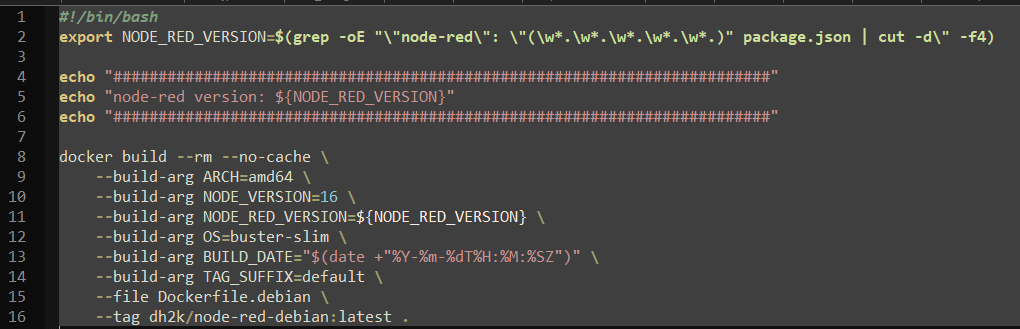
- Open the docker-debian.sh file and update the node version and default tag as per your preference. In this case, the tag is changed to a custom repo and the NodeJS version 16. As base image you can also use
bullseye-sliminstead ofbuster-slim
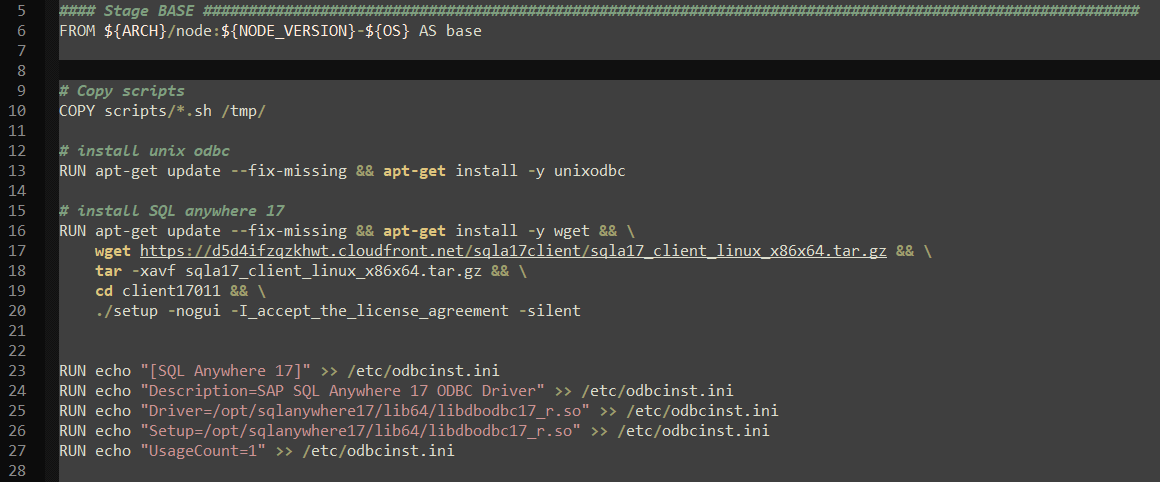
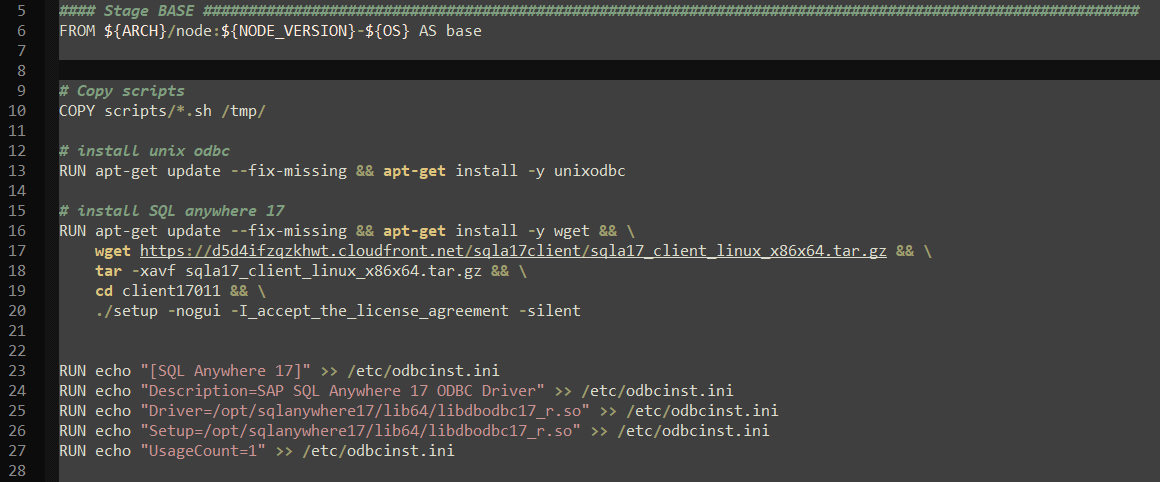
- Next, modify the Dockerfile.debian file to install the UnixODBC driver manager and the SQL Anywhere version of your choice. In this case, we are installing version 17. Update the driver template settings according to your driver.
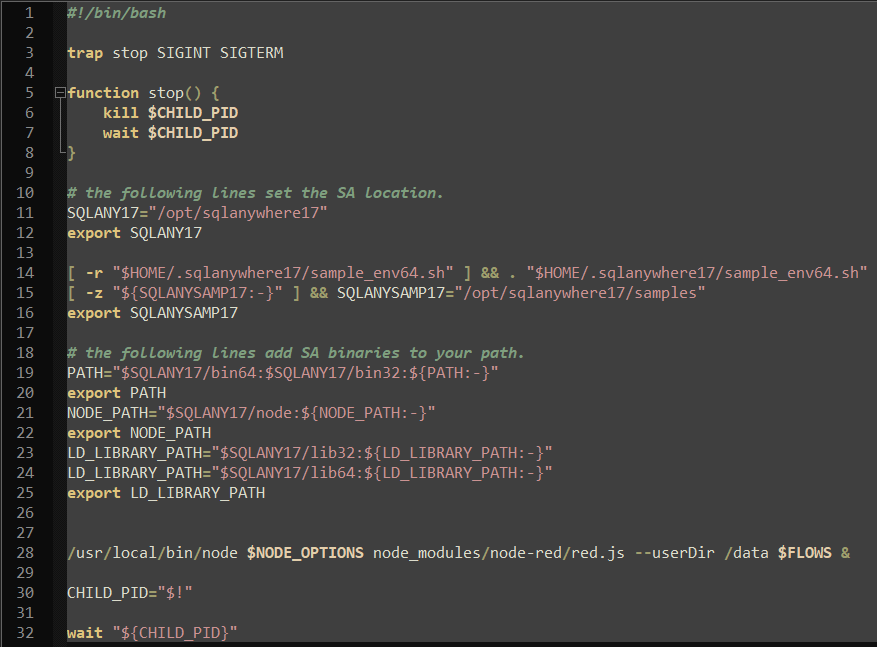
- Export the environment variables to allow Node-Red to use the shared system files. These variables can be found in the installation folder for SQL Anywhere, usually
/opt/sqlanywhere17/bin64/and thesa_config.shscript. Copy the values and insert them in the/scripts/entrypoint.shfile in the docker-custom folder.
- Build the Docker container using the command:
- Push the newly created Docker file to your repository.
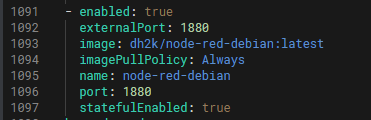
- Add the Docker container as a custom microservice in the UMH helm chart.