Community
How to Fix "The workspace contains some nodes that are not properly configured" Error Message
This troubleshooting guide provides step-by-step instructions on how to fix not properly configured nodes in Node-RED. Sometimes, nodes may not be properly installed or configured, which can result in error messages during flow deployment.
Jeremy Theocharis
February 23, 2023
8 min read
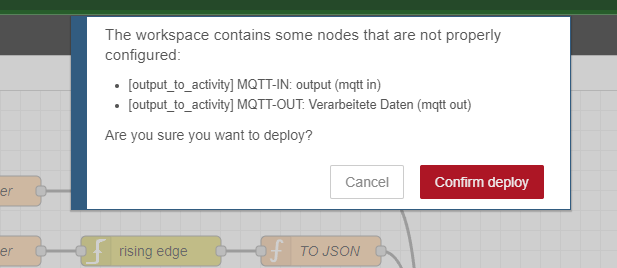
Node-RED is an open-source flow-based programming tool that allows users to create and deploy applications. However, sometimes nodes in Node-RED may not be properly installed or configured, which can result in error messages during flow deployment. In this guide, we will provide step-by-step instructions on how to fix not properly configured nodes in Node-RED.
Instructions
- Open Node-RED in your web browser.
- Open the side panel on the right-hand side of the Node-RED interface.
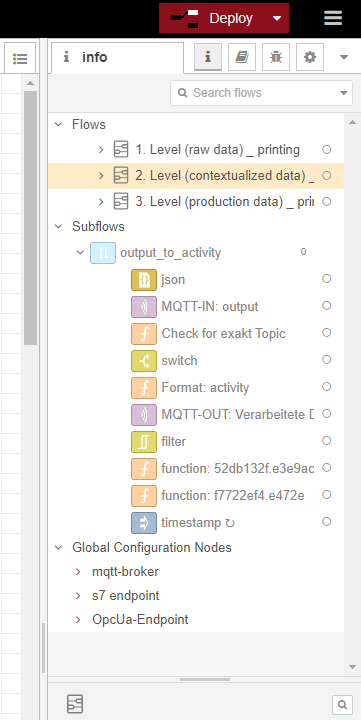
- Locate the nodes that are not properly configured and disable them.
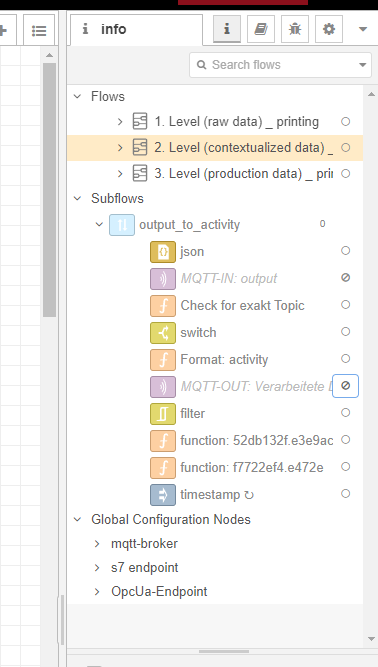
- Click on the "Deploy" button in the upper right-hand corner of the screen to save the changes and redeploy the flow.