How to push messages into MongoDB using Benthos
Setting up a Benthos deployment is a quick way to get data into MongoDB. Just follow the steps provided and easily push data into MongoDB.
Instructions
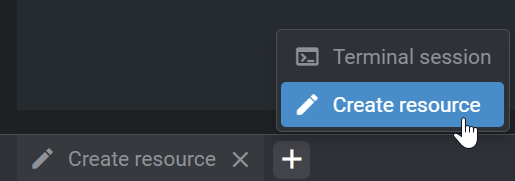
- Open UMHLens and create a Create resource by clicking on the + icon at the bottom.
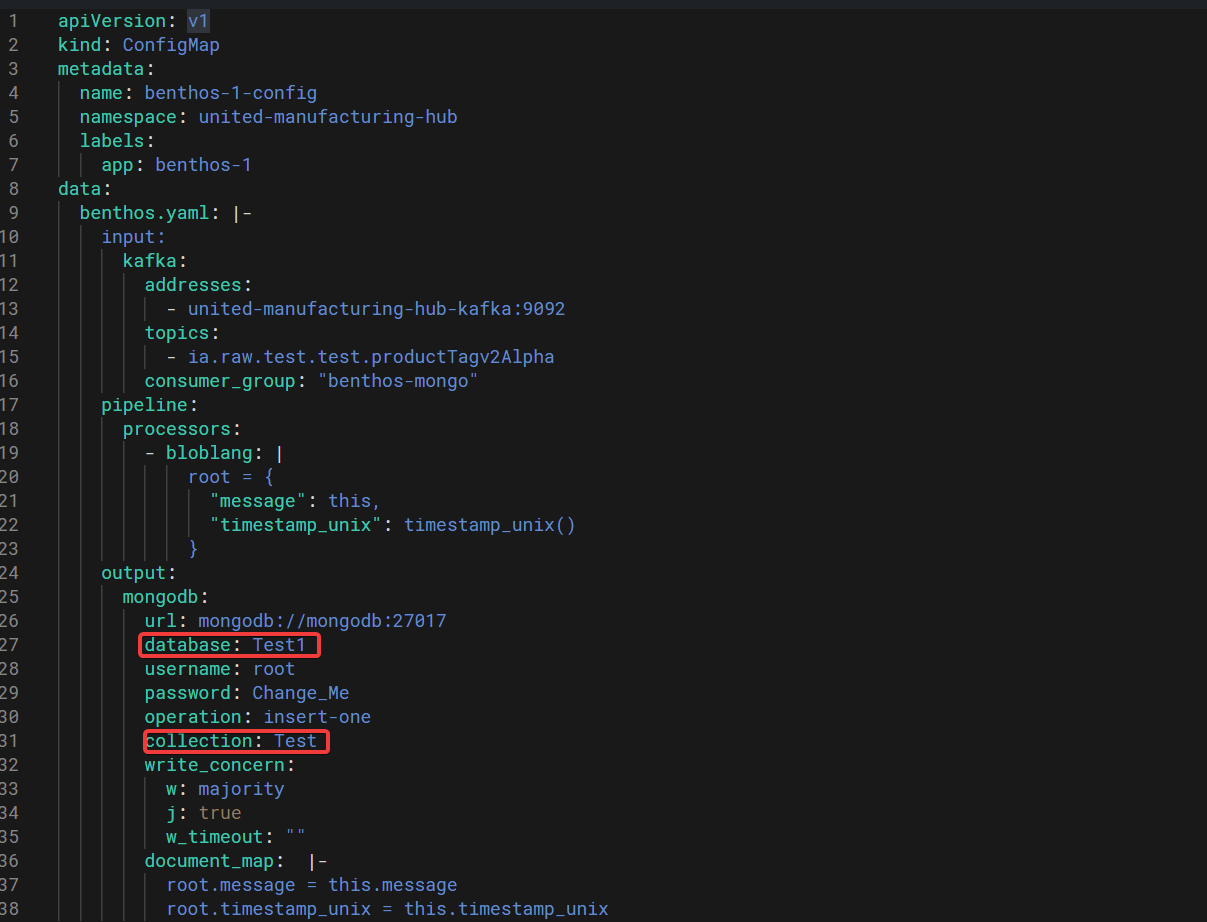
2. Paste in the YAML file (below)
3. Adjust the topic to where benthos should listen to
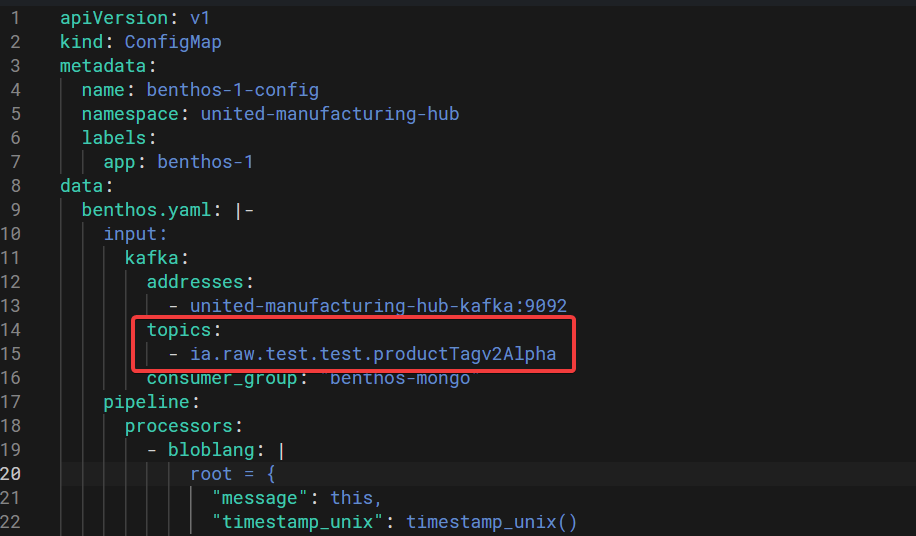
4. Adjust the database and collection, to where you want to save the messages
5. Copy the password located in UMHLens under Config -> Secrets -> mongodb and replace CHANGE_ME with it.
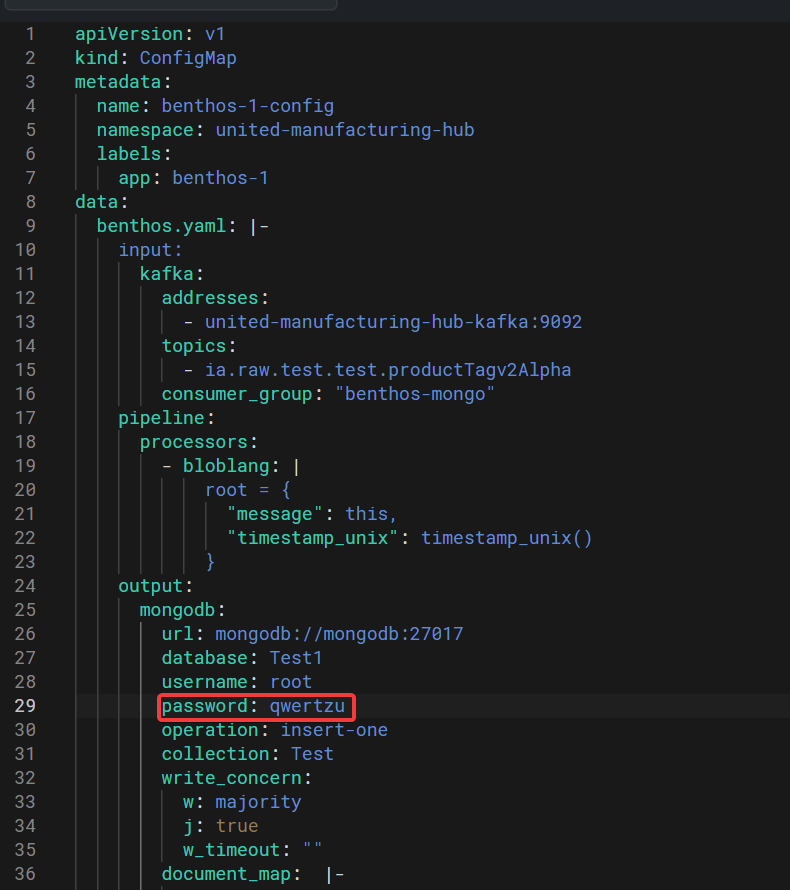
6. Additionally you can modify the pipeline. For now it only takes the incoming message and adds a timestamp to it.
7. When you are done click create to get a benthos-deployment.
8. If you want to make a new deployment make sure, to delete the previous deployment and config-map.
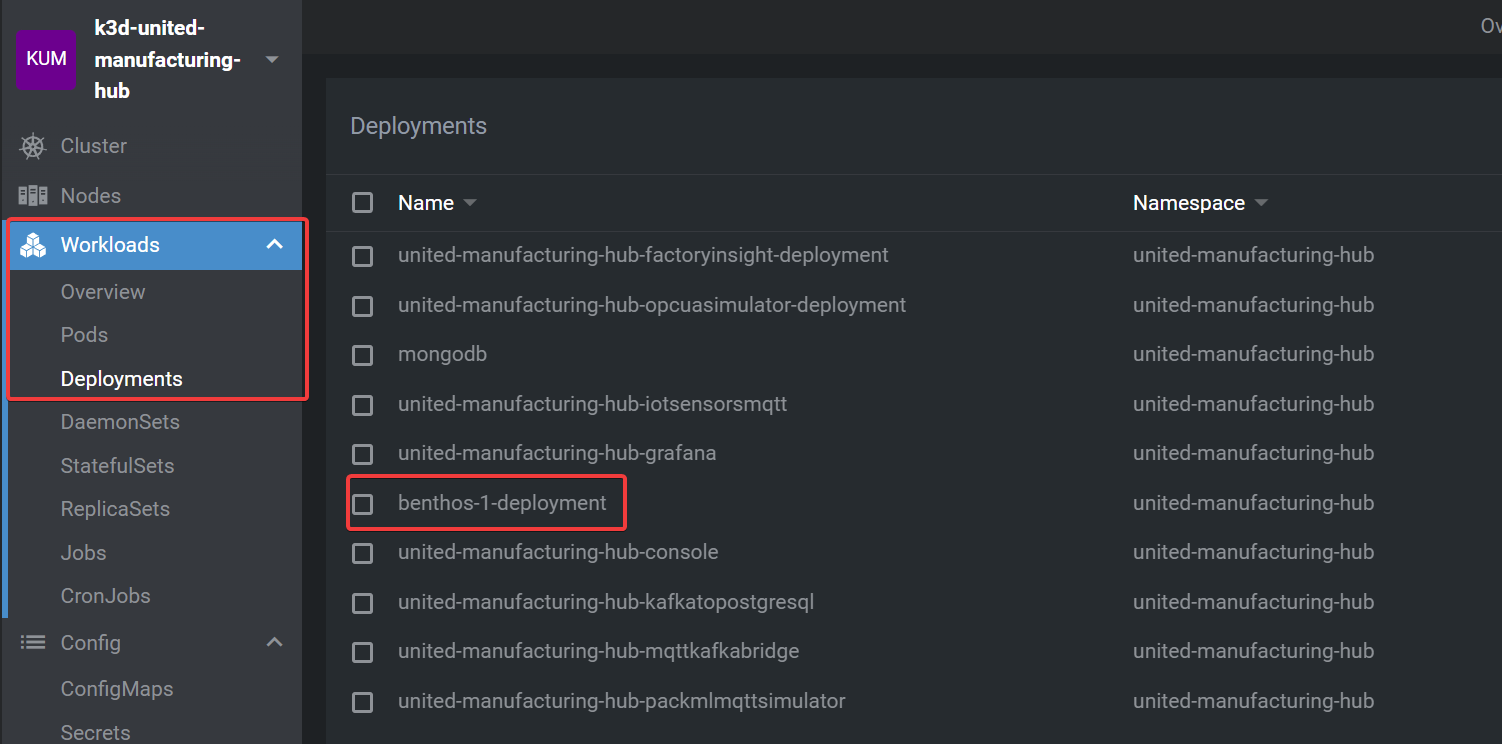
9. The deployment is located under Workloads -> Deployments
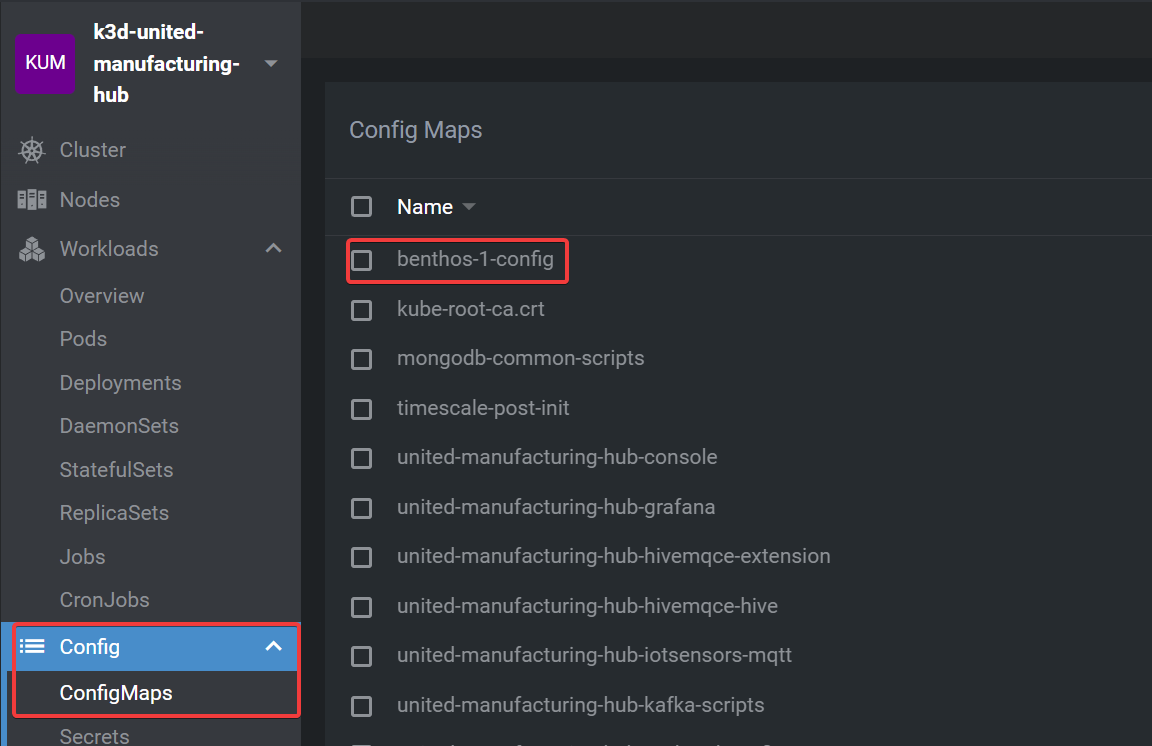
10. The config-map is located under Config -> ConfigMaps
Message format
- For consitency reasons use the following message structure: