Community
How to install MongoDB inside the UMH cluster
Easily install MongoDB using Helm on your Terminal or UMHLens. Check for Bitnami in the repo list, add if necessary, and install MongoDB in United Manufacturing Hub.
Sebastian Krüger
April 3, 2023
8 min read

- Open a Terminal or alternatively open the Terminal in UMHLens.
- Type
helm repo listto check if bitnami is already in the list.
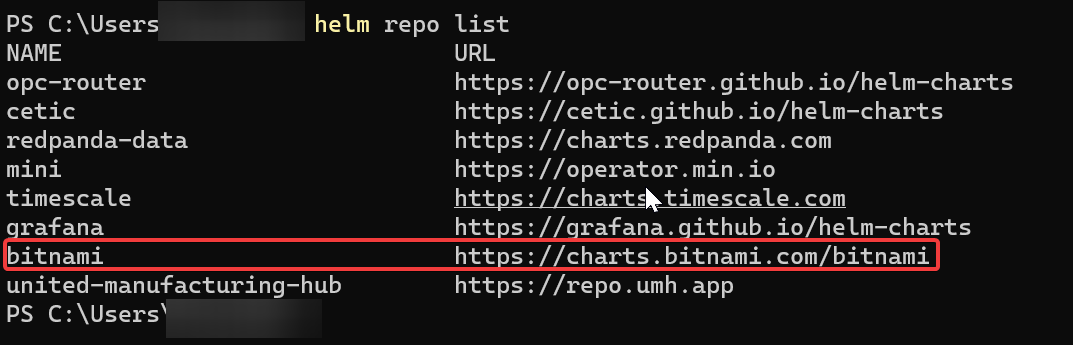
- If bitnami is not in the list:
helm repo add bitnami <https://charts.bitnami.com/bitnami> - Next install mongodb with:
helm install mongodb bitnami/mongodb -n united-manufacturing-hub